LoremGenie for Figma

LoremGenie for Figma: AI Tool for Realistic Design Content

LoremGenie for Figma: An AI tool that replaces Lorem ipsum with realistic, context-aware content—user profiles, product listings, reviews—for designers.

🟢

LoremGenie for Figma - Introduction

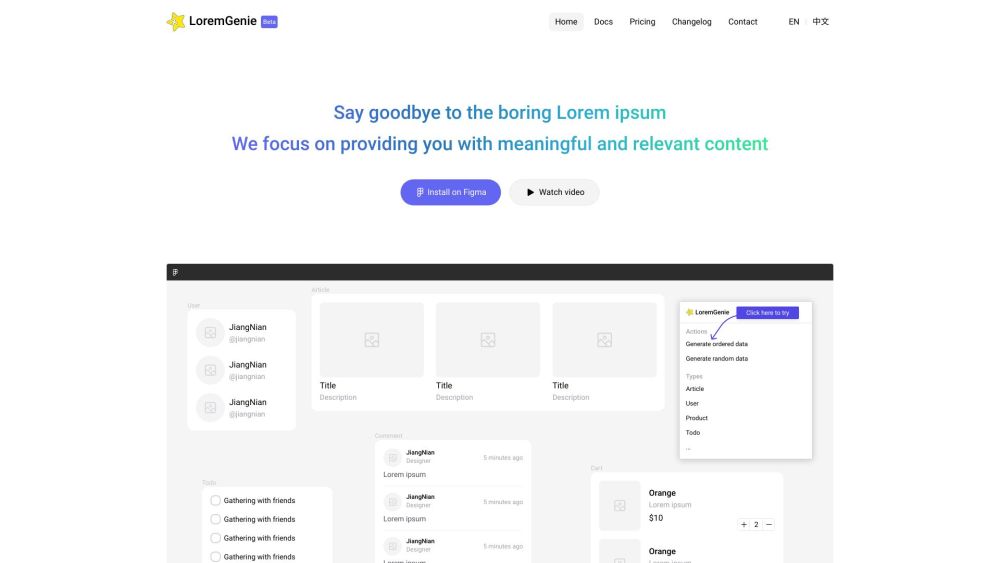
LoremGenie for Figma Website screenshot

What is LoremGenie for Figma?

LoremGenie for Figma is an intelligent AI-powered plugin designed to eliminate placeholder text and synthetic filler in UI/UX design workflows. Instead of generic Latin gibberish, it delivers authentic, context-sensitive content—like realistic user bios, e-commerce product descriptions, verified customer testimonials, and localized metadata—tailored to your design's purpose, industry, and audience. Built natively for Figma, it bridges the gap between wireframe fidelity and real-world usability testing.

How to use LoremGenie for Figma?

Getting started takes seconds: install LoremGenie directly from Figma’s official Plugins directory (search “LoremGenie”), then launch it from the Plugins menu or via快捷 key (Ctrl/Cmd+Shift+L). Select any text layer—or group of layers—and choose from intuitive generation modes: context-aware suggestions (e.g., “SaaS dashboard user profile”), custom field mapping (name → email → role), or format-preserving transformations (camelCase to Title Case, CSV to JSON). With one click, your mockups gain human-readable depth—no copy-pasting, no manual editing.

🟢

LoremGenie for Figma - Key Features

Key Features From LoremGenie for Figma

AI-Powered Contextual Generation

Custom Field Mapping & Schema Control

Smart Format Conversion (JSON, CSV, Markdown, etc.)

Diverse, Inclusive Avatar Library (with skin tone, gender, style options)

Consistent Visual Identity — Matching Avatars + Generated Imagery

LoremGenie for Figma's Use Cases

Designing responsive user dashboards with believable personas

Prototyping e-commerce flows using lifelike product catalogs

Validating UX patterns with authentic review sentiment & ratings

Preparing handoff assets with production-ready, structured data

🟢

LoremGenie for Figma - Frequently Asked Questions

FAQ from LoremGenie for Figma

What is LoremGenie for Figma?

It’s a next-generation Figma plugin that leverages generative AI to replace Lorem ipsum with semantically rich, domain-specific content—designed to reflect how real users interact with real products.

How to use LoremGenie for Figma?

After installation, select text layers in your Figma file, open LoremGenie, and choose from intelligent presets (e.g., “Mobile App Onboarding Screen”) or define custom fields. The AI generates coherent, consistent, and editable content—ready for stakeholder reviews or developer handoff.

How do I install LoremGenie for Figma?

Open Figma Desktop or Web → Click “Plugins” in the top menu → Search “LoremGenie” → Click “Install” → Confirm permissions. It’s instantly available across all your Figma files.

Can I customize the generated data?

Absolutely. You can refine outputs by adjusting tone (professional/casual), locale (en-US, es-ES, fr-FR), length, diversity parameters, and even inject brand-specific terminology—ensuring alignment with your product voice.

Is there a free trial available?

Yes—the free plan includes unlimited generations with core features and up to 3 custom templates per month. Upgrade anytime for advanced AI models, bulk exports, and priority support.

Can I use LoremGenie for Figma in multiple projects?

Yes—once installed, LoremGenie works across *all* your Figma projects, teams, and files. No per-file licensing or hidden limits.

Is customer support available?

Yes. We offer dedicated email support, interactive onboarding guides, video tutorials, and active community moderation on Discord—all focused on helping designers ship faster, with greater confidence.