Items.Design

Items.Design: Free AI Tool for Design Assets

Items.Design: A free AI tool delivering stunning, AI-generated design assets for websites, apps & presentations—fast, smart, official.

🟢

Items.Design - Introduction

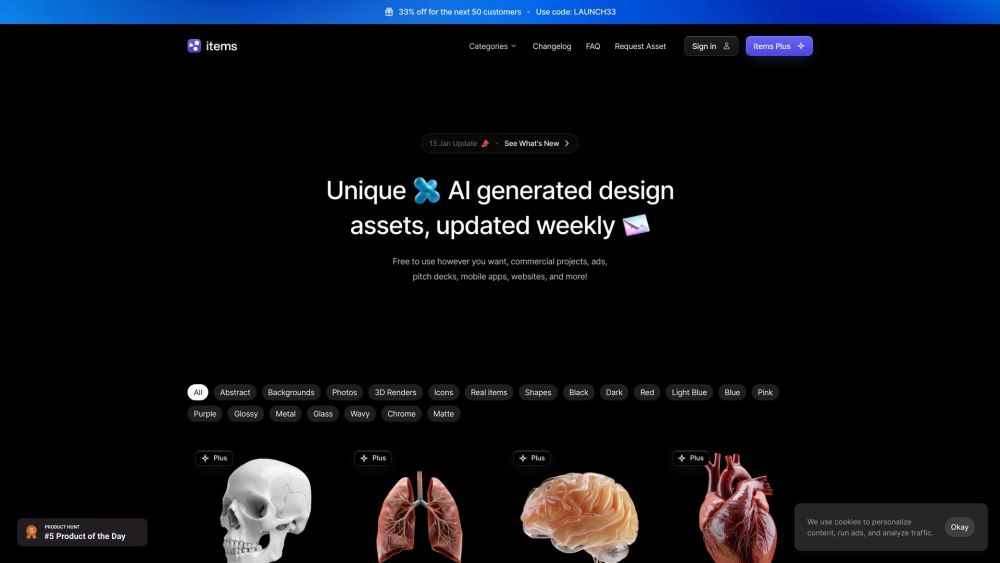
Items.Design Website screenshot

What is Items.Design?

Items.Design is a cutting-edge, free AI-powered platform that instantly generates high-quality, production-ready design assets—crafted for designers, developers, and creators who demand speed, originality, and flexibility. From minimalist abstract textures to photorealistic objects, dynamic shapes, and versatile UI elements, every asset is intelligently generated and thoughtfully curated. Plus: premium “+” assets include editable prompts—so you can remix, refine, or replicate the creative intent behind each piece.

How to use Items.Design?

Getting started takes seconds: go to Items.Design, explore the ever-growing catalog using intuitive filters (style, category, color, resolution), preview assets in context, and download them instantly—no watermarks, no paywalls, no sign-in required for core access. Integrate them seamlessly into websites, mobile app interfaces, Figma prototypes, PowerPoint or Google Slides presentations, marketing banners, and more.

🟢

Items.Design - Key Features

Key Features From Items.Design

AI-Powered Asset Generation Engine

100% Free Core Library — No Attribution Required

Diverse Asset Categories: Abstracts, Icons, Textures, Objects, UI Components & Beyond

Prompt-Enabled “+” Assets for Creative Reproducibility & Iteration

Items.Design's Use Cases

Modern Websites & Landing Pages

Mobile & Web App Interfaces

Pitch Decks, Educational Slides & Social Media Visuals

  • Items.Design Support Email & Customer Service Contact

    Reach the Items.Design team at [email protected]. For full support options—including documentation, community updates, and request tracking—visit the official Contact page.

  • Items.Design Login

    Access your saved favorites, collections, and AI history with one click: Sign in here.

  • Items.Design Sign Up

    Create your free account in under 10 seconds: Join Items.Design.

  • Items.Design Pricing

    The core library remains forever free—but unlock advanced features like unlimited downloads, priority generation, prompt history, and exclusive asset tiers with Items.Design Plus.

  • Items.Design Twitter

    Follow for daily AI design tips, new asset drops, and behind-the-scenes insights: @gadzinski_.

🟢

Items.Design - Frequently Asked Questions

FAQ from Items.Design

What is Items.Design?

A free, official AI tool built for speed and creativity—transforming how designers source, test, and deploy visual assets across digital products and presentations.

How to use Items.Design?

Browse → Preview → Download → Use. No subscriptions, no friction. Whether you're prototyping at 2 a.m. or finalizing a client deck, Items.Design delivers studio-grade assets on demand.

Are the design assets really free to use?

Yes—100% free for personal *and* commercial use, under a permissive license. No hidden fees, no usage caps, no mandatory attribution (though we love shoutouts!).

What types of design assets are available?

Everything from generative gradients and geometric overlays to AI-rendered product mockups, symbolic icons, layered SVGs, and responsive background patterns—all optimized for real-world implementation.

What are the plus assets and prompts?

“+” assets are hand-selected high-fidelity outputs paired with their exact AI generation prompts—enabling you to understand, adapt, or regenerate variations with precision and intention.

Can I use these design assets for commercial projects?

Absolutely. All free assets are licensed for unrestricted commercial use—including SaaS dashboards, e-commerce sites, paid apps, ad campaigns, and client deliverables.

How do I download the design assets?

Click any asset → select format (PNG, SVG, JPG) → hit “Download”. No login needed for standard assets. For bulk or enhanced exports, sign in or upgrade to Plus.