ZeroBlur - Chrome Extension

ZeroBlur - Chrome Extension: AI tool to blur sensitive data instantly

ZeroBlur - Chrome Extension: An AI tool to blur sensitive data instantly—secure, seamless, and built into your browser. ZeroBlur - Chrome Extension.

🟢

ZeroBlur - Chrome Extension - Introduction

ZeroBlur - Chrome Extension Website screenshot

What is ZeroBlur ai chrome extension?

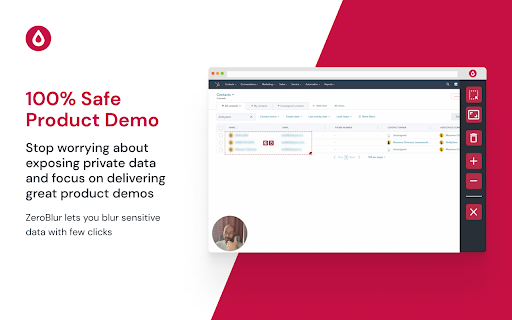
ZeroBlur is an intelligent, browser-native AI extension that automatically detects and blurs sensitive content—like emails, phone numbers, addresses, and IDs—in real time. Designed for privacy-first workflows, it empowers professionals to share screens, record demos, or host webinars without exposing confidential information.

How to use ZeroBlur ai chrome extension?

1. Install the extension and click the ZeroBlur icon to activate. 2. Hover and select any sensitive element—or draw a custom blur zone with precision. 3. Toggle between page-specific or domain-wide blurring, then start presenting, recording, or streaming—confidently and compliantly.

🟢

ZeroBlur - Chrome Extension - Key Features

Key Features From ZeroBlur ai chrome extension

AI-powered smart detection & one-click blurring

Flexible scope control: per-element, per-page, or entire domain

Non-intrusive overlay—preserves layout, usability, and accessibility

ZeroBlur ai chrome extension's Use Cases

Safeguarding PII in live sales demos

Anonymizing user data during QA testing and bug reporting

Ensuring GDPR/CCPA compliance in internal training videos

🟢

ZeroBlur - Chrome Extension - Frequently Asked Questions

FAQ from ZeroBlur - Chrome Extension

What is ZeroBlur?

A lightweight, AI-enhanced Chrome extension built to instantly obscure sensitive data on any webpage—no coding, no delays, just privacy at the click of a button.

How to use ZeroBlur?

1. Click the extension icon to launch the blur interface. 2. Highlight sensitive fields (or manually draw blur regions). 3. Apply blurring instantly—then share, record, or present with zero risk of accidental exposure.

How does ZeroBlur work?

Using on-device AI models, ZeroBlur analyzes rendered DOM elements in real time to identify potential PII and enables contextual, reversible blurring—all within your browser, with no data sent to external servers.