Zeeno

Zeeno: AI Tool Keyboard Extension for Android

Zeeno: A powerful AI tool keyboard extension for Android—seamlessly integrates Carry ChatGPT into any app to boost text generation and productivity.

🟢

Zeeno - Introduction

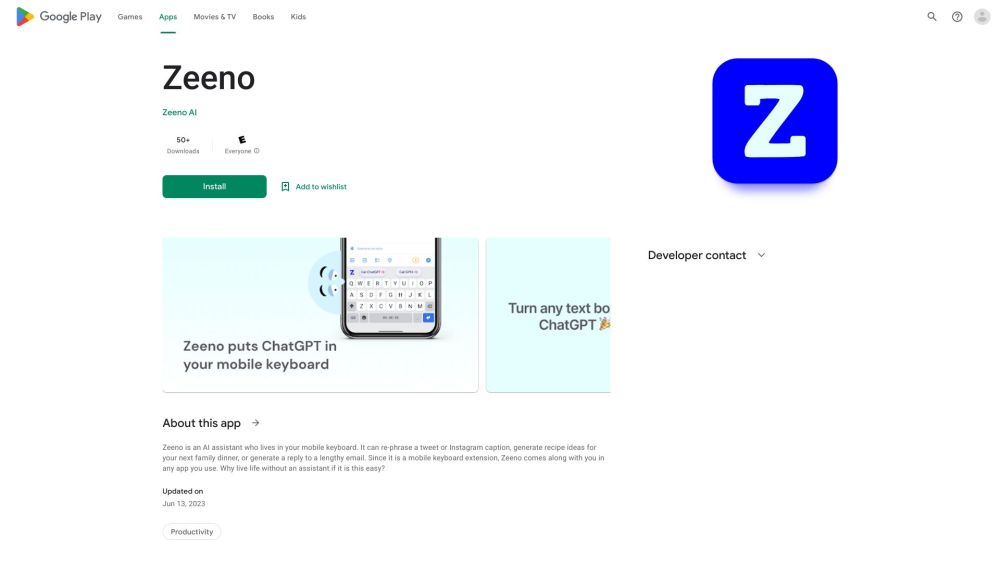
Zeeno Website screenshot

What is Zeeno?

Zeeno is an intelligent, lightweight AI-powered keyboard extension built exclusively for Android—designed to bring the power of Carry ChatGPT directly into your everyday typing experience. Unlike standalone apps, Zeeno works invisibly in the background, activating on demand inside any text field across messaging, email, notes, social media, or even browser forms—transforming how you write, think, and create.

How to use Zeeno?

Getting started with Zeeno takes seconds: download and enable it as your system keyboard in Android Settings, then long-press the spacebar (or tap the Zeeno icon) while typing in any app. Instantly summon Carry ChatGPT to draft replies, refine tone, summarize messages, translate phrases, or spark fresh ideas—all without switching screens or breaking your flow.

🟢

Zeeno - Key Features

Key Features From Zeeno

Native Android keyboard integration

One-tap access to Carry ChatGPT within any app

Real-time, context-aware text generation

Smart productivity layer for writers, creators & professionals

Zeeno's Use Cases

Accelerating response time in WhatsApp, Telegram, and SMS

Drafting compelling social posts, emails, or scripts in seconds

Overcoming writer's block with AI-assisted ideation & expansion

🟢

Zeeno - Frequently Asked Questions

FAQ from Zeeno

What is Zeeno?

Zeeno is an Android-native AI keyboard extension that embeds Carry ChatGPT directly into your typing interface—enabling intelligent text generation wherever you type, with zero app-switching required.

How do I get started with Zeeno?

Install Zeeno from the Google Play Store, go to Settings > System > Languages & input > Virtual keyboard, and enable Zeeno as your default keyboard. Then launch any app with a text field and activate it with a simple gesture or tap.

Does Zeeno work offline?

No—Zeeno requires an active internet connection to securely process requests through Carry ChatGPT’s cloud API. However, it’s optimized for low-latency responses and minimal data usage.

Is my typing data private with Zeeno?

Yes. Zeeno does not store, log, or share your keystrokes or conversation history. All inputs are transmitted securely and processed in real time—your privacy remains fully protected by design.