WordCraft3D Tool

WordCraft3D Tool: AI Tool for 3D Mesh Generation

WordCraft3D Tool: An AI tool that instantly generates 3D model meshes from text—revolutionizing design with smart, seamless WordCraft3D Tool integration.

🟢

WordCraft3D Tool - Introduction

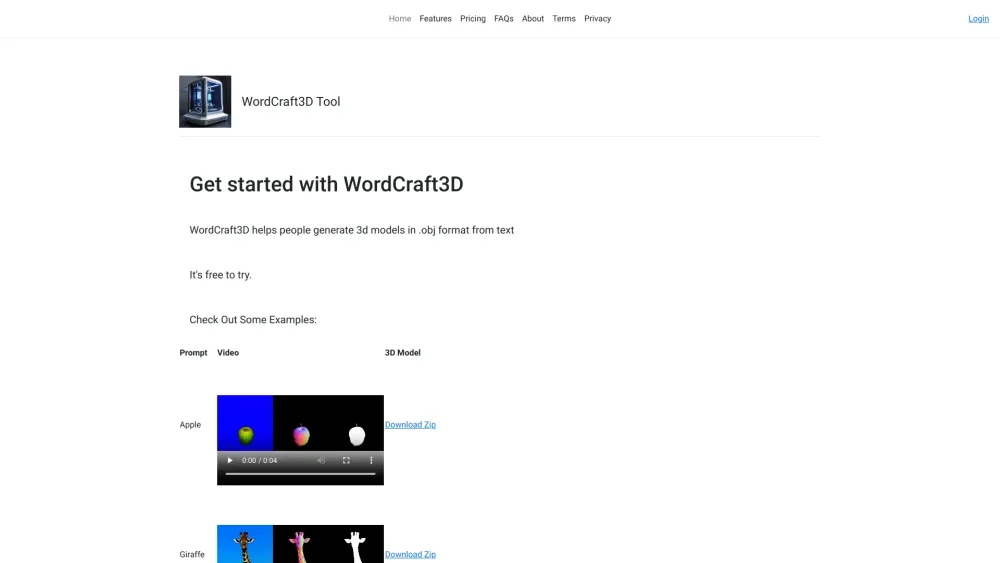
WordCraft3D Tool Website screenshot

What is WordCraft3D Tool?

WordCraft3D Tool is a next-generation AI-powered platform that transforms natural language descriptions into production-ready 3D mesh assets—bridging the gap between imagination and digital fabrication in seconds.

How to use WordCraft3D Tool?

Using WordCraft3D is intuitive and lightning-fast: describe any object in plain English (e.g., “a vintage brass pocket watch with engraved gears”), click generate, and receive a fully textured 3D model—ready for export, animation, or real-time rendering.

🟢

WordCraft3D Tool - Key Features

Key Features From WordCraft3D Tool

Text-to-Mesh Generation with Semantic Precision

Interactive 360° Preview & MP4 Export for Presentations

One-Click Export of Industry-Standard Assets (.obj, .mtl, textures, UV maps)

WordCraft3D Tool's Real-World Applications

Rapid prototyping for product designers and architects

Scalable asset creation for indie game studios and web3 metaverse builders

  • WordCraft3D Tool Support Email & Customer Service Contact & Refund Policy

    For assistance, reach out to our support team at: [email protected].

  • WordCraft3D Tool Company

    Developed by GreenRobot, an innovation studio focused on AI-driven creative tools.

    Learn more about our mission and technology: About WordCraft3D Tool.

  • WordCraft3D Tool Login

    Access your workspace instantly: Log in to WordCraft3D Tool

  • WordCraft3D Tool Pricing

    Explore flexible plans—from free-tier experimentation to pro-grade commercial licensing: View Pricing Options

🟢

WordCraft3D Tool - Frequently Asked Questions

FAQ from WordCraft3D Tool

What is WordCraft3D Tool?

An intelligent 3D mesh generation engine that interprets textual prompts and outputs high-fidelity, topology-optimized 3D models—designed for creators who value speed without sacrificing quality.

How to use WordCraft3D Tool?

Type a clear, descriptive prompt → select resolution and output format → generate → download or embed. No 3D modeling experience required.

How does WordCraft3D work?

Leveraging multimodal foundation models trained on billions of 3D-text pairs, WordCraft3D synthesizes geometry, material properties, and lighting-aware textures—delivering coherent, export-ready meshes in under 90 seconds.