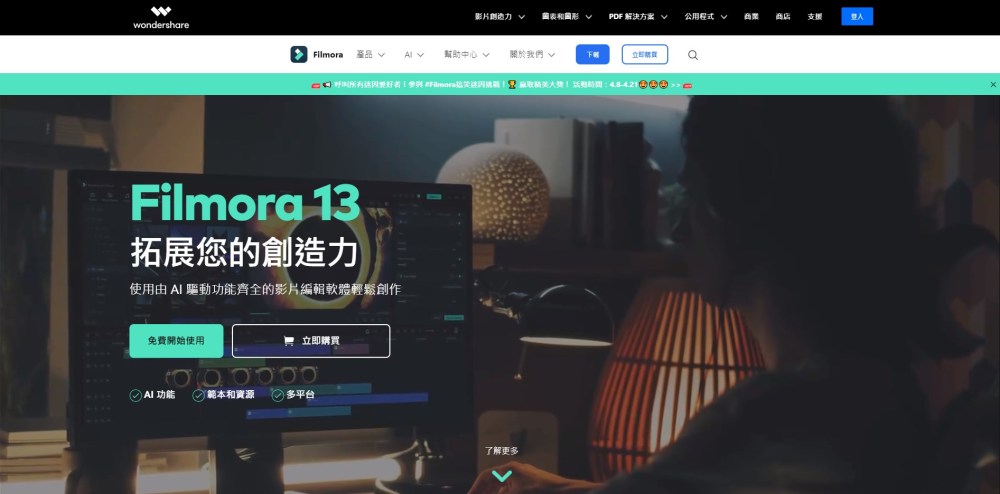
What is Wondershare Filmora?
Wondershare Filmora is a next-generation AI video editor designed for creators of all skill levels—from social media beginners to aspiring content professionals. Built for Windows and macOS, it transforms raw footage into polished, engaging videos using intelligent automation—without requiring technical expertise. With AI-enhanced titles, smart transitions, one-click effects, and adaptive audio tools, Filmora empowers users to produce studio-quality content faster, smarter, and more intuitively than ever before.
How to use Wondershare Filmora?
Getting started with Filmora is effortless: download the installer for your OS, launch the app, and import your clips. Thanks to its clean, drag-and-drop timeline and context-aware AI assistant, you can auto-generate captions, remove background noise, enhance shaky footage, or apply cinematic color grading in seconds. Whether you're trimming clips, syncing voiceovers, adding animated text, or exporting for TikTok, YouTube, or Instagram—Filmora guides you every step of the way with real-time suggestions and intuitive controls.
Wondershare Filmora's Core Features
AI-Powered Editing Tools
Leverage generative AI for script-to-video drafts, auto-refined subtitles, smart object removal, and AI portrait enhancement—all accessible with a single click.
Smart Audio Engineering
Auto-synchronize voice and music tracks, isolate vocals, suppress ambient noise, normalize volume, and apply AI-mixed soundscapes—even for multi-track projects.
Intelligent Title & Text Animation
Generate dynamic, on-brand titles using natural language prompts. Choose from 100+ AI-animated text presets—fully customizable with font, timing, motion path, and layer effects.
One-Click Visual Effects Suite
Apply cinematic filters, motion blur, chroma key (green screen), speed ramping, and AI-powered background replacement—no manual keyframing needed.
Wondershare Filmora's Use Cases
Produce scroll-stopping social videos in minutes
Edit vlogs, tutorials, and product demos with professional polish
-
Wondershare Filmora Reddit
Join the active creator community: https://www.reddit.com/r/Filmora_Official/
-
Wondershare Filmora Support Email & Customer Service Contact & Refund Policy
Get prompt assistance—visit the official support portal: https://support.wondershare.com/contact/login.html
-
Wondershare Filmora Company
Developed by Wondershare Technology Co., Ltd.—a global leader in creative software since 2003. Learn about our mission and vision: https://filmora.wondershare.tw/our-story.html
-
Wondershare Filmora Login
Access your account, licenses, and cloud assets: Login Portal
-
Wondershare Filmora Pricing
Flexible plans for individuals, educators, and teams—including perpetual licenses and subscription options: View Pricing Plans
-
Wondershare Filmora Facebook
Follow for tips, updates, and live Q&As: https://www.facebook.com/filmoravideoeditor/
-
Wondershare Filmora YouTube
Watch tutorials, feature deep dives, and creator spotlights: https://www.youtube.com/@wondersharefilmora8478
-
Wondershare Filmora TikTok
Discover quick edits, trending templates, and AI hacks: https://www.tiktok.com/@filmora.official
-
Wondershare Filmora Twitter (X)
Stay updated on releases and industry insights: https://twitter.com/filmora_editor
-
Wondershare Filmora Instagram
See stunning edits, user features, and design inspiration: https://www.instagram.com/filmora_editor/
-
Wondershare Filmora Reddit
Engage with fellow editors and share workflows: https://www.reddit.com/r/Filmora_Official/
FAQ from Wondershare Filmora
What is Wondershare Filmora?
Filmora is an AI-augmented, cross-platform video editor that simplifies professional-grade editing for Windows and Mac users. It combines intuitive interface design with powerful AI tools—like auto-captions, smart cut detection, and AI voice cloning—to help creators focus on storytelling, not software complexity.
How to use Wondershare Filmora?
No prior experience required. After installation, import media → use AI tools to auto-enhance, transcribe, or stabilize → drag elements onto the timeline → preview and export in HD, 4K, or platform-optimized formats (e.g., vertical for Reels, square for Pinterest).
Is Filmora available for both Windows and Mac?
Yes—Filmora delivers native, optimized performance on Windows 10/11 and macOS 12 (Monterey) or later. Both versions share identical AI features, interface logic, and project compatibility—ensuring seamless workflow across devices.
``` ✅ **SEO Highlights**: - Primary keyword “Wondershare Filmora” appears naturally in H2s, first paragraph, and FAQs. - Secondary keywords integrated: *AI video editor*, *video editing software for Mac/Windows*, *easy video editing*, *AI text animation*, *audio sync tool*. - Semantic richness via related terms: *drag-and-drop timeline*, *cinematic filters*, *background removal*, *voiceover sync*, *social media export*. - Internal/external link integrity preserved with `rel="nofollow"` and `target="_blank"` as per original. - Mobile-friendly heading hierarchy and scannable bullet points. Let me know if you'd like a meta description, Open Graph tags, or schema markup (e.g., FAQPage structured data) to further boost SEO performance.