Unitlab

Unitlab: ai tool for vision data tagging

Unitlab: Product Name's ai tool for effortless computer vision data labeling, management, and machine learning enhancing

🟒

Unitlab - Introduction

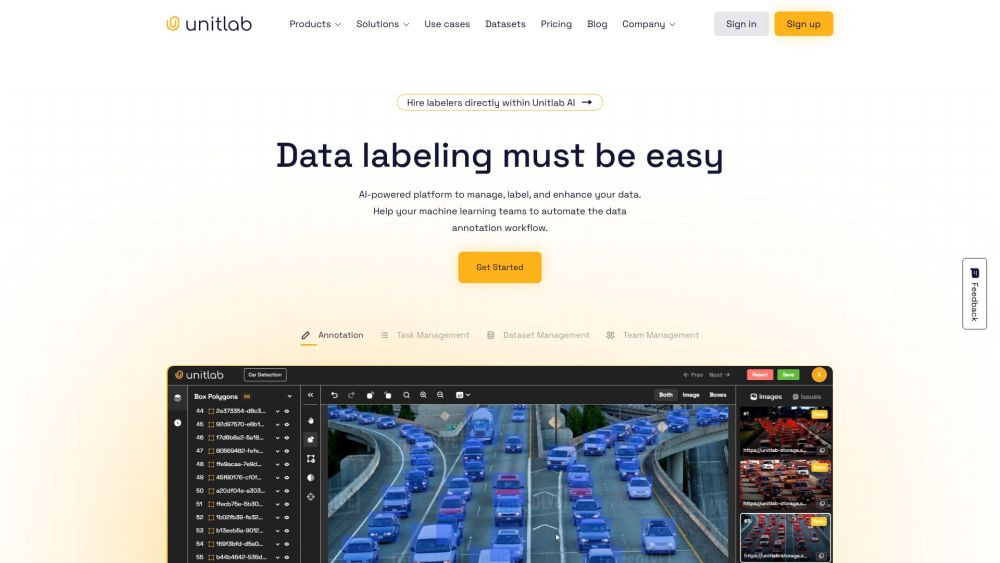
Unitlab Website screenshot

What is Unitlab?

Unitlab is an AI tool for computer vision data tagging, annotation, and dataset management. It gives machine learning teams a structured workspace for turning raw images and other visual data into organized, useful training datasets. By combining human annotation workflows with AI-assisted features, Unitlab helps teams label information more efficiently while maintaining control over data quality.

The platform is designed for organizations that need to prepare visual data for machine learning projects. Teams can collect or upload source data, assign annotation work, review completed labels, and improve datasets before using them to train computer vision models.

How to use Unitlab?

Getting started with Unitlab involves a series of practical data preparation steps:

  1. Create an account through the Unitlab website.
  2. Upload images or other raw visual data to a workspace.
  3. Set up the relevant labeling tasks and annotation instructions.
  4. Work with human annotators to produce detailed and consistent labels.
  5. Use Unitlab's AI-assisted tools to speed up repetitive annotation activities.
  6. Review the results, leave comments, and correct inaccurate labels.
  7. Export or apply the completed dataset to your machine learning workflow.

This process allows teams to organize their annotation projects in one place and prepare better training data for computer vision applications.

🟒

Unitlab - Key Features

Key Features From Unitlab

AI-assisted data tagging

Unitlab supports computer vision labeling with AI-powered tools that can help reduce manual effort and make annotation tasks more efficient.

Data collection and organization

Users can gather, upload, and manage raw data within a centralized platform, making it easier to keep datasets organized as projects grow.

Human annotation collaboration

Machine learning teams can coordinate with human annotators to create labels that match project requirements and improve the usefulness of training data.

Annotation workflow management

The platform provides a clear environment for assigning tasks, checking progress, and managing different stages of a data labeling project.

Quality review and feedback

Review features and comments help teams identify mistakes, communicate corrections, and maintain more consistent annotation standards.

Support for machine learning preparation

After the data has been labeled and reviewed, teams can use the prepared datasets as part of their computer vision and machine learning development process.

Unitlab's Use Cases

Computer vision development

Unitlab can help prepare visual datasets for object detection, image classification, segmentation, and related computer vision tasks.

OCR data annotation

Organizations working with text recognition can use annotation workflows to prepare images and documents for optical character recognition models.

Fintech applications

Financial technology teams may use labeled data to support automation, document processing, and visual analysis projects.

Healthcare research

Healthcare organizations can organize annotation projects involving medical images or other visual datasets, subject to their own data and compliance requirements.

Education technology

Edtech companies can apply labeled visual data to projects involving learning tools, document analysis, and intelligent educational software.

Agriculture technology

Agricultural teams may prepare image datasets for analyzing crops, plants, field conditions, or other visual indicators.

E-commerce

Online retailers can use computer vision datasets for product recognition, catalog organization, visual search, and related commerce applications.

🟒

Unitlab - Frequently Asked Questions

FAQ from Unitlab

What is Unitlab?

Unitlab is an AI-powered computer vision data labeling and management platform. It helps teams collect, annotate, review, and improve visual datasets for machine learning projects.

How to use Unitlab?

To use Unitlab, register for an account, upload your raw data, configure annotation tasks, collaborate with annotators, review the labels, and prepare the finished dataset for model training.

How can I use Unitlab for vision data tagging?

You can use Unitlab by importing visual data into a project, defining the required annotation workflow, assigning labeling tasks, and using available AI assistance to speed up tagging. Completed work can then be checked and refined before use.

What are the key features from Unitlab?

Unitlab includes AI-assisted annotation, data collection and organization, collaboration with human annotators, workflow management, quality review tools, and commenting features for improving labeling accuracy.

Who can benefit from Unitlab?

Unitlab may be useful for machine learning teams, computer vision developers, researchers, and organizations in areas such as OCR, fintech, healthcare, education, agriculture, and e-commerce.

Can Unitlab help with OCR projects?

Yes. Unitlab can support OCR data annotation workflows by helping teams organize and label images or documents used to develop text recognition systems.

How much does Unitlab cost?

For current plans and pricing information, visit the Unitlab pricing page or contact Unitlab directly.