Talk to GPT - Chrome Extension

Talk to GPT: Ultimate AI Tool for Voice Chat

Talk to GPT - Chrome Extension: Voice communication with ChatGPT on browser – an ultimate ai tool. Product Name enhances interaction.

🟒

Talk to GPT - Chrome Extension - Introduction

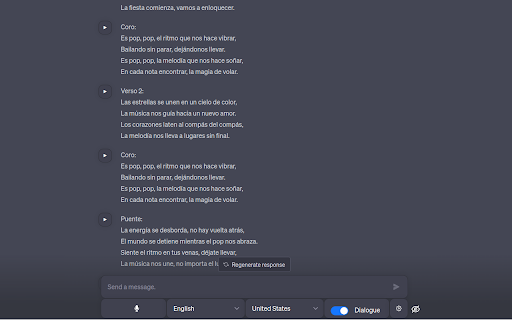
Talk to GPT - Chrome Extension Website screenshot

What is Talk to GPT: Ultimate AI Tool for Voice Chat?

Talk to GPT is a powerful Chrome extension designed to transform the way you interact with ChatGPT by enabling seamless voice-based conversations directly in your browser. With just one click, turn typed chats into dynamic spoken dialogues on chat.openai.com β€” making AI interaction more natural and intuitive than ever before.

How to use Talk to GPT: Ultimate AI Tool for Voice Chat?

Using the extension is effortless: install it from the Chrome Web Store, open ChatGPT, and press the microphone button to start speaking. Your words are instantly captured, transcribed, and sent as input to ChatGPT, which responds in text β€” creating a real-time, hands-free conversational experience.

🟒

Talk to GPT - Chrome Extension - Key Features

Key Features From Talk to GPT: Ultimate AI Tool for Voice Chat

Real-Time Voice Transcription

Experience accurate, low-latency speech-to-text conversion powered by Chrome's advanced speech recognition, allowing you to communicate naturally with AI.

Customizable Language & Proficiency Settings

Select your preferred language and set your proficiency level to tailor responses for learning, practice, or casual conversation β€” ideal for language learners at any stage.

Smart Error Correction Mode

Enable AI-powered feedback to receive corrected versions of your spoken phrases, helping improve grammar, pronunciation, and fluency over time.

🟒

Talk to GPT - Chrome Extension - Frequently Asked Questions

FAQ from Talk to GPT - Chrome Extension

What is Talk to GPT?

A lightweight Chrome extension that brings voice chat functionality to ChatGPT, letting users speak instead of type during AI conversations.

How to use Talk to GPT?

After installation, activate the mic icon on the ChatGPT interface and speak naturally. The extension captures your voice, converts it to text, and sends it to ChatGPT automatically.

What languages are supported for voice input?

All languages compatible with Chrome's Speech Recognition API are supported, offering broad multilingual accessibility for global users.