Tab Grouping AI - Chrome Extension

Tab Grouping AI - Chrome Extension: AI Tool for Smart Tab Management

Tab Grouping AI - Chrome Extension: AI tool that organizes tabs smartly. Boost productivity with Product Name's ai-powered tab management.

🟢

Tab Grouping AI - Chrome Extension - Introduction

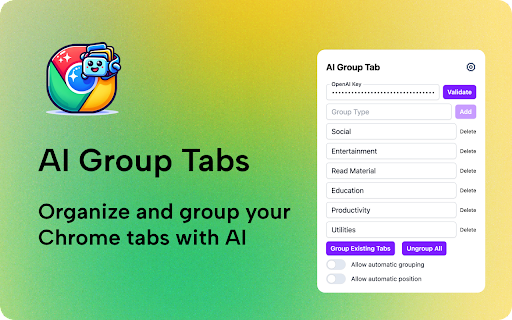
Tab Grouping AI - Chrome Extension Website screenshot

What is Tab Grouping AI - Chrome Extension?

Tab Grouping AI is a smart Chrome extension powered by artificial intelligence to automatically sort and manage your open browser tabs. Instead of manually organizing cluttered windows, the tool intelligently detects tab content and groups related pages together—helping you stay focused and efficient.

How to use Tab Grouping AI - Chrome Extension?

Simply add the Tab Grouping AI extension from the Chrome Web Store, grant minimal required permissions, and start browsing. The AI will run in the background, analyzing your tabs in real time and grouping them based on context, topic, or purpose—no manual input needed.

🟢

Tab Grouping AI - Chrome Extension - Key Features

Key Features From Tab Grouping AI - Chrome Extension

Smart AI-Based Categorization

Automatically identifies and clusters tabs by subject, such as work projects, personal research, shopping, or news.

Real-Time Tab Management

Dynamically reorganizes tabs as you open new ones, ensuring your workspace stays clean and intuitive throughout the day.

🟢

Tab Grouping AI - Chrome Extension - Frequently Asked Questions

FAQ from Tab Grouping AI - Chrome Extension

What is Tab Grouping AI?

A Chrome extension that uses advanced AI to streamline your browsing experience by automatically grouping related tabs.

How to use Tab Grouping AI?

Install it from the Chrome Web Store, enable the extension, and let the AI handle the rest by organizing your tabs seamlessly in the background.

Is my data secure?

Absolutely. All processing happens locally on your device—your browsing data is never sent to external servers, ensuring complete privacy and security.