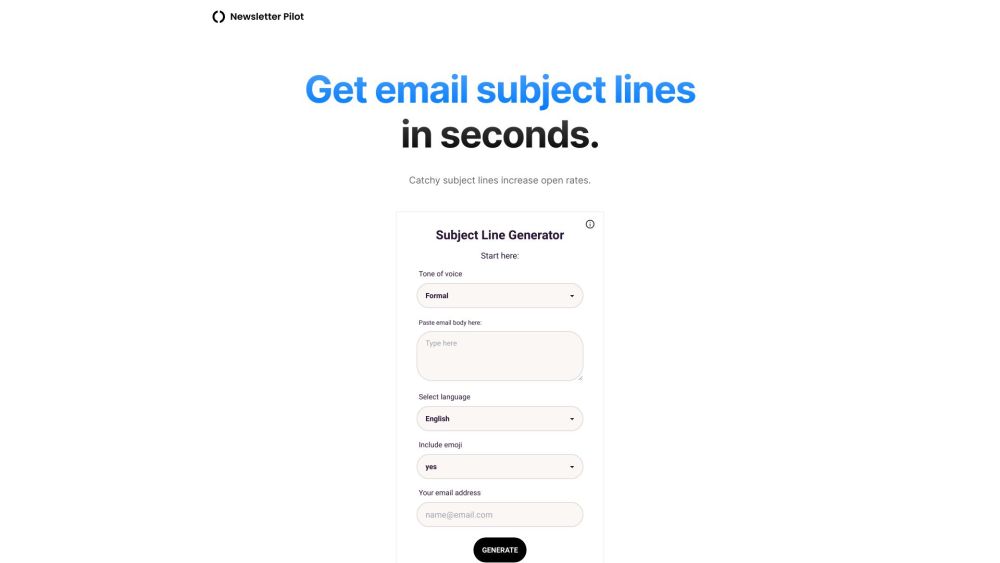
Subject Line Generator

Subject Line Generator: AI Tool for Emails

Subject Line Generator: This AI tool crafts personalized subject lines with your chosen tone and emojis. The Subject Line Generator integrates seamlessly in Gmail for instant access.

🟢

Subject Line Generator - Introduction

Subject Line Generator Website screenshot

What is Subject Line Generator?

The Subject Line Generator is an intelligent AI tool designed to help you craft compelling, high-converting subject lines in seconds. By analyzing your email content and preferred communication style, it generates personalized options that match your brand voice—whether professional, playful, or persuasive. With built-in emoji suggestions and seamless Gmail integration, creating attention-grabbing subject lines has never been easier.

How to use Subject Line Generator?

Using the Subject Line Generator is simple and intuitive. Start by entering the main idea or body of your email, then select your desired tone—such as friendly, formal, urgent, or casual. The AI instantly produces a variety of optimized subject line suggestions. You can refine them further by adding emojis for extra visual appeal. For Gmail users, the tool works directly inside your inbox, letting you generate and apply subject lines without leaving your workflow.

🟢

Subject Line Generator - Key Features

Key Features From Subject Line Generator

Powered by advanced natural language processing, the Subject Line Generator delivers smart, context-aware suggestions tailored to your message. Key features include tone customization, emoji enhancement, real-time generation, and effortless Gmail integration—making it ideal for marketers, entrepreneurs, and anyone looking to boost open rates.

  • 🟢

    Subject Line Generator - Frequently Asked Questions

    FAQ from Subject Line Generator

    What is Subject Line Generator?

    It's an AI-driven tool that creates customized subject lines based on your email content and selected tone. It supports emoji integration and works seamlessly within Gmail.

    How to use Subject Line Generator?

    Input your email message, choose a tone, and let the AI generate multiple subject line options. You can pick one, tweak it, or add emojis before using it directly in your draft.

    How does the AI generate subject lines?

    The AI interprets the intent and context of your message, then applies linguistic models tuned to different tones and engagement strategies to produce relevant, catchy subject lines.

    Can I customize the generated subject lines?

    Absolutely. While the AI provides ready-to-use options, you’re free to edit any suggestion, adjust wording, or insert emojis to better fit your audience.

    Does the generator work with Gmail?

    Yes, the Subject Line Generator integrates natively with Gmail, allowing you to access its features right from your compose window for a smooth, efficient experience.