Spline

Spline: Free AI Tool for Real-Time 3D Design

Spline: A free AI tool for real-time 3D design & collaboration—model, animate, texture, and publish interactive web experiences directly in-browser.

🟢

Spline - Introduction

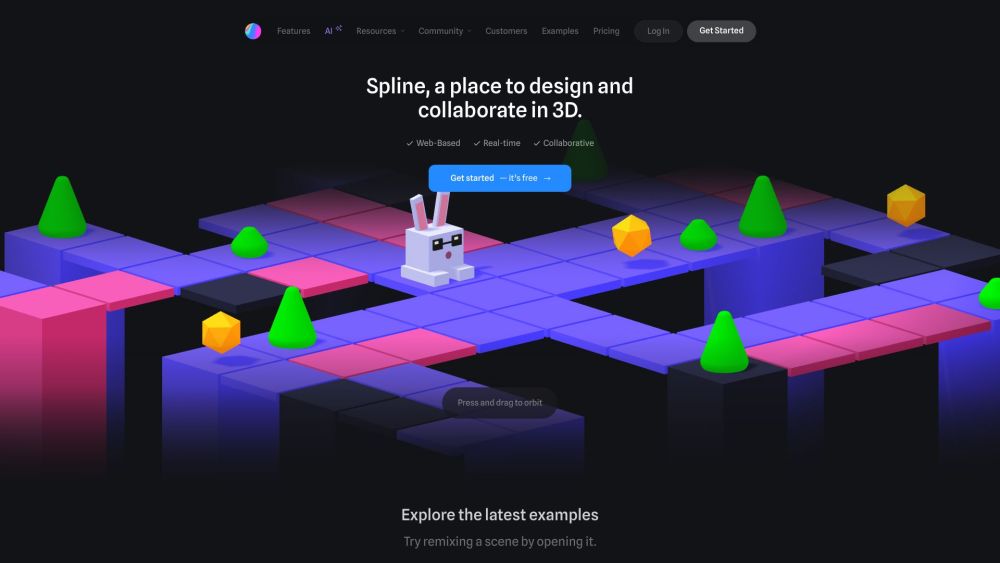
Spline Website screenshot

What is Spline?

Spline is a cutting-edge, browser-native AI-powered platform for real-time 3D design—engineered for creators who want to model, animate, texture, and deploy interactive 3D experiences without installing software or writing code. As a free AI tool, it intelligently assists with geometry generation, material suggestions, animation timing, and responsive interactivity—all while enabling seamless co-creation across time zones and devices.

How to use Spline?

Getting started with Spline takes seconds: visit app.spline.design, sign up for a free account (no credit card required), and launch your first canvas instantly. From there, leverage intuitive drag-and-drop tools, AI-assisted prompts for object creation, and live preview modes to iterate rapidly. Invite teammates via shareable links, assign roles (editor, viewer, commenter), and watch changes sync in real time—no version conflicts, no export/import loops. New users benefit from guided onboarding flows, interactive tooltips, and a thriving community hub filled with project templates and best practices.

🟢

Spline - Key Features

Key Features From Spline

AI-Augmented 3D Creation

Zero-install, fully web-based 3D environment

Real-time multiplayer editing with presence indicators

Parametric modeling + intuitive polygonal sculpting

Timeline-driven animation with easing presets & keyframe interpolation

Interactive triggers: hover, click, scroll, drag, and keyboard events

Physically based rendering (PBR) materials with layered controls

Procedural texture generation and video-texture embedding

Component system for reusable, nested 3D objects

Camera rigging with cinematic framing and motion paths

React-ready code export (JSX, TypeScript, Three.js)

One-click publishing to shareable URLs or embeddable iframes

Integrated asset library: materials, lighting presets, and HDRI environments

Template gallery spanning UI widgets, product showcases, game assets, and architectural scenes

3D vector path editing with Bezier curve precision

Physics-enabled interactions: gravity, collisions, springs, and constraints

Game-ready controls: WASD movement, mouse look, and VR-ready input mapping

Project organization: teams, workspaces, folders, and permission tiers

Multi-format export: GLB, USDZ, PNG, MP4, GIF, and animated Lottie

Spline's Use Cases

Designing immersive brand experiences for websites and landing pages

Prototyping 3D product configurators and e-commerce visuals

Building lightweight 3D games and interactive narratives

Creating dynamic data visualizations and explainer scenes

Architectural walkthroughs and interior design simulations

Motion graphics production with 3D text, logos, and environments

🟢

Spline - Frequently Asked Questions

FAQ from Spline

What is Spline?

Spline is a free, AI-enhanced, real-time 3D design platform built entirely for the web—empowering designers, developers, and storytellers to build, collaborate on, and publish interactive 3D content without local installations or coding expertise.

How to use Spline?

Start instantly in your browser: sign up, choose a template or blank canvas, and begin designing using visual tools and AI shortcuts. Collaborate live with others, preview interactivity in real time, and publish with one click—or export code for integration into modern web frameworks.

Is Spline free to use?

Yes—the core platform is completely free forever, including unlimited projects, real-time collaboration, and full export capabilities. Optional paid plans unlock enhanced cloud storage, team management, priority support, and advanced publishing options.

Can multiple users collaborate on a project in real-time?

Absolutely. Spline's architecture is built for concurrent editing: changes appear instantly for all participants, with cursor tracking, comment threads, and granular permission controls—ideal for remote design sprints and cross-functional workflows.

Does Spline provide tutorials and examples for learning?

Yes—Spline offers an extensive learning ecosystem: interactive in-app guides, step-by-step video courses on YouTube, community-curated templates, and a vibrant Discord where creators share workflows, troubleshoot issues, and inspire each other daily.

Can I export my designs from Spline?

Yes. Export high-fidelity renders (PNG, JPG), animated sequences (MP4, GIF), 3D assets (GLB, USDZ), or embeddable web components (React, HTML/JS). All exports retain lighting, materials, and interactivity where supported.

Can I integrate Spline designs with my web projects?

Yes—Spline generates clean, production-ready React components (with TypeScript support) that plug directly into Next.js, Vite, or any modern frontend stack. You can also embed via iframe or use the Spline SDK for custom integrations.