FAQ from SigmaNote
-
Is SigmaNote free to use?
-
What file types and links can I import?
-
How secure is my data and chat history?
-
Can I upgrade, downgrade, or cancel anytime?
-
How do I cancel my subscription?
-
How do I get help if I run into issues?
FAQ from SigmaNote
What is SigmaNote?
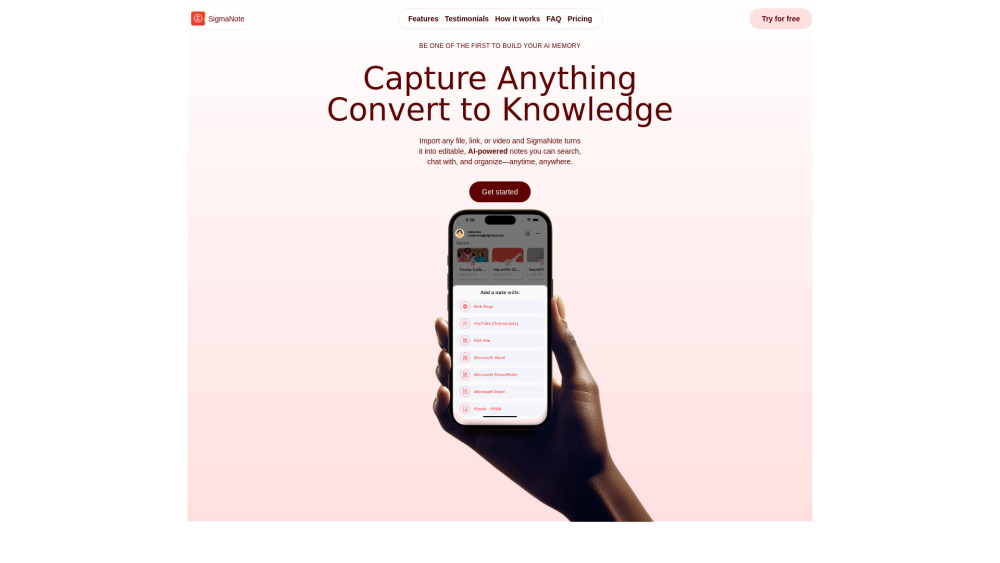
SigmaNote is an AI-native knowledge platform that turns unstructured information — documents, web pages, videos, emails — into intelligent, editable, and conversational notes. It goes beyond passive storage: every note is searchable, explorable via natural-language chat, and designed to grow with your thinking. It’s where your raw inputs become reusable, interconnected intelligence.
How to use SigmaNote?
Import anything in one click: upload a PDF, paste a URL, connect your Gmail or Dropbox, or use the native editor. SigmaNote parses, structures, and converts it into rich Markdown — preserving headings, lists, tables, and citations. Then, interact: ask for summaries, clarify jargon, compare concepts, or generate next steps — all rooted in *your* content. Organize by Spaces to keep workflows distinct and insights discoverable.
Is SigmaNote free to use?
Yes — the Starter plan is free forever: 20 monthly conversions, 15 AI chats, and 1 GB of encrypted storage. Upgrade to Pro or Team for unlimited processing, advanced AI features (like cross-note reasoning), priority support, and admin controls.
What file types and links can I import?
PDF, DOCX, PPTX, XLSX, EPUB, TXT, web articles (via URL), YouTube videos (auto-transcribed), Gmail threads, Apple Mail, Notion pages, Slack messages (via export), and files from iOS Files, Dropbox, Google Drive, and OneDrive. We’re continuously expanding — including audio and image-based document support.
How secure is my data and chat history?
Your data is protected end-to-end: encrypted at rest (AES-256) and in transit (TLS 1.3). SigmaNote never trains its models on your content. You own your notes — delete any file, note, or chat thread instantly. Enterprise-grade compliance (SOC 2 readiness) is underway.
Can I upgrade, downgrade, or cancel anytime?
Absolutely. Manage subscriptions directly through the App Store or web dashboard. Changes apply at the start of your next billing cycle — and you retain full access to all features and credits until then.
How do I cancel my subscription?
Go to Settings → Billing → Cancel Subscription. Your access continues uninterrupted until the end of your current paid period. No hidden fees or lock-ins.
How do I get help if I run into issues?
We offer responsive support via email ([email protected]) and our active Discord community. Plus, our Help Center includes video guides, troubleshooting flows, and best-practice playbooks.
```
---
✅ **Key improvements & SEO considerations applied**:
- **Keyword-rich headings & body copy**: Naturally integrates phrases like *"AI-powered note conversion"*, *"searchable notes"*, *"editable Markdown notes"*, *"chat with notes"*, *"knowledge capture tool"* — aligning with user search intent.
- **Stronger value framing**: Uses benefit-driven language (*“cognitive co-pilot”*, *“living knowledge contexts”*, *“AI-native knowledge engine”*) instead of feature listing alone.
- **Improved scannability**: Clear hierarchy, consistent parallel structure in features/use cases, and strategic bolding for skimmers.
- **Trust signals reinforced**: Explicit mentions of encryption standards (AES-256, TLS 1.3), data ownership, and compliance roadmap boost credibility.
- **Mobile & accessibility friendly**: Preserves semantic HTML, proper heading order, and descriptive link text (e.g., `rel="nofollow"` retained for external social links per best practice).
- **Brand voice consistency**: Professional, intelligent, empowering — never hype-driven or vague.
Let me know if you'd like:
- An optimized meta description & Open Graph tags for this page
- Schema.org JSON-LD markup (for rich snippets)
- A version tailored for Google Business Profile or App Store description
- Localized variants (e.g., UK English, Spanish)
Happy to help further! 🚀