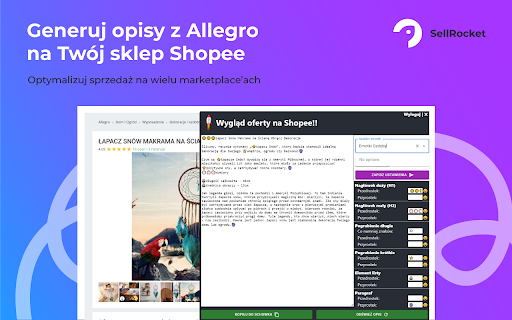
What is SellRocket ai chrome extension?
SellRocket is a lightweight, intelligent Chrome extension that instantly transforms Allegro auction pages into polished, Shopee-optimized product descriptions—leveraging AI to understand context, highlight key selling points, and adapt tone and structure for Southeast Asian shoppers.
How to use SellRocket ai chrome extension?
Simply install the extension, navigate to any Allegro listing, and click the SellRocket icon—no account, no credentials, no backend setup. Within seconds, it delivers a ready-to-paste, SEO-friendly description tailored for Shopee's marketplace standards.
SellRocket ai chrome extension's Core Features
One-click AI rewriting: From Allegro listings to Shopee-ready copy
Smart localization: Adapts technical specs, units, and cultural cues for Shopee’s regional audiences
No-data dependency: Works entirely client-side—no login, no API keys, no tracking
SellRocket ai chrome extension's Use Cases
Scaling cross-platform reselling: Repurpose Allegro inventory for Shopee in minutes—not hours
Testing new markets efficiently: Validate demand on Shopee before committing to full catalog migration
FAQ from SellRocket - Chrome Extension
What is SellRocket?
A purpose-built AI assistant embedded in your browser that interprets Allegro auction content and auto-generates compelling, platform-native product descriptions for Shopee—designed for speed, accuracy, and conversion.
How to use SellRocket?
Open an Allegro product page → click the SellRocket icon → copy the generated description → paste directly into your Shopee listing. Zero configuration required.
Is Allegro login required for using SellRocket?
No. SellRocket operates entirely on the front end—it reads only the publicly visible HTML of the current Allegro page and never accesses accounts, cookies, or private APIs.