RewriteBar

RewriteBar: AI Tool for macOS Writing Improvement

RewriteBar: AI-powered writing improvement tool for macOS — the ultimate ai tool to elevate your prose instantly. Product Name: RewriteBar

🟢

RewriteBar - Introduction

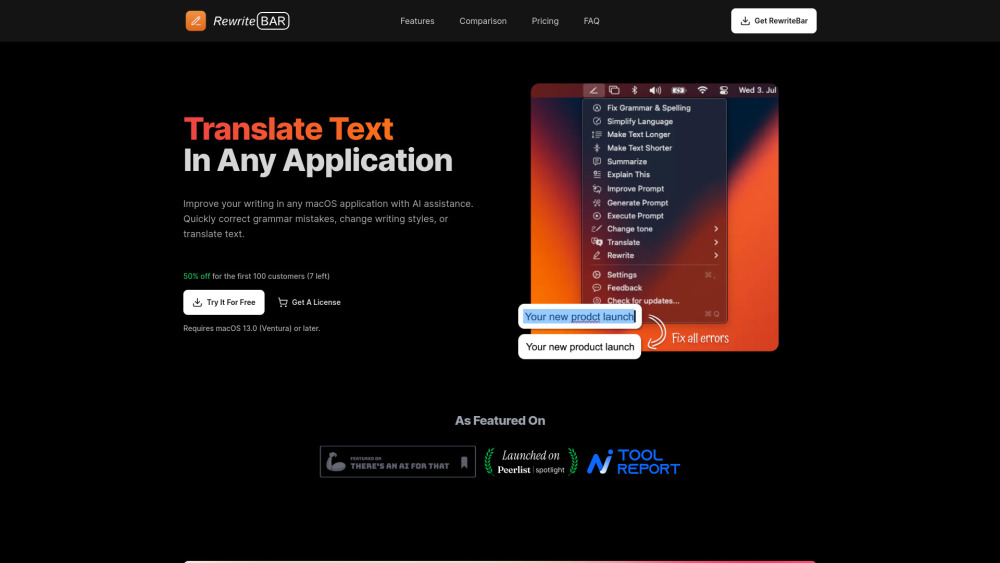
RewriteBar Website screenshot

What is RewriteBar?

RewriteBar is a native macOS AI writing assistant designed to refine, clarify, and localize your text—right where you write. Unlike cloud-dependent tools, it runs securely on-device, delivering real-time grammar refinement, style transformation, and intelligent translation without leaving your workflow. Whether you're drafting an email in Mail, coding in VS Code, or messaging in Slack, RewriteBar enhances clarity, tone, and accessibility—effortlessly and privately.

How to use RewriteBar?

Getting started takes seconds: install RewriteBar, grant accessibility permissions (a one-time macOS requirement), and start selecting text anywhere on your Mac. Trigger rewriting with a customizable keyboard shortcut—or use the floating action bar for instant access. No copy-pasting, no switching apps, no context loss—just smarter writing, seamlessly embedded into your daily macOS experience.

🟢

RewriteBar - Key Features

Key Features From RewriteBar

On-the-fly grammar & syntax polishing

Adaptive language simplification for broader comprehension

Tone-aware rewriting—professional, friendly, concise, or persuasive

Accurate, context-sensitive translation across 30 languages

RewriteBar's Use Cases

Polishing urgent Slack or Teams messages before hitting send

Making technical documentation more approachable for global teams

Localizing inline comments or error messages in Xcode or JetBrains IDEs

  • RewriteBar Support Email & Customer Service Contact & Refund Policy

    Reach our support team directly at [email protected]. For inquiries about refunds, licensing, or onboarding help, visit our Contact page.

  • RewriteBar Pricing

    Transparent, flexible plans—including a perpetual license option. View all tiers and compare features: https://rewritebar.com/#pricing

  • RewriteBar Twitter (X)

    Follow for product updates, writing tips, and macOS productivity insights: https://x.com/m91michel

🟢

RewriteBar - Frequently Asked Questions

FAQ from RewriteBar

What is RewriteBar?

RewriteBar is a privacy-first, macOS-native AI writing enhancement tool that works system-wide—correcting errors, adapting voice, and translating text in real time, all while respecting your data sovereignty and performance needs.

How to use RewriteBar?

After installation and enabling Accessibility access in System Settings, select any text in any app (Safari, Notes, Terminal, Figma—you name it) and press your chosen hotkey. Instantly choose from multiple refined versions—no sign-in, no latency, no tracking.

Does RewriteBar offer a free trial?

Yes—try it risk-free with 100 fully functional rewrites. No credit card required. Once exhausted, unlock unlimited access via subscription or lifetime license.

Can RewriteBar be used with any application?

Yes. As a system-level macOS service, RewriteBar supports every native and web-based app—including those with strict sandboxing (like Pages or Messages), terminal emulators, and even password-protected fields—without compromising security or usability.