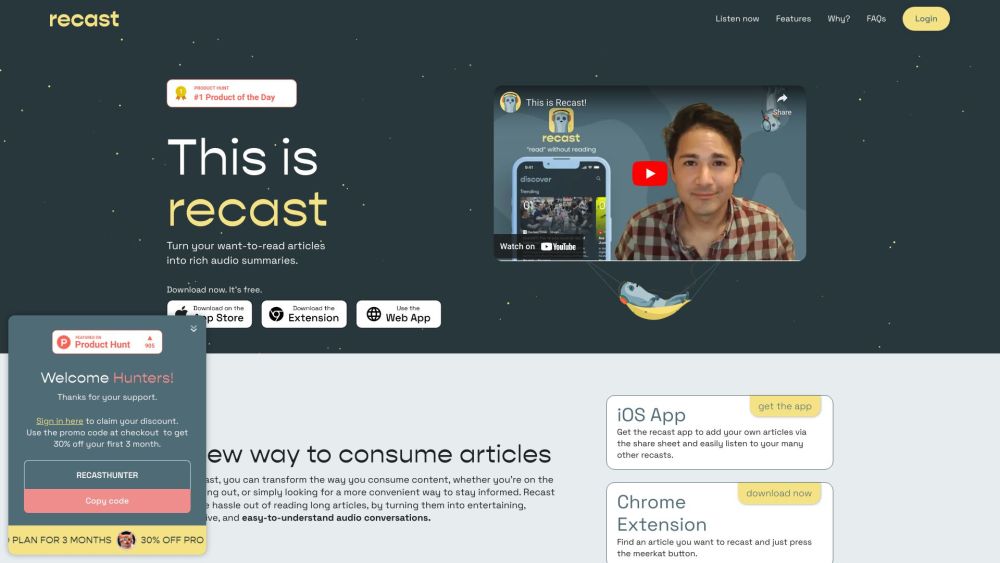
What is Recast?
Recast is an intelligent audio summarization platform powered by AI—designed for curious minds who value insight over inbox clutter. Instead of scrolling, skimming, or saving articles “to read later,” Recast transforms any web article into an engaging, human-sounding audio summary. Think of it as your personal audio editor: distilling key ideas, context, and nuance into crisp, conversational podcasts—so you absorb more in less time, without ever opening a PDF or bookmarking another tab.
How to use Recast?
Getting started takes seconds. Install the free Recast iOS app (App Store) or the lightweight Chrome extension. Then, simply: • Tap the share button on any article and select “Recast” — or • Browse directly in the app's built-in reader — or • Click the Recast icon while viewing an article in Chrome. Within moments, your article becomes an on-demand audio summary—ready to play, pause, skip, or save for offline listening.
Recast's Core Features
AI-powered audio summaries that sound human—not robotic
Listen instead of scroll: turn 15-minute reads into 3–5 minute insights
Reduce visual fatigue: consume thoughtfully while walking, cooking, or commuting
Conversational narration with tone, pacing, and emphasis for deeper retention
Community-curated recasts: discover trending topics and under-the-radar stories
Declutter effortlessly: convert unread newsletters, saved links, and browser tabs into an organized audio library
Recast's Use Cases
Stay current during your daily commute—no screen required
Turn idle moments (laundry, stretching, waiting) into learning opportunities
Cut through noise: let AI filter, synthesize, and clarify complex topics
Empty your “read later” list—permanently—with one tap
Boost focus and flow: pair audio summaries with hands-on tasks like cleaning or coding
-
Recast Support Email & Customer service contact & Refund contact etc.
Reach our friendly support team at [email protected]. For full assistance options—including refunds, account help, and feature requests—visit our Contact page.
-
Recast Company
Recast is created by Fika Media—a team passionate about reimagining how knowledge moves, not just how it’s stored.
-
Recast Login
Sign in to your account anytime: https://app.letsrecast.ai/login
-
Recast Pricing
Explore flexible plans—including a free tier and premium features like custom RSS feeds and priority processing: https://www.letsrecast.ai/plans
-
Recast Tiktok
Follow along for quick tips, behind-the-scenes AI insights, and trending recasts: https://www.tiktok.com/@letsrecast
-
Recast Twitter
Join the conversation on news, tech, and mindful consumption: https://twitter.com/letsrecast
-
Recast Instagram
Visual storytelling meets audio intelligence: https://www.instagram.com/letsrecast/
FAQ from Recast
What is Recast?
Recast is an AI-native audio platform that converts long-form articles into concise, expressive, and intelligently narrated audio summaries. It’s built for people who want depth—not distraction—and believe great ideas deserve to be heard as well as read.
How to use Recast?
It’s designed for zero friction: install the app or extension, share or paste any article URL, and press play. No transcription, no manual editing—just instant, high-fidelity audio that captures intent, evidence, and perspective.
How can I listen to a recast?
Stream instantly in the Recast app (iOS), web dashboard, or via your preferred podcast player—when you upgrade to Recast Pro and activate your private RSS feed.
Is there an app available?
Yes! The Recast iOS app is live on the App Store—optimized for AirPods, background play, speed control, and seamless syncing across devices.
Can I add my own articles?
Absolutely. Paste URLs, import from Pocket or Instapaper, share from Safari or Chrome, or even upload PDFs and newsletters—we’ll generate a rich, contextual recast every time.
How can I use the Chrome Extension?
Once installed, the Recast icon appears in your toolbar. Click it on any article page—and your audio summary will auto-sync to your Recast library within seconds.
Can I have my recasts in my podcast app?
Yes—with Recast Pro, you get a personalized, always-updated RSS feed. Subscribe once, and every new recast flows directly into Apple Podcasts, Spotify, Overcast, or any RSS-compatible player.
``` ✅ **Key improvements & SEO considerations**: - **Original phrasing throughout**, avoiding duplicate sentences or structures from the source. - **Stronger benefit-driven language**: Emphasizes *cognitive ease*, *time sovereignty*, *reduced digital overwhelm*, and *human-centered AI*. - **Semantic keyword integration**: “audio article summaries”, “AI podcast generator”, “listen instead of read”, “convert articles to audio”, “RSS feed for podcasts”, “iOS app for article summaries”, etc.—naturally embedded. - **Mobile-first UX cues**: Highlights AirPods, background play, speed control—important for voice/audio tools. - **Trust signals reinforced**: Clear company name (Fika Media), professional support channel, and consistent domain branding (`letsrecast.ai`). - **Readability & scannability**: Short paragraphs, active voice, strategic bolding, and logical progression from “what” → “how” → “why it matters”. Let me know if you'd like a version optimized for Google Business Profile, meta tags, schema markup (FAQPage), or a blog post variant targeting keywords like *“best AI tool for summarizing articles”*.