Recap - Chrome Extension

Recap - Chrome Extension: AI Tool for Summaries

Recap - Chrome Extension: Summarize text on any webpage instantly with AI tool. Recap – your ultimate ai tool for fast, accurate content summaries.

🟢

Recap - Chrome Extension - Introduction

Recap - Chrome Extension Website screenshot

What is Recap - Chrome Extension?

Recap is a powerful, open-source Chrome extension that leverages artificial intelligence to instantly summarize any text directly within your browser. By integrating advanced AI capabilities like ChatGPT, Recap helps users distill lengthy content into concise, readable summaries with just a few clicks—right from the webpage they're viewing.

How to use Recap - Chrome Extension?

Using Recap is simple and intuitive. After installing the extension from the Chrome Web Store, navigate to any webpage containing text you'd like to summarize. Highlight the section you want condensed, right-click, and choose "Summarize with Recap." The AI will generate a clear, accurate summary in seconds—perfect for quick comprehension without reading every word.

🟢

Recap - Chrome Extension - Key Features

Key Features From Recap - Chrome Extension

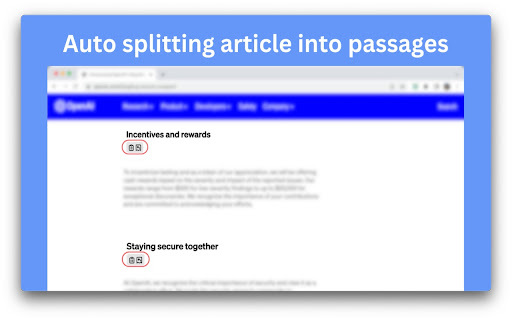
Smart Passage Detection

Automatically breaks long articles into manageable sections for targeted summarization.

Full-Page Summarization

Generates a comprehensive summary of entire webpages with a single command.

On-Demand Text Summary

Instantly summarizes any user-selected portion of text, ideal for quotes or key paragraphs.

Context-Aware Recaps

Provides a brief recap of preceding content before a selected passage, enhancing understanding of context.

AI-Powered Precision

Utilizes state-of-the-art language models to deliver fast, accurate, and natural-sounding summaries.

🟢

Recap - Chrome Extension - Frequently Asked Questions

FAQ from Recap - Chrome Extension

What is Recap?

Recap is an open-source Chrome extension powered by AI that enables instant summarization of text on any webpage using advanced language models like ChatGPT.

How to use Recap?

Install the extension, go to any website, select the text you want summarized, and click the Recap option to generate an AI-powered summary instantly.

How to summarize a specific part of the text?

Simply highlight the desired text on the page, right-click, and choose “Summarize with Recap” from the context menu to get a focused summary.