ReadCopilot.ai - Chrome Extension

ReadCopilot.ai - Chrome Extension: AI Tool for Conversational Reading

ReadCopilot.ai - Chrome Extension: An AI tool for conversational reading—your smart, real-time AI-powered reading assistant.

🟢

ReadCopilot.ai - Chrome Extension - Introduction

ReadCopilot.ai - Chrome Extension Website screenshot

What is ReadCopilot.ai Chrome Extension?

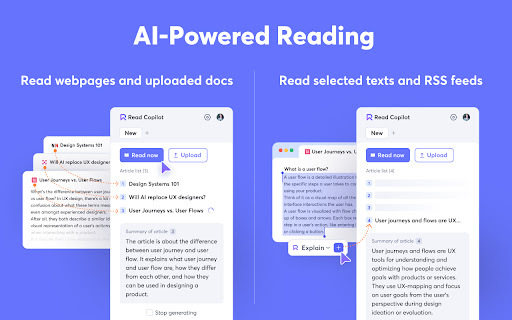
ReadCopilot.ai is a next-generation AI reading companion built directly into your browser—designed to turn passive reading into active, intelligent dialogue. Whether you're skimming a research article, analyzing a technical doc, or catching up on news feeds, it lets you ask questions, dig deeper, clarify jargon, and explore ideas—all in real time, right where you read.

How to use ReadCopilot.ai Chrome Extension?

Install the extension, click its icon on any webpage or open a PDF/doc, highlight text—or let it auto-detect content—and start typing natural questions. Instantly get context-aware answers, bullet-point summaries, side-by-side translations, or follow-up insights—no switching tabs, no copy-pasting, no friction.

🟢

ReadCopilot.ai - Chrome Extension - Key Features

Key Features From ReadCopilot.ai Chrome Extension

Conversational Reading Interface

Real-Time Q&A with Any Content

AI-Powered Summarization (Customizable Depth & Tone)

Multi-Language Translation with Context Preservation

ReadCopilot.ai Chrome Extension's Use Cases

Interrogate highlighted passages for clarity or critique

Deconstruct complex webpages—like whitepapers or legal notices—with guided dialogue

Upload and converse with PDFs, Word docs, or plain-text files

Subscribe to RSS feeds and receive AI-curated highlights + discussion prompts

🟢

ReadCopilot.ai - Chrome Extension - Frequently Asked Questions

FAQ from ReadCopilot.ai - Chrome Extension

What is ReadCopilot.ai?

A conversational AI reading assistant embedded in Chrome—engineered to understand, explain, summarize, and translate content across formats, enabling richer comprehension through two-way interaction—not one-way consumption.

How to use ReadCopilot.ai?

With one click, activate the sidebar on any supported page or document, then type like you're talking to a knowledgeable colleague: “Explain this like I’m new to the topic,” “Compare these two arguments,” or “Translate this section into Spanish—but keep the technical terms.” Responses adapt instantly to your intent.

How is ReadCopilot.ai different from other summarization tools?

Unlike static summarizers, ReadCopilot.ai treats reading as a dynamic conversation—supporting iterative questioning, contextual reasoning, cross-document linking, and adaptive output (e.g., TL;DR vs. deep-dive mode). It doesn’t just condense—it collaborates.