Raber

Raber: AI Tool for Visual React Page Building

Raber: An AI tool for React—no-code, visual page building with your components. Streamline dev-content collaboration & ship updates instantly.

🟢

Raber - Introduction

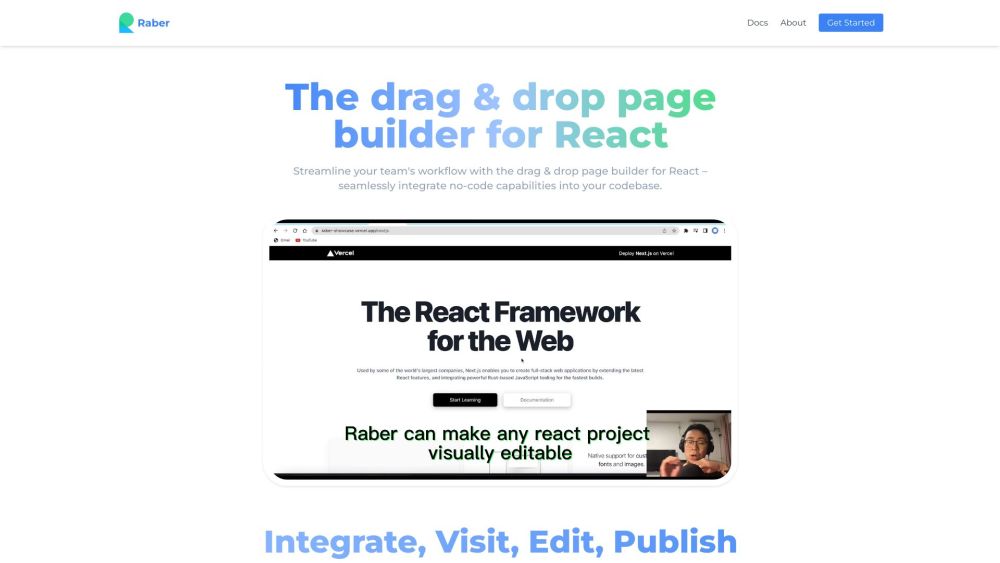
Raber Website screenshot

What is Raber?

Raber redefines how React applications evolve—by turning static component libraries into dynamic, editable canvases. It's an AI-augmented visual builder that empowers teams to compose, customize, and publish React pages without writing code or touching the build pipeline. Whether you're launching a campaign landing page or iterating on product copy, Raber lets content creators edit *real* React components in-context—preserving interactivity, styling, and logic—while developers retain full control over the underlying architecture.

How to use Raber?

1. Integrate Raber into your React app via npm package and register reusable components with intuitive metadata (e.g., editable props, preview thumbnails).
2. Launch the Raber Editor directly from any deployed page—just append ?raber=edit to the URL or open it from your dashboard.
3. Drag, drop, rearrange, and configure registered components visually—no templates, no abstractions, just your actual UI.
4. Preview changes in real time, then publish with one click: updates go live instantly, bypassing CI/CD, rebuilds, or developer handoffs.

🟢

Raber - Key Features

Key Features From Raber

AI-assisted layout & content suggestions

Native drag-and-drop for your existing React components

Live, in-context editing—no staging environments needed

Role-based permissions for dev, design, and marketing teams

Versioned edits with rollback and audit trails

Raber's Use Cases

Marketing-led landing page experiments

Product-led documentation & onboarding flows

Cross-functional content iteration—no PR bottlenecks

🟢

Raber - Frequently Asked Questions

FAQ from Raber

What is Raber?

Raber is a next-generation visual editing layer for React apps—blending AI intelligence with true component fidelity. Unlike traditional CMS tools, it doesn’t replace your components with generic blocks; instead, it surfaces your *own* React code as editable, composable elements—enabling fast, safe, and scalable content delivery.

How do I get started with Raber?

Install the Raber SDK, annotate your components with editable prop schemas, and initialize the editor in your app. Within minutes, your team gains a live-editing interface for any route—no backend changes, no new frameworks, just enhanced collaboration on top of what you already built.

Does Raber require changes to my React architecture?

No. Raber works with standard React (v18+), Next.js, Remix, Vite, and more. It operates client-side, requires no server-side rendering hooks or custom data layers, and respects your existing state management, routing, and styling solutions.

How does Raber ensure security and governance?

Raber supports granular permissions (e.g., “marketing can edit hero text but not CTAs”), environment-aware publishing (staging vs. production), and optional SSO integration. All edits are validated against your component contracts—preventing invalid props or broken renders.

Can Raber handle complex, interactive components?

Absolutely. From forms with validation to embedded dashboards and animated sections—Raber preserves behavior, event handlers, and dynamic state. The editor renders components in their natural context, so interactivity remains fully functional during editing and after publishing.