Question Maker AI

Question Maker AI: AI Tool for Auto-Generated Question Papers

Question Maker AI: An AI tool that auto-generates, edits, saves, merges, shuffles & shares question papers from text or scans—Product Name.

🟢

Question Maker AI - Introduction

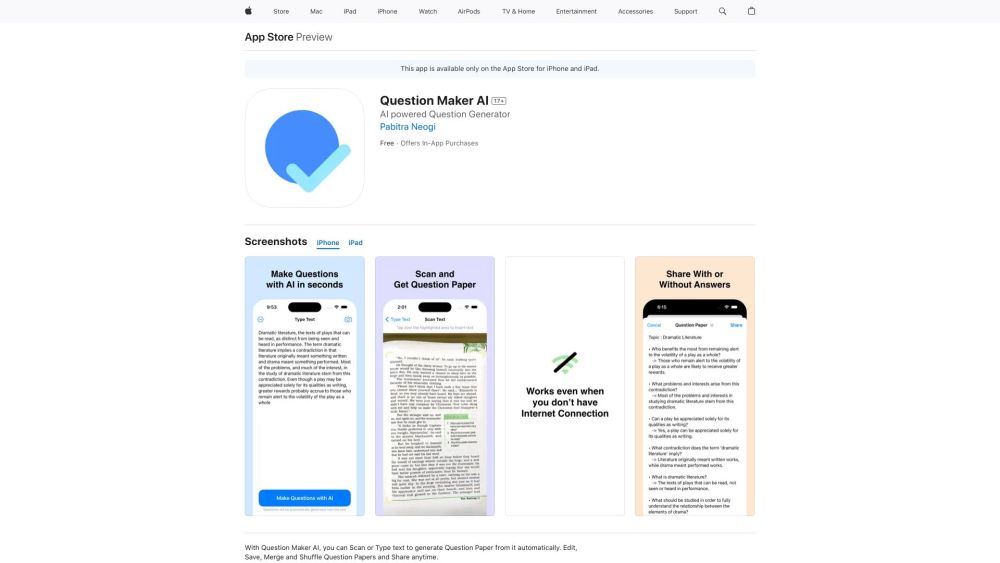
Question Maker AI Website screenshot

What is Question Maker AI?

Question Maker AI is an intelligent, all-in-one assessment creation platform that transforms raw educational content—whether typed text or scanned documents—into ready-to-use question papers in seconds. Powered by advanced natural language understanding, it goes beyond simple templating to intelligently infer question types (MCQs, true/false, short answer, fill-in-the-blank), difficulty levels, and cognitive depth—giving educators and learners a smart, scalable alternative to manual paper design.

How to use Question Maker AI?

Getting started is intuitive: upload a PDF, snap a photo of printed notes, or paste textbook excerpts directly into the editor. With one click, Question Maker AI analyzes the content and generates a structured, balanced question paper. From there, refine questions with point-and-click editing, adjust weightings, add instructions or time limits, and finalize your assessment—all without switching tools or downloading software.

🟢

Question Maker AI - Key Features

Key Features From Question Maker AI

AI-Powered Question Generation

Multi-Source Input (Text, PDFs, Scanned Images)

Real-Time Editing & Cloud + Local Saving

Smart Paper Merging & Randomized Shuffling

Fully Functional Offline Mode

Question Maker AI's Use Cases

Teachers streamline exam prep—creating differentiated assessments for diverse classrooms in under 90 seconds

Students build mastery through adaptive self-quizzes, with shuffled variants for repeated practice

Instructional designers rapidly prototype formative assessments, certification exams, or LMS-integrated quizzes

🟢

Question Maker AI - Frequently Asked Questions

FAQ from Question Maker AI

What is Question Maker AI?

Question Maker AI is a next-generation assessment engine that leverages generative AI to convert learning materials into pedagogically sound, customizable question papers—designed for accuracy, fairness, and instructional alignment.

How to use Question Maker AI?

Just import source material—be it lecture notes, a research article, or a handwritten worksheet—and let the AI generate a draft paper. Then fine-tune, reorganize, or export with full control over format, layout, and metadata.

Can I use this tool offline?

Yes—once installed or cached, Question Maker AI delivers full question generation, editing, and shuffling capabilities without an internet connection, ideal for schools with limited bandwidth or remote teaching environments.

Can I merge multiple question papers into one?

Absolutely. Combine unit tests, past papers, or peer-created quizzes into a unified assessment—with intelligent deduplication, section tagging, and automatic formatting consistency.

Is it possible to edit and save the generated question papers?

Yes. Every generated paper is fully editable: modify questions, update answer keys, insert diagrams or equations, and save versions locally or to secure cloud storage—with version history and collaboration support.

Can I share the question papers with others?

Yes—you can export as PDF, DOCX, or printable HTML; share via link with view/edit permissions; or integrate directly with Google Classroom, Moodle, or Canvas using our LTI-ready export options.