FAQ from PromptSpeak.AI
What is PromptSpeak.AI?
PromptSpeak.AI is a writing assistant for iOS and macOS. It uses specialized AI bots within chatrooms to help users draft content, improve wording, organize information, and express ideas more clearly.
How do I use PromptSpeak.AI?
Install the app from the appropriate Apple app store, choose a task-focused bot, and share the text or idea you want to work on. You can then ask for changes and refine the output through conversation.
What writing tasks can PromptSpeak handle?
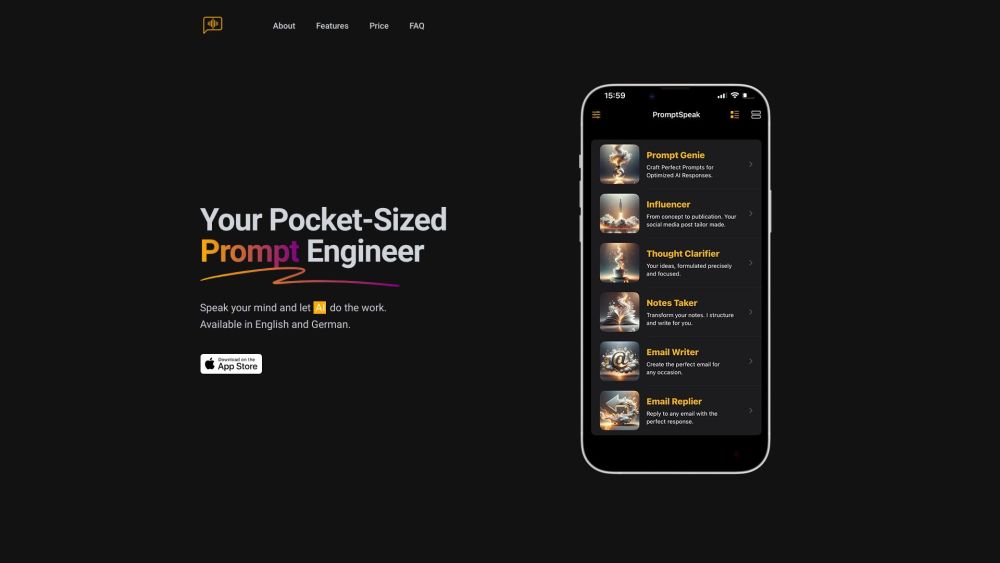
The app supports tasks such as composing emails, preparing social media content, clarifying thoughts, and structuring notes. Different bots provide assistance tailored to these writing needs.
How do the AI chatrooms work?
Each pre-prompted chatroom provides an assistant configured for a particular purpose. Instead of building every instruction from scratch, users can start with a relevant bot and use follow-up messages to develop or revise their content.
Who might find PromptSpeak.AI useful?
Students, professionals, content creators, and anyone seeking clearer written communication may find it helpful. Its tools can support both practical daily messages and more structured writing tasks.
Which languages does PromptSpeak support?
PromptSpeak is described as supporting English and German, allowing users to receive writing assistance in either language.
Can PromptSpeak help organize academic notes?
Yes. The Notes Taker bot is designed to arrange information into structured notes, using clear sections and highlighted key points. This can help make material from lectures or study sessions easier to review.
What distinguishes PromptSpeak from a general writing assistant?
Its focus is on specialized bots and task-oriented chatrooms. Users can work with an assistant suited to their goal and continue refining the text rather than relying on a single generated draft.
How does PromptSpeak approach data security?
The supplied product information describes encryption and other protective measures. Before sharing sensitive material, review the provider's current privacy policy and security details to understand how your information is handled.
How can I get started with PromptSpeak?
Download the iOS or macOS app, select a suitable assistant, and begin with an idea, a draft, or a set of notes. Use the chat to request improvements until the writing better matches your intended message.