Photune

Photune: AI Tool for Fast Social Media Visuals

Photune: An AI tool for lightning-fast social media visuals—design from scratch or use templates for Twitter, Pinterest & more!

🟢

Photune - Introduction

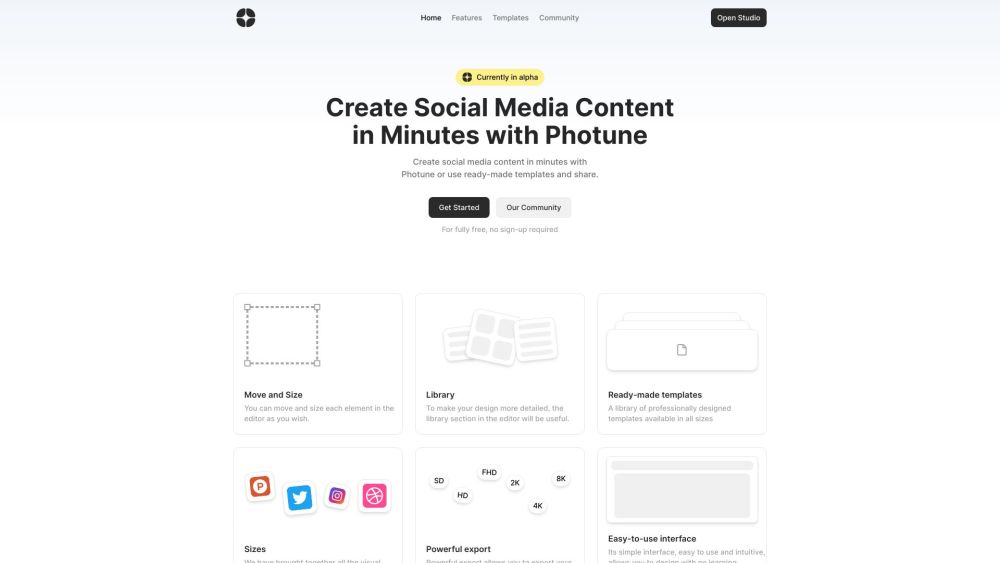
Photune Website screenshot

What is Photune?

Photune is a next-generation AI-powered visual creation platform built for speed, simplicity, and social-first design. It empowers marketers, creators, and small teams to generate stunning, on-brand visuals in seconds—not hours. Whether you're starting from a blank canvas or customizing purpose-built templates, Photune intelligently adapts layouts, colors, and typography to match the unique specs of Twitter, Pinterest, Instagram, ProductHunt, and more—so your content looks native, not generic.

How to use Photune?

Getting started with Photune takes under 10 seconds: open the web app, pick a platform-specific template (or click “New Design”), and begin editing. Drag, resize, and layer text, icons, shapes, and stock assets intuitively—all in real time. The AI-assisted design assistant suggests layout improvements, font pairings, and color harmonies as you work. Tap into the curated media library for royalty-free photos, illustrations, and vector elements—or upload your own brand assets. With one-click export, you can download crisp, platform-optimized files up to 8K resolution, ready for immediate publishing.

🟢

Photune - Key Features

Key Features From Photune

AI-accelerated visual creation

Platform-optimized templates (Twitter, Pinterest, ProductHunt & more)

Smart resizing & auto-adaptation across dimensions

Intuitive drag-and-drop editor with zero learning curve

Rich asset library + seamless brand kit integration

One-click high-res export (up to 8K) with PNG, JPG, and WebP support

Real-time AI suggestions for layout, contrast, and readability

Photune's Use Cases

Launch compelling social posts without waiting for design help

Craft scroll-stopping Pinterest pins in under a minute

Design dynamic Twitter/X headers and thread visuals on demand

Produce polished, launch-ready images for ProductHunt announcements

🟢

Photune - Frequently Asked Questions

FAQ from Photune

What is Photune?

Photune is an AI-native tool engineered to turn ideas into high-performing social media visuals—fast. It blends intelligent automation with creative control, enabling anyone to produce professional-grade imagery tailored precisely to each platform's visual language and technical requirements.

How to use Photune?

No sign-up or software download needed—just go to photune.ai and start designing. Choose a template by platform or goal (e.g., “Pinterest Idea Pin”, “Twitter Thread Image”), customize using intuitive tools, refine with AI-powered suggestions, and export instantly. No design experience? No problem—Photune guides you every step of the way.

What can I create with Photune?

You can create platform-specific banners, feed posts, story graphics, infographics, announcement cards, and promotional visuals—for Twitter, Pinterest, LinkedIn, ProductHunt, Discord, and more. Each output respects native aspect ratios, safe zones, and resolution standards.

Can I use ready-made templates?

Absolutely. Photune offers hundreds of editable, professionally crafted templates—organized by platform, use case, and industry—designed to accelerate your workflow while ensuring visual consistency and engagement best practices.

What export options does Photune offer?

Photune supports ultra-high-fidelity exports up to 7680×4320 (8K), with flexible format options (PNG, JPG, WebP), transparent background support, and automatic platform-specific cropping and compression—so your visuals load fast and look flawless everywhere.

Is Photune easy to use for beginners?

Yes—by design. Photune eliminates complex menus and cluttered interfaces. Its clean, focused workspace, contextual tooltips, and AI-guided editing make it instantly accessible—even if you’ve never opened a design tool before.