PDF2GPT

PDF2GPT: AI Tool for PDF Summaries

PDF2GPT: an AI tool that summarizes long PDFs with GPT. Chunks content, delivers full summary, TOC, and section insights—fast, smart, efficient.

🟢

PDF2GPT - Introduction

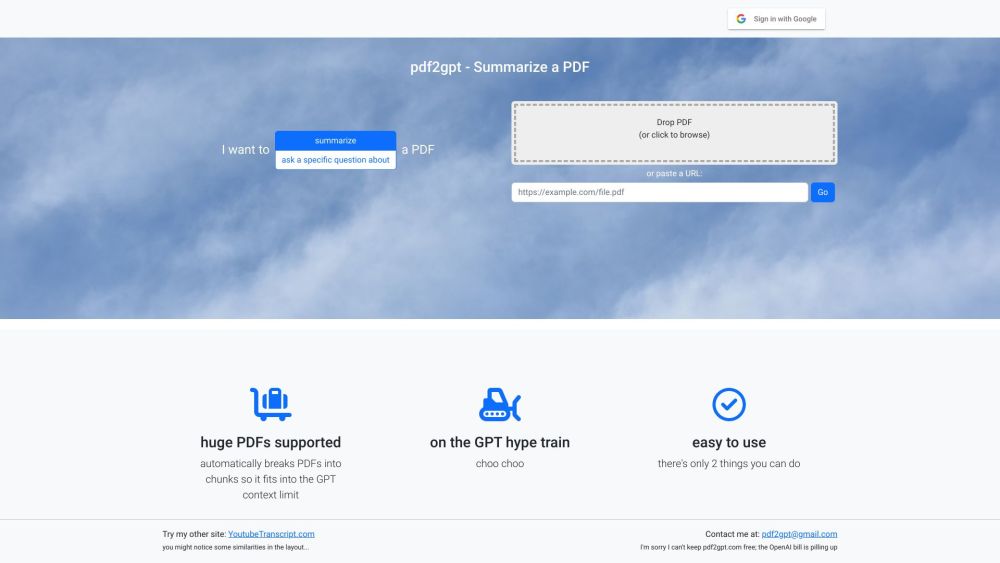
PDF2GPT Website screenshot

What is PDF2GPT?

PDF2GPT is an advanced AI-powered solution designed to simplify how you interact with lengthy PDF documents. By leveraging the power of GPT, it intelligently processes complex files, breaking them into digestible segments and delivering a comprehensive overview. The tool generates a complete summary, outlines key sections in a structured table of contents, and offers detailed insights for each part—making dense documents fast to understand and easy to navigate.

How to use PDF2GPT?

Using PDF2GPT is simple and intuitive. Just upload your PDF file directly to the platform. The system automatically divides the document into optimized chunks that align with GPT's context capacity, then analyzes each segment to produce a cohesive full summary. You can explore the document through its generated table of contents, diving into individual section summaries at your convenience—ideal for targeted review or quick comprehension.

🟢

PDF2GPT - Key Features

Key Features From PDF2GPT

PDF2GPT stands out with powerful capabilities tailored for efficiency: automatic summarization of long PDFs, smart segmentation to fit AI processing limits, generation of a clear and organized table of contents, delivery of a concise overall summary, and detailed breakdowns of each document section. These features combine to deliver fast, accurate, and insightful results every time.

🟢

PDF2GPT - Frequently Asked Questions

FAQ from PDF2GPT

What is PDF2GPT?

PDF2GPT is an artificial intelligence tool that transforms long, complex PDFs into clear, structured summaries using GPT technology. It splits large documents into manageable portions, extracts key information, and presents a full summary along with section-wise insights and a navigable table of contents.

How to use PDF2GPT?

To get started, simply upload your PDF document. PDF2GPT will process it automatically—chunking content, analyzing text, and generating both a complete summary and individual section summaries accessible via a dynamic table of contents.

What file format does PDF2GPT support?

PDF2GPT currently supports only PDF files for summarization. Other formats are not compatible at this time.

Can I customize the summary length?

At present, summary length is determined by the tool's internal logic to ensure optimal coherence and coverage within GPT’s context window. Custom length settings are not available.

Does PDF2GPT retain the original formatting of the PDF?

No, PDF2GPT focuses on content extraction and summarization rather than visual fidelity. While the original layout isn’t preserved, the core meaning and structure are accurately represented in the output.

Can PDF2GPT handle password-protected PDFs?

No, password-protected PDFs cannot be processed. Please remove any encryption before uploading your file for summarization.

Is there a limit on the size of PDF that can be summarized?

While there's no strict file size cap, extremely large documents may be split into smaller parts to maintain performance and accuracy due to model context constraints. Most standard academic, technical, or business PDFs are handled seamlessly.

  • PDF2GPT Support Email & Customer service contact & Refund contact etc.

    For assistance, reach out to the PDF2GPT support team at [email protected].