PaperChat

PaperChat: ai tool to Chat with Any File

PaperChat: The ai tool to chat with documents, unlock sourced answers, and summarize lengthy files in seconds with ease.

🟒

PaperChat - Introduction

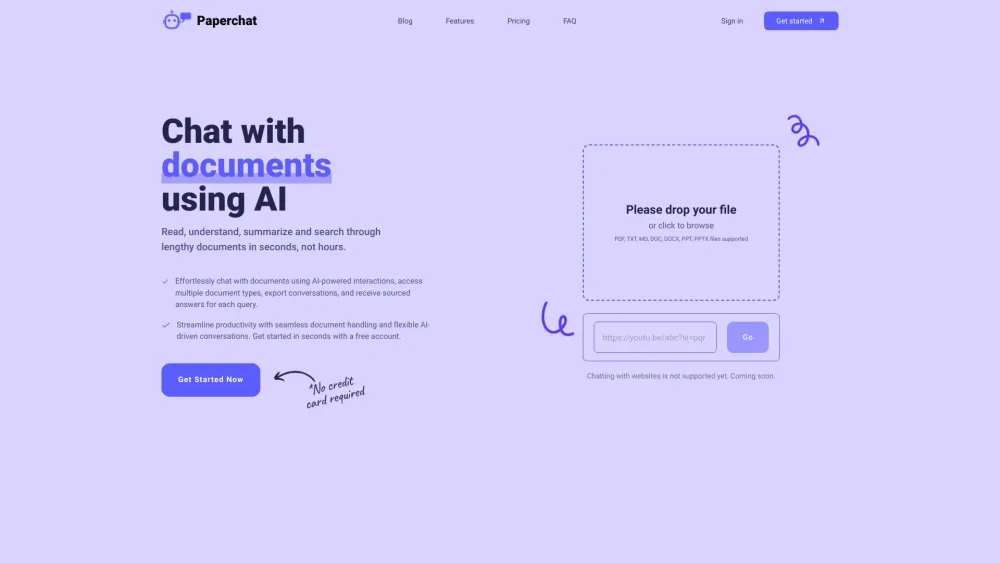
PaperChat Website screenshot

What is PaperChat?

PaperChat is an AI document assistant that helps you explore uploaded files through conversation. Ask questions, find relevant passages, and turn lengthy content into clear summaries without reading every page. Its document chat tools provide answers linked to sources, making it easier to check information against the original material. PaperChat currently supports PDFs, with additional file formats planned.

How to use PaperChat?

Create an account, upload a supported document, and enter a question about its contents. You can request a summary, look for specific details, or ask follow-up questions to explore a topic further. Review the sources provided with each answer to locate supporting information in your file. When you want to keep a record of your findings, export the conversation for later reference.

🟒

PaperChat - Key Features

Key Features From PaperChat

AI-powered document conversations

Ask questions in natural language and explore document content through an interactive chat interface.

PDF search and summaries

Find relevant information inside PDFs and condense long documents into shorter, more manageable overviews.

Information extraction with sourced answers

Pull useful details from uploaded files, review the supporting sources, and export conversations to preserve your work.

PaperChat's Use Cases

Schools and educational institutions

Help students and educators review reading materials, summarize documents, and locate explanations within course resources.

Researchers

Explore research papers, identify relevant passages, and collect information for closer examination.

Lawyers

Find clauses and references in lengthy legal PDFs to support document review.

Customer support teams

Search manuals and reference documents for information that can help address customer questions.

Real estate professionals

Review property documents and locate important details within contracts or related PDF files.

🟒

PaperChat - Frequently Asked Questions

FAQ from PaperChat

What does PaperChat do?

PaperChat lets you interact with documents using AI. It helps you search for information, generate summaries, and ask questions about uploaded content while providing sources to support its answers.

How can I start chatting with a document?

Register or log in, upload a supported PDF, and type your first question. Continue with follow-up prompts to clarify details, explore specific sections, or request a broader overview.

Can I use PaperChat for free?

PaperChat offers a free plan with usage limits. Users who need additional capacity can review the paid options and their allowances on the pricing page.

Which languages does PaperChat support?

The service supports more than 20 languages. Examples include English, German, Romanian, Spanish, Portuguese, French, Italian, and Dutch.

What happens after I cancel a paid subscription?

Premium access continues through the remainder of your current subscription period. Once that period ends, your account moves to the free plan.

How are uploaded documents protected?

According to its stated security practices, PaperChat uses encryption to help protect uploaded documents. It also describes secure data center hosting and safeguards intended to prevent unauthorized access.

Does PaperChat connect with third-party applications?

Based on the provided product information, PaperChat does not currently offer integrations with external applications or services.

What file formats can I upload?

PaperChat currently accepts PDF documents. Support for Word documents, plain text, CSV and XLS spreadsheets, PowerPoint presentations, and other formats is described as planned functionality.