Paint by Text

Paint by Text: AI Tool for Photo Editing

Paint by Text: An AI tool that transforms photos via text prompts—powered by InstructPix2Pix, Replicate, Vercel & GitHub. Product Name.

🟢

Paint by Text - Introduction

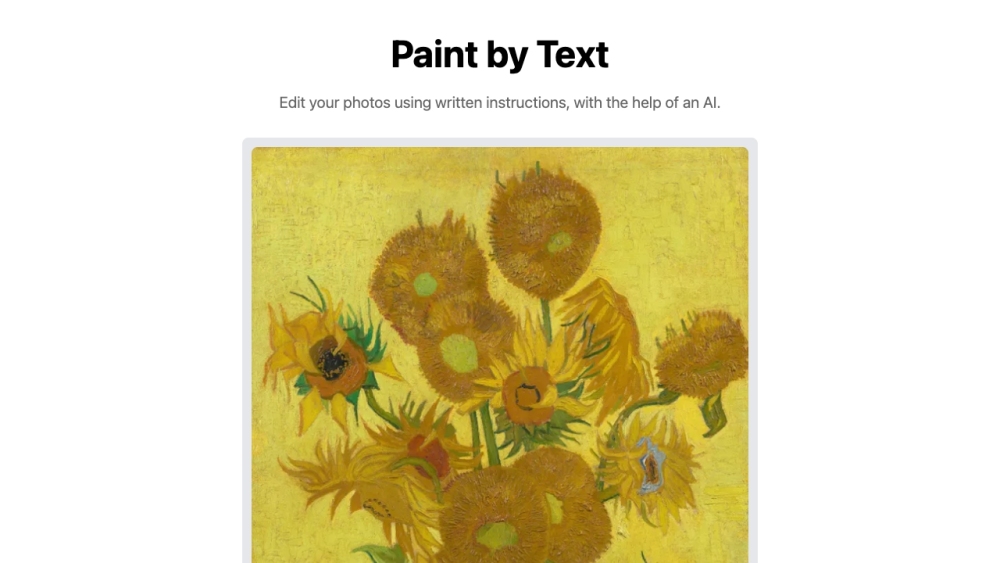
Paint by Text Website screenshot

What is Paint by Text?

Paint by Text is an intuitive, browser-based AI photo editor that turns natural language into visual transformations. Instead of complex layers or sliders, you describe what you want—like “make the sky golden at sunset” or “turn this portrait into a watercolor painting”—and the underlying AI model interprets your intent to edit the image in real time. Built on the open-source InstructPix2Pix architecture and deployed via Replicate, Vercel, and GitHub, it delivers precise, prompt-driven editing without requiring technical expertise.

How to use Paint by Text?

Getting started takes seconds: upload any JPG or PNG image, type a clear, descriptive instruction (e.g., “remove the power lines from the background”, “add vintage film grain”, or “change her dress to emerald green”), and click *Edit*. The AI processes your request server-side, generating a revised version in seconds. You can preview the result instantly—and download the high-fidelity output with one click. No accounts, no subscriptions, no watermarks.

🟢

Paint by Text - Key Features

Key Features From Paint by Text

Text-to-Image Editing, Simplified

Real-Time AI Interpretation of Natural Language Prompts

Lightning-Fast Processing Powered by Optimized Inference

One-Click Export in Original Resolution

Paint by Text's Use Cases

Revitalizing dull lighting or correcting white balance with descriptive prompts

Applying stylistic filters—oil painting, sketch, neon glow, anime—on demand

Non-destructive object removal or background replacement via text

Creative experimentation: transforming photos into concept art, memes, or social media assets

🟢

Paint by Text - Frequently Asked Questions

FAQ from Paint by Text

What is Paint by Text?

Paint by Text is a next-generation AI photo editor that lets you manipulate images through everyday language—not tools or timelines. Leveraging state-of-the-art diffusion-based instruction tuning (InstructPix2Pix), it bridges human intent and pixel-level change—fast, free, and frictionless.

How to use Paint by Text?

Select an image, write what you'd like to change (be specific but conversational), and submit. The system handles the rest—no training, no fine-tuning, no waiting for queues. Your edited image is ready in under 10 seconds for most requests.

Can I edit multiple photos at once?

At launch, Paint by Text supports single-image editing to ensure speed and accuracy. Batch editing is planned for future updates.

Are there any file size restrictions for image uploads?

Yes—uploads are capped at 10MB to maintain responsive performance and compatibility across devices and connection types.

Is there a limit on the number of edits I can make to an image?

No. You may re-edit the same original photo as many times as needed—each prompt generates a new independent result.

How long does it take to process the edits?

Most edits complete in **3–8 seconds**, depending on prompt complexity and image resolution. Heavy transformations (e.g., full style transfer + object replacement) may take up to 15 seconds.

Can I undo or revert the edits?

Since edits are generated anew each time, there’s no built-in undo—but every session starts fresh from your original upload. We recommend keeping local backups for iterative workflows.

Can I use Paint by Text for commercial purposes?

Absolutely. All outputs are yours to use freely—whether for client work, marketing assets, NFTs, or product mockups—no attribution required.

Is my uploaded image stored on the website?

No permanent storage occurs. Uploaded images are held temporarily in memory during processing and automatically purged from servers within 60 minutes. No data is logged, shared, or used for model training.