OneTap - Chrome Extension

OneTap - Chrome Extension: AI Tool for Jobs

OneTap - Chrome Extension: AI tool automating job applications. OneTap streamlines your job search with smart, fast submissions.

🟒

OneTap - Chrome Extension - Introduction

OneTap - Chrome Extension Website screenshot

What is OneTap - Chrome Extension?

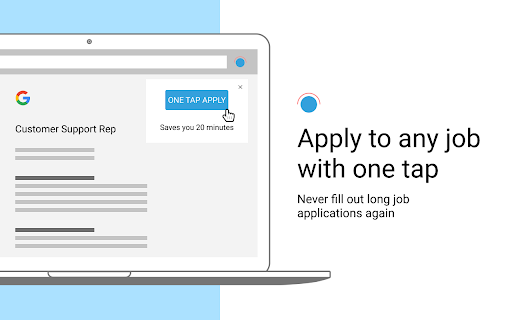
OneTap is a powerful AI-driven Chrome extension designed to simplify and accelerate the job application process. By intelligently auto-filling forms with your resume data, it eliminates repetitive typing and helps you apply to more positions in less time.

How to use OneTap - Chrome Extension?

After installing the OneTap extension from the Chrome Web Store, simply navigate to any job listing page, click the OneTap icon, and let the tool populate the application fields instantly using your pre-saved profile information.

🟒

OneTap - Chrome Extension - Key Features

Key Features From OneTap - Chrome Extension

Smart Form Automation

Automatically fills job application fields across various career sites using AI-powered parsing of your resume and profile.

Direct Networking Assistance

Helps connect users with company insiders or hiring contacts to boost visibility and improve interview opportunities.

OneTap - Chrome Extension's Use Cases

Effortless mass applications

Apply to dozens of jobs quickly without manually entering the same details over and over.

Higher response rates

Optimized submissions increase the likelihood of being noticed by recruiters and landing interviews.

🟒

OneTap - Chrome Extension - Frequently Asked Questions

FAQ from OneTap - Chrome Extension

What is OneTap?

A smart Chrome extension that automates job applications using AI to save job seekers time and effort.

How to use OneTap?

Install it on Chrome, open a job posting, and click the extension to auto-fill the application form instantly.

How does OneTap work?

It analyzes your resume and profile, then uses AI to accurately complete online job forms on your behalf.