NocodeCMS

NocodeCMS: AI Tool for Webflow CMS Management

NocodeCMS: An AI tool for managing Webflow CMS via Airtable-like UI—unlimited free editors, AI content, image publishing & team collaboration.

🟢

NocodeCMS - Introduction

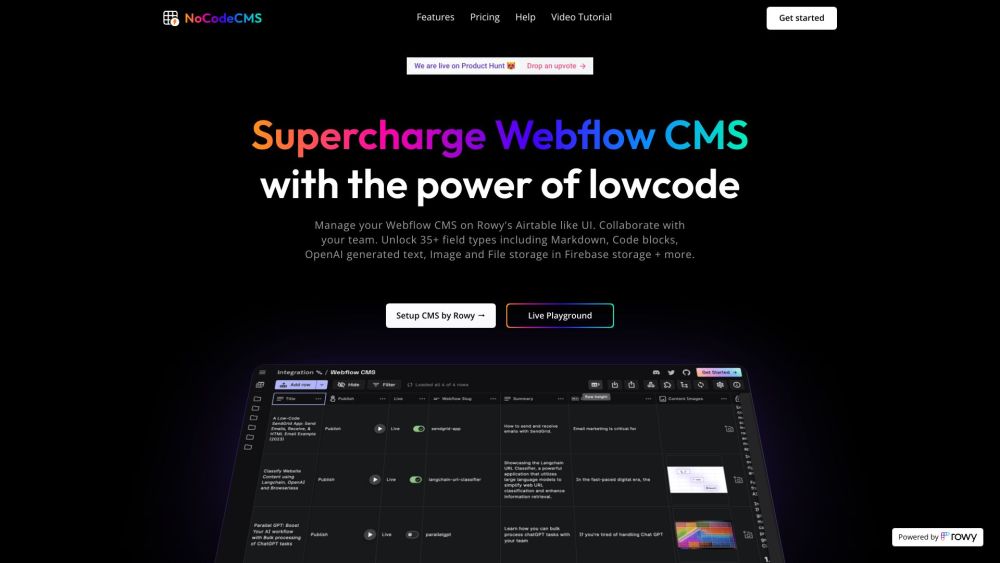
NocodeCMS Website screenshot

What is NocodeCMS?

NocodeCMS is an intelligent, no-code layer built specifically for Webflow CMS—designed to replace clunky native interfaces with a sleek, Airtable-inspired experience. It empowers designers, marketers, and content teams to manage structured content effortlessly, backed by AI-powered assistance, real-time collaboration, and seamless media publishing—all without writing a single line of code.

How to use NocodeCMS?

Getting started with NocodeCMS takes under two minutes: 1. Authenticate your Webflow account using a secure API key.
2. Link any Webflow CMS collection by pasting its unique Collection ID.
3. Start editing, organizing, and publishing content instantly through the intuitive grid-and-form interface.
Plus, explore everything risk-free in our interactive demo environment—no signup required.

🟢

NocodeCMS - Key Features

Key Features From NocodeCMS

Airtable-style CMS management—built for Webflow

Unlimited team members & editors—zero cost, zero limits

AI-assisted fields: auto-generate headlines, product descriptions, SEO meta tags, and more

One-click image upload & sync directly to Webflow's media library and live site

Extensible via custom cloud functions, webhooks, and third-party integrations

NocodeCMS's Use Cases

Streamlining editorial workflows for agencies and in-house marketing teams

Scaling content production with AI-generated drafts and smart suggestions

Enabling non-technical stakeholders to update live Webflow sites confidently

Automating repetitive CMS tasks—from bulk updates to scheduled publishing

🟢

NocodeCMS - Frequently Asked Questions

FAQ from NocodeCMS

What is NocodeCMS?

NocodeCMS reimagines how teams interact with Webflow CMS—transforming it into a collaborative, AI-enhanced content hub. With its familiar spreadsheet-and-form interface, instant publishing, and free unlimited access for editors, it removes friction from content operations.

How to use NocodeCMS?

Simply connect your Webflow project via API, select a CMS collection, and begin managing entries like rows in a smart database. No setup scripts, no dev dependencies—just fast, visual, and scalable content control.

Can I collaborate with my team using NocodeCMS?

Absolutely. Every plan includes unrestricted team access—editors, reviewers, and admins can work simultaneously with role-aware permissions, change tracking, and live sync across devices.

What are the core features of NocodeCMS?

At its core, NocodeCMS delivers intelligent Webflow CMS management: AI-augmented text fields, drag-and-drop media handling, 35+ specialized field types (including rich Markdown, JSON, and embedded OpenAI prompts), and Firebase-backed asset storage—all unified in one responsive UI.

Can I integrate NocodeCMS with external services?

Yes—through native webhooks, RESTful extensions, and customizable cloud functions, you can connect to tools like Slack, Notion, Zapier, Google Sheets, or your own backend—extending automation far beyond the CMS itself.

Is NocodeCMS free to use?

Yes—the foundational tier is completely free forever, including unlimited editors, AI content tools, and full Webflow CMS synchronization. Premium tiers unlock advanced governance, analytics, and priority support—but core power remains accessible to all.