Muse Pro

Muse Pro: Ultimate AI Tool for Sketching & Painting

Muse Pro: Ultimate AI-enhanced sketching and painting app—powerful ai tool for artists. Muse Pro redefines digital creativity.

🟢

Muse Pro - Introduction

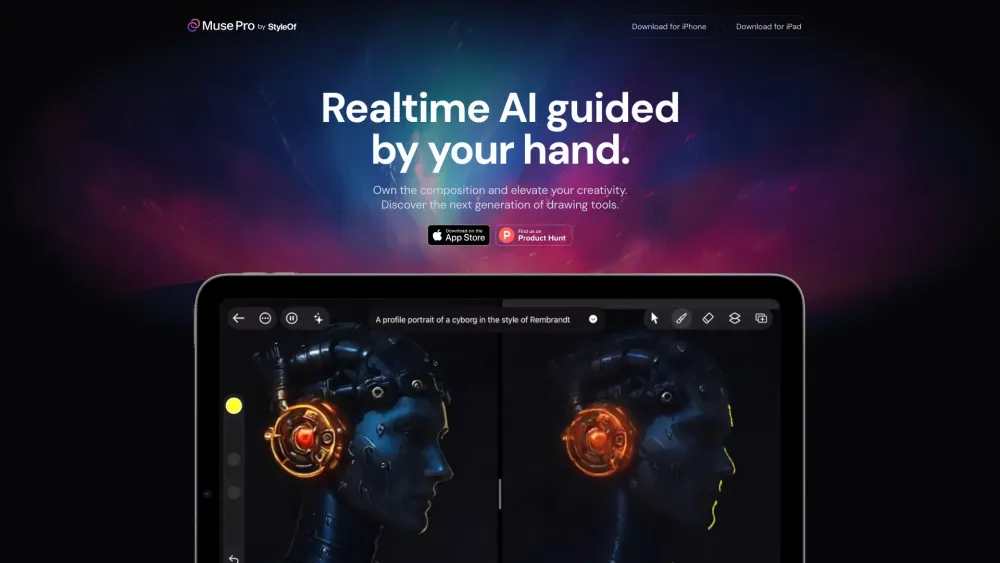
Muse Pro Website screenshot

What is Muse Pro?

Muse Pro is a next-generation AI art studio built for visionaries—blending expressive hand-drawn sketching with intelligent, real-time generative assistance. More than just an app, it's a creative co-pilot that understands artistic intent, adapts to your workflow, and elevates every stroke with precision and flair.

How to use Muse Pro?

Start sketching instantly—no setup, no lag. As you draw, Muse Pro’s AI subtly enhances line confidence, suggests composition refinements, and renders textures in real time. Refine with one-tap upscaling, apply non-destructive style transfers, and export polished masterpieces—all within a fluid, distraction-free interface designed exclusively for the iPad canvas.

🟢

Muse Pro - Key Features

Key Features From Muse Pro

Intelligent Realtime Sketching

One-Click AI Upscaling & Detail Recovery

Adaptive UI Optimized for Apple Pencil

Nonlinear Layer System with Blend Intelligence

Pro-Grade Brush Engine + AI-Powered Texture Brushes

Muse Pro's Use Cases

Bring storyboards and character sketches to life

Rapidly iterate concept art for games and film

Convert rough doodles into gallery-ready digital paintings

🟢

Muse Pro - Frequently Asked Questions

FAQ from Muse Pro

What is Muse Pro?

A purpose-built AI art platform that merges intuitive sketching with intelligent painting assistance—designed from the ground up for professional artists and passionate creators.

How to use Muse Pro?

Sketch freely with Apple Pencil, let AI enhance strokes and lighting in real time, refine using smart layers and context-aware brushes, then upscale or stylize with a single tap—no technical barriers, just pure creative flow.

Is Muse Pro compatible with other devices?

Muse Pro is currently optimized exclusively for iPad (iPadOS 17+), leveraging the full power of Apple’s Neural Engine and Pencil latency performance.

Can I export my artworks in different file formats?

Yes—export layered PSD files for further editing in desktop suites, or high-res JPEG/PNG for sharing, printing, or portfolio use—all with full color fidelity and transparency support.

Are there any tutorials available for beginners?

Absolutely. Muse Pro includes interactive onboarding, bite-sized skill-path videos, and live community-led workshops—all accessible directly inside the app.