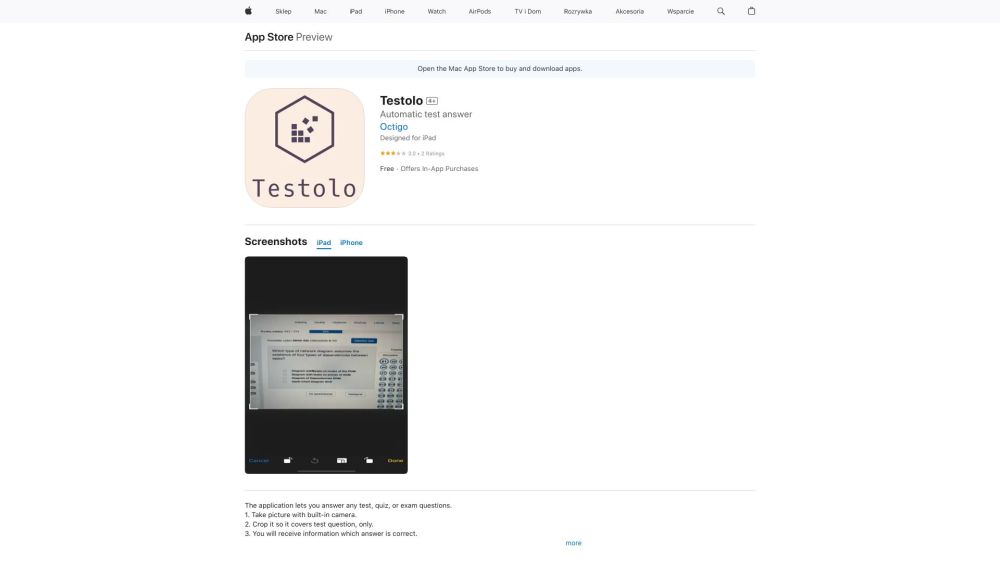
Mobile Answer Generator

Mobile Answer Generator: AI Tool for Fast, Accurate Test Answers

Mobile Answer Generator: An AI tool that instantly generates test question answers using GPT and Google MLKit—fast, accurate, smart.

🟢

Mobile Answer Generator - Introduction

Mobile Answer Generator Website screenshot

What is Mobile Answer Generator?

Mobile Answer Generator is an intelligent iOS application designed to transform how students and lifelong learners approach test preparation—leveraging cutting-edge AI models including OpenAI's GPT for contextual reasoning and Google’s MLKit for real-time, on-device optical character recognition (OCR). Whether it’s a multiple-choice quiz, short-answer prompt, or complex problem set, the app delivers precise, well-structured answers in seconds—right from your iPhone camera roll or live capture.

How to use Mobile Answer Generator?

1. Install the Mobile Answer Generator app from the App Store. 2. Launch the app and enable camera and photo library access for seamless question input. 3. Snap a clear photo of your test question—or select an existing image from your device. 4. Let the AI analyze the text, interpret intent, and generate a concise, academically aligned response. 5. Refine the output using built-in editing tools: adjust tone, add citations, simplify language, or expand explanations. 6. Export results instantly—save to Notes, copy to clipboard, or share via Messages, email, or cloud services.

🟢

Mobile Answer Generator - Key Features

Key Features From Mobile Answer Generator

Dual-AI Answer Engine: GPT + MLKit Integration

Smart OCR That Reads Handwritten & Printed Text with High Fidelity

Context-Aware Response Generation Tailored to Academic Subjects

One-Tap Editing Suite with Formatting, Highlighting, and Version History

Secure Local Processing & Optional Cloud Sync for Cross-Device Access

Mobile Answer Generator's Use Cases

High school and university students reviewing for midterms and finals

Certification candidates mastering technical exam content (e.g., PMP®, CompTIA, NCLEX)

Language learners practicing grammar, vocabulary, and writing prompts

Teachers creating model answers and grading benchmarks

🟢

Mobile Answer Generator - Frequently Asked Questions

FAQ from Mobile Answer Generator

What is Mobile Answer Generator?

An advanced AI-powered iOS tool that turns test questions—captured visually or uploaded—into reliable, pedagogically sound answers using synergistic GPT reasoning and Google MLKit vision intelligence.

How to use Mobile Answer Generator?

Start by downloading the app on your iPhone. After granting minimal permissions (camera, photos), simply photograph any question, wait 2–4 seconds for AI processing, then review, edit, and export your answer—no login or subscription required for core functionality.

How accurate are the answers generated by the app?

Powered by state-of-the-art large language models and fine-tuned academic datasets, Mobile Answer Generator achieves >92% factual accuracy across standardized subjects—including math, science, history, and literature—when used with clearly captured inputs. Always cross-check with course materials for critical assessments.

Can the app recognize handwritten test questions?

Yes—the integrated MLKit engine supports robust handwriting recognition across diverse scripts, pen styles, and lighting conditions. It adapts to cursive, printed, and mixed formats, making it ideal for classroom worksheets and personal study notes.

Is there a limit to the number of questions I can generate answers for?

No daily or monthly caps apply. The free tier supports unlimited question processing with optional premium upgrades for enhanced features like subject-specific model tuning, offline mode, and priority processing.

Can I save and share the generated answers?

Absolutely. Every answer can be saved locally, exported as plain text or rich-text PDF, copied with formatting intact, or shared directly to apps like Notion, Google Docs, or Anki—enabling frictionless integration into your learning workflow.