Miro

Miro: AI Tool for Visual Collaboration

Miro: An AI tool for visual collaboration—scalable, secure, cross-device platform enabling distributed teams to connect, co-create, and innovate in one unified space.

🟢

Miro - Introduction

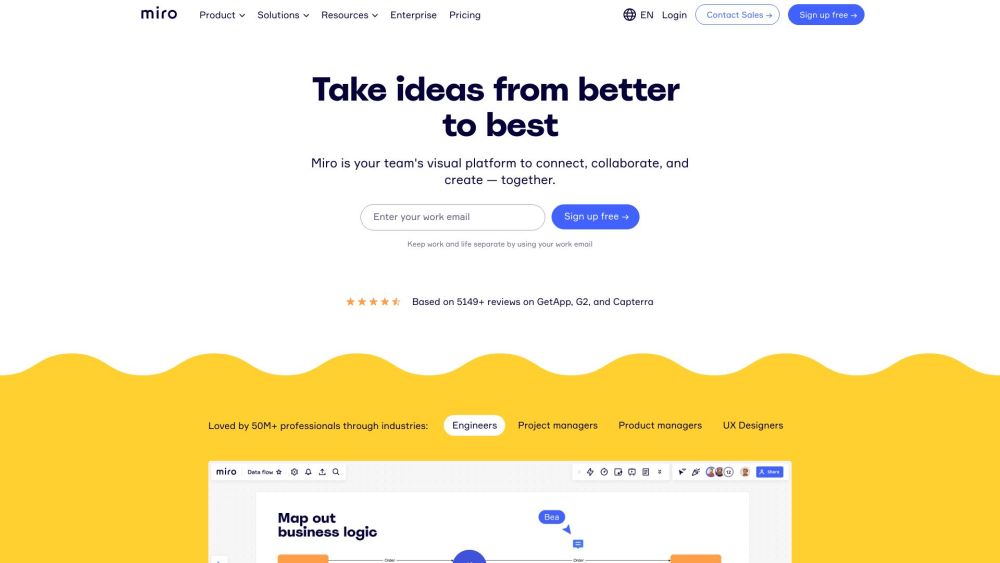
Miro Website screenshot

What is Miro?

Miro is an intelligent visual collaboration platform powered by AI—engineered to unify distributed teams across time zones, tools, and workflows. More than just a digital whiteboard, it's a dynamic, secure, and infinitely scalable workspace where ideas take shape in real time or at your own pace. Whether you're mapping customer journeys, designing software architecture, running agile retrospectives, or brainstorming product strategy, Miro brings structure, intelligence, and creativity together in one cohesive, cross-device environment.

How to use Miro?

Getting started with Miro takes seconds: sign up for a free account using your professional email, then instantly access a blank canvas—or choose from hundreds of purpose-built templates. Create custom boards for any initiative, invite teammates via link or email, and begin co-editing in real time—or asynchronously with threaded comments, version history, and AI-assisted suggestions. Leverage Miro AI to generate diagrams from text prompts, summarize meeting notes, transform bullet points into flowcharts, or refine user stories on the fly. With over 100 native integrations—including Slack, Notion, Jira, Microsoft Teams, and Google Workspace—you keep your existing stack intact while elevating how your team thinks, plans, and ships together.

🟢

Miro - Key Features

Key Features From Miro

AI-Powered Visual Thinking

Real-Time & Asynchronous Collaboration

Smart Templates & Frameworks

Enterprise-Grade Security & Compliance

Visual Product & Project Management

Interactive Diagramming & Systems Mapping

Facilitation Tools for Workshops & Meetings

Developer APIs & Custom App Ecosystem

Miro's Use Cases

Agile & Scrum Planning

UX Research Synthesis

Cloud Infrastructure Diagramming

Design Sprints & Ideation Sessions

OKR & Strategic Roadmapping

Cross-Functional Team Alignment

Remote Onboarding & Training

Customer Experience (CX) Mapping

AI-Augmented Brainstorming

🟢

Miro - Frequently Asked Questions

FAQ from Miro

What is Miro?

Miro is an AI-enhanced visual collaboration platform built for modern, distributed teams. It combines infinite canvas flexibility with intelligent automation—enabling teams to visualize complex ideas, align strategically, and ship faster—all within a single, secure, device-agnostic workspace.

How do I get started with Miro?

Sign up for free in under a minute using your work email. Once onboarded, explore guided onboarding, browse pre-built templates, invite collaborators, and activate Miro AI to accelerate ideation, documentation, and execution—no setup or training required.

Is Miro built for remote and hybrid teams?

Absolutely. Miro was designed from the ground up for asynchronous and synchronous collaboration across geographies. Features like live cursors, activity feeds, offline editing, and AI-powered summarization ensure seamless continuity—whether your team is in one room or across five continents.

Does Miro integrate with my current tools?

Yes—deeply. Miro integrates natively with 100+ platforms including Jira, Confluence, Figma, Zoom, Google Drive, Microsoft 365, and GitHub. You can embed live content, sync updates bi-directionally, and trigger actions across apps—turning Miro into the central nervous system of your workflow.

What makes Miro AI different from other AI collaboration tools?

Miro AI is context-aware and canvas-native—it understands your board’s structure, content, and intent. It doesn’t just generate text; it creates diagrams, refactors workflows, converts meeting transcripts into actionable maps, and adapts to your domain—whether you’re engineering microservices or mapping customer pain points.

Can Miro scale with enterprise needs?

Yes. Miro offers SOC 2 Type II, ISO 27001, GDPR, HIPAA, and FedRAMP-compliant plans with SSO, SCIM provisioning, audit logs, custom branding, and dedicated customer success—ensuring security, governance, and growth at enterprise scale.

What are the most popular use cases for Miro?

Top use cases include sprint planning and backlog refinement, service design workshops, technical architecture visualization, product discovery sessions, inclusive facilitation for DEIB initiatives, and AI-augmented strategy development—spanning tech, marketing, HR, education, and government sectors.