Mems - AI Photo Enhancer

Mems - AI Photo Enhancer: AI Tool for Natural HD Photo Enhancement

Mems - AI Photo Enhancer: A powerful ai tool that professionally enhances photos while preserving your natural look—transform old shots into HD masterpieces.

🟢

Mems - AI Photo Enhancer - Introduction

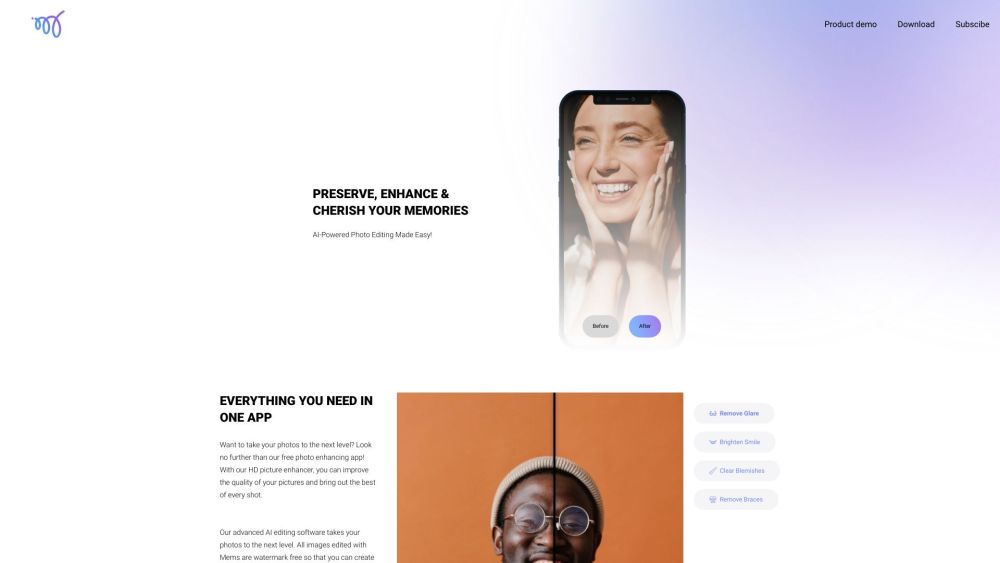
Mems - AI Photo Enhancer Website screenshot

What is Mems - AI Photo Enhancer?

Mems - AI Photo Enhancer is a next-generation intelligent imaging tool designed to elevate everyday photos with precision and authenticity. Unlike traditional editors that over-smooth or distort identity, Mems leverages cutting-edge generative AI to restore detail, balance lighting, and refine facial features—always honoring your true self. Whether rescuing faded memories from years ago or polishing recent snapshots, Mems delivers studio-grade HD clarity without artificial filters or loss of character.

How to use Mems - AI Photo Enhancer?

Getting started with Mems is effortless: simply scan the QR code using your smartphone's native camera, tap the link to install the app, then launch it in seconds. From your gallery, choose any photo—portrait, group shot, or candid moment—and let Mems analyze it in real time. With one-tap enhancements like smile illumination, glare reduction, skin tone harmonization, and subtle brace removal, you’ll see natural-looking upgrades instantly. No editing expertise required—just intuitive controls, zero learning curve, and results that feel unmistakably *you*.

🟢

Mems - AI Photo Enhancer - Key Features

Key Features From Mems - AI Photo Enhancer

Mems stands out with these intelligent capabilities: - Natural-AI Retouching: Context-aware algorithms enhance eyes, teeth, and texture while preserving pores, freckles, and individuality. - Zero Watermark Output: Export pristine, full-resolution images—ready for printing, framing, or sharing—completely free of branding or restrictions. - Portrait Intelligence Mode: Optimized for faces at any angle or lighting condition, delivering consistent, lifelike refinement across selfies, family portraits, and professional headshots. - Precision Blemish Correction: Targets acne, redness, and minor imperfections with adaptive blending—never flattening, never blurring, always authentic.

Mems - AI Photo Enhancer's Use Cases

Where does Mems truly shine? - Memory Restoration: Revive cherished old photos—bring back lost sharpness, correct color fading, and gently reconstruct details in low-res or damaged images. - Creative Professional Workflow: Complement your photography business with AI-powered pre-enhancement—save hours on batch processing while maintaining artistic control. - Social Presence Optimization: Create scroll-stopping profile pictures, story highlights, and feed posts that reflect your best, most genuine self—no filters needed.

🟢

Mems - AI Photo Enhancer - Frequently Asked Questions

FAQ from Mems - AI Photo Enhancer

What is Mems - AI Photo Enhancer?

Mems is a purpose-built AI photo enhancer that transforms ordinary images into high-definition, naturally refined visuals—keeping your unique expressions, skin texture, and personality fully intact.

How do I get started with Mems - AI Photo Enhancer?

Point your phone’s camera at the QR code to access the download page, install the app, open it, and select any photo from your library. Within seconds, apply intelligent enhancements with a single tap—no sliders, no presets, just beautifully balanced results.

What makes Mems different from other AI photo apps?

Mems prioritizes *authentic enhancement* over artificial perfection. Its proprietary AI model is trained exclusively on diverse, real-world facial data to avoid the “plastic” look—ensuring every edit respects your natural appearance, age, ethnicity, and individual features.

Can Mems improve low-quality or blurry photos?

Yes—Mems uses multi-scale super-resolution and noise-aware reconstruction to recover fine details, sharpen edges, and stabilize motion blur—especially effective for older digital photos, scanned prints, or compressed social media uploads.

Does Mems support batch editing or bulk processing?

Currently optimized for individual image excellence, Mems focuses on delivering exceptional quality per photo. Future updates will introduce smart batch modes—designed to maintain consistency across albums while preserving each subject’s distinct identity.

Is my data private when using Mems?

Absolutely. Mems processes all enhancements locally on-device whenever possible. Uploaded images (if used for cloud-assisted features) are encrypted, never stored long-term, and never shared or sold—full compliance with GDPR and CCPA standards.