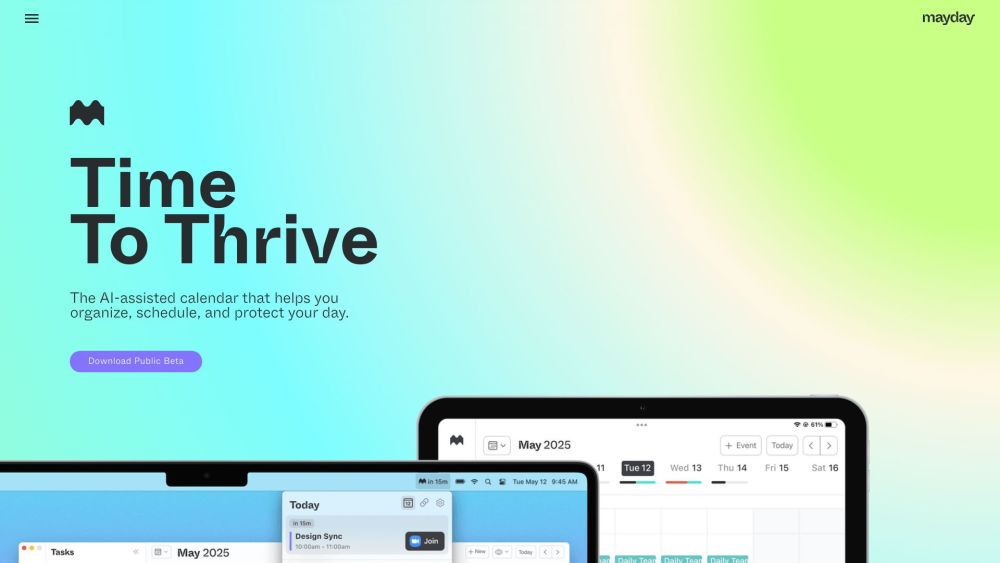
Mayday: The AI-Assisted Calendar

Mayday: The AI-Assisted Calendar: AI Tool for Smart Scheduling

Mayday: The AI-Assisted Calendar: an intelligent ai tool that organizes, manages, and protects your time. Product Name optimizes schedules using AI for meaningful daily planning.

🟢

Mayday: The AI-Assisted Calendar - Introduction

Mayday: The AI-Assisted Calendar Website screenshot

What is Mayday: The AI-Assisted Calendar?

Mayday: The AI-Assisted Calendar is a next-generation time management solution powered by artificial intelligence. Designed to help users reclaim control over their days, Mayday intelligently organizes schedules, prioritizes meaningful activities, and shields valuable time from unnecessary disruptions. By learning your habits, preferences, and commitments, it transforms your calendar from a passive planner into an active productivity partner—ensuring every hour is used with intention.

How to use Mayday: The AI-Assisted Calendar?

1. Install the Mayday app on your iPhone, iPad, or Mac through the App Store.
2. Complete registration and securely connect your existing calendars (Google, Microsoft 365, or iCloud).
3. Begin creating events using simple natural language commands like “Team sync every Tuesday at 3 PM” or “Plan workout before dinner.”
4. Allow Mayday's AI to analyze your availability and recommend optimal times for each event.
5. Share personalized scheduling links with colleagues or friends to streamline meeting coordination.
6. Enable auto-scheduling for recurring tasks such as emails, follow-ups, or personal goals.
7. Set up protective buffers and focus blocks that prevent overbooking and preserve mental clarity.
8. Enhance organization with smart tags, FYI-mode events, real-time widgets, and integrated travel time calculations.

🟢

Mayday: The AI-Assisted Calendar - Key Features

Key Features From Mayday: The AI-Assisted Calendar

AI-Powered Scheduling Intelligence

Smart Time Optimization Based on User Behavior

Natural Language Event Input

Automated Task Placement in Your Calendar

Personalized Meeting Time Suggestions

Dynamic Scheduling Links for External Coordination

Time Protection Mode to Prevent Overcommitment

Integrated AI Assistant for Hands-Free Planning

FYI Events for Low-Priority Notifications

Flexible Time Windows for Variable Availability

Smart Tagging System for Categorizing Events

Interactive Widgets for At-a-Glance Schedule Overview

Seamless Sync Across Google Calendar, Outlook, and iCloud

Automatic Buffer Time Insertion Between Meetings

Menu Bar Quick Access for Upcoming Agenda

Intelligent Travel Time Estimation Based on Location

Native Support for Apple Ecosystem (SwiftUI Built)

🟢

Mayday: The AI-Assisted Calendar - Frequently Asked Questions

FAQ from Mayday: The AI-Assisted Calendar

What is Mayday: The AI-Assisted Calendar?

Mayday is an intelligent calendar platform that uses AI to organize, optimize, and protect your daily schedule. It learns from your behavior to suggest better timing, automate routine planning, and maintain balance between work and personal life.

How do I get started with Mayday?

Download the app from the App Store, sign up using your email, connect your preferred calendar services, and start adding events via text or voice. Mayday will immediately begin offering smart suggestions tailored to your rhythm.

Can Mayday help me avoid burnout?

Absolutely. Mayday proactively identifies signs of over-scheduling and inserts protective time blocks for rest, reflection, or deep work—helping you maintain sustainable energy throughout the week.

Does Mayday support multiple calendar accounts?

Yes. You can sync Google Calendar, Microsoft 365 (Outlook), and Apple iCloud simultaneously, giving you a unified view and centralized control across all platforms.

How does AI improve my scheduling experience?

Mayday’s AI studies your patterns—such as peak focus hours, typical meeting lengths, and commute routines—to place events when they’ll have the least friction and greatest impact.

Can I share my availability with others?

Yes. Generate custom scheduling links that let others book time with you based on your real-time availability and priority settings, without revealing your full calendar.

Is task automation available in Mayday?

Definitely. Assign recurring or one-off tasks, and Mayday will find the best open slots to fit them in automatically, adjusting dynamically as plans change.

What are FYI events?

FYI events appear on your calendar but don’t reserve time—perfect for reminders or informational items you want to see without blocking your day.

Does Mayday include travel time planning?

Yes. If an event has a location, Mayday calculates realistic commute times and schedules travel accordingly, so you never miss a meeting due to unexpected transit delays.

How can I access Mayday quickly during the day?

Use the menu bar widget on macOS or home screen widgets on iOS for instant visibility into your next appointment, current buffer status, and today’s top priorities.