LlamaChat

LlamaChat: AI Tool for Local LLaMA Chat

LlamaChat: A powerful AI tool for chatting with LLaMA, Alpaca & GPT4All models—locally on your Mac. Fast, private, chatbot-like experience.

🟢

LlamaChat - Introduction

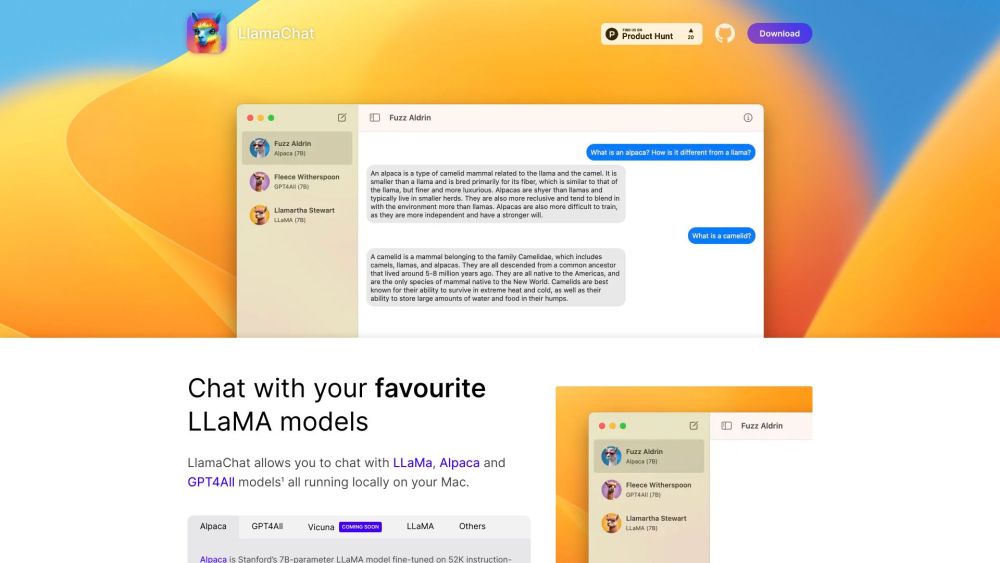
LlamaChat Website screenshot

What is LlamaChat?

LlamaChat is a sleek, macOS-native AI interface designed to bring powerful open-weight language models—LLaMA, Alpaca, and GPT4All—directly to your desktop. Unlike cloud-based chatbots, it runs everything locally: no data leaves your Mac, no subscriptions are required, and responses happen in real time with zero latency.

How to use LlamaChat?

Getting started is effortless: download the latest release (v1.2.0) from the official site—or install instantly via Homebrew with brew install --cask llmchat. Launch the app, select your preferred model (or add your own), and begin conversing. No setup, no API keys—just intuitive, keyboard-driven interaction with state-of-the-art local LLMs.

🟢

LlamaChat - Key Features

Key Features From LlamaChat

LlamaChat delivers essential capabilities for privacy-first AI exploration:
1. Native macOS integration: Optimized for both Apple Silicon and Intel Macs—leveraging Metal acceleration for faster inference.
2. Local-first architecture: All model execution happens on-device—ensuring full data sovereignty and offline functionality.
3. Flexible model support: Load GGUF/GGML files directly or convert PyTorch checkpoints with built-in tooling.
4. Open & transparent: Built on battle-tested, permissively licensed frameworks like llama.cpp and llama.swift—source code fully available on GitHub.
5. Lightweight & responsive: Minimal memory footprint, no background services, and clean, distraction-free UI.

LlamaChat's Use Cases

Whether you're a developer, educator, or curious power user, LlamaChat empowers:
1. Rapid prototyping: Test prompts, evaluate model behavior, and iterate on instruction tuning—without internet dependency.
2. Private knowledge interaction: Chat with domain-specific models trained on sensitive or proprietary datasets—confidently and securely.
3. Educational exploration: Compare how different open models interpret questions, reason step-by-step, or generate creative text—instantly and reproducibly.

🟢

LlamaChat - Frequently Asked Questions

FAQ from LlamaChat

What is LlamaChat?

A purpose-built macOS application that lets you interact with local LLaMA-family models—designed for speed, simplicity, and uncompromising privacy.

How to use LlamaChat?

Install via direct download or Homebrew, choose a model (preloaded or custom), and start typing. That's it—no sign-ups, no telemetry, no compromises.

Is LlamaChat free to use?

Absolutely. It’s 100% free, open-source, and will remain so—forever.

Is LlamaChat available for Windows or Linux?

Not at this time. LlamaChat is intentionally optimized for macOS—taking full advantage of native frameworks and hardware acceleration.

Can I use my own AI models with LlamaChat?

Yes. Import any compatible GGUF/GGML model—or convert your Hugging Face or PyTorch models using the included CLI utilities.

Is LlamaChat affiliated with Meta Platforms, Stanford University, or Nomic AI?

No. LlamaChat is an independent, community-driven project—unaffiliated with any model creators, institutions, or commercial AI vendors.