Laxis - Chrome Extension

Laxis - Chrome Extension: AI Tool for Google Meet

Laxis - Chrome Extension: An AI tool that enhances Google Meet experience—intelligent, seamless, and built for productivity.

🟢

Laxis - Chrome Extension - Introduction

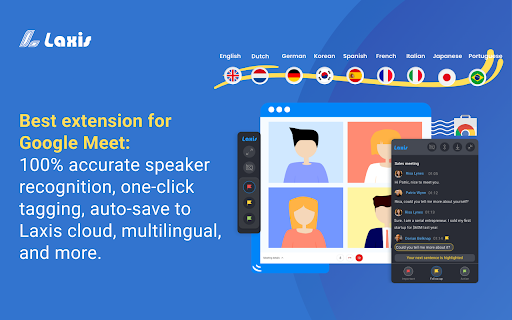
Laxis - Chrome Extension Website screenshot

What is Laxis ai chrome extension?

A smart, AI-powered companion designed exclusively for Google Meet—transforming live meetings into structured, actionable, and recall-ready experiences.

How to use Laxis ai chrome extension?

Add the extension to Chrome, launch any Google Meet session, toggle on live captions—and instantly access Laxis' intelligent overlay with transcription, speaker tracking, and summary tools—all without leaving the call.

🟢

Laxis - Chrome Extension - Key Features

Key Features From Laxis ai chrome extension

Customizable meeting workflows

Live, multilingual speech-to-text transcription

Automatic speaker identification & labeling

Smart moment tagging with contextual notes

Secure, encrypted auto-sync to your Laxis workspace

AI-enhanced editing suite for refining transcripts

Quotation extraction and insight curation

Semantic search across all past meetings

Laxis ai chrome extension's Use Cases

Turning fast-paced discussions into precise, searchable records

Capturing decisions, action items, and key takeaways in real time

Empowering distributed teams with shared, editable meeting intelligence

🟢

Laxis - Chrome Extension - Frequently Asked Questions

FAQ from Laxis - Chrome Extension

What is Laxis?

A purpose-built AI assistant that integrates natively with Google Meet to elevate clarity, retention, and follow-through in every virtual conversation.

How to use Laxis?

One-click install → join a Google Meet → activate captions → engage Laxis’ sidebar tools for live insights, summaries, and post-meeting refinement.

What languages does Laxis support?

Currently optimized for English, French, German, Portuguese (Brazil), and Spanish (Spain & Latin America)—with more languages rolling out soon.