Language Level Adjuster - Chrome Extension

Language Level Adjuster: AI Tool for Text Adaptation

Language Level Adjuster - Chrome Extension: AI tool that modifies text complexity and language with GPT-3.5. Product Name adapts content readability instantly.

🟢

Language Level Adjuster - Chrome Extension - Introduction

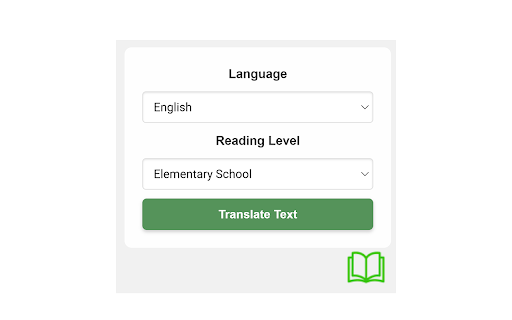
Language Level Adjuster - Chrome Extension Website screenshot

What is Language Level Adjuster ai chrome extension?

The Language Level Adjuster is a smart Chrome extension powered by GPT-3.5 that instantly rewrites selected text to match your preferred reading difficulty and language, making content more accessible across diverse audiences.

How to use Language Level Adjuster ai chrome extension?

Simply highlight any text on a webpage, open the pop-up menu, pick your target language and readability level—from elementary to academic—and transform the text with a single click.

🟢

Language Level Adjuster - Chrome Extension - Key Features

Key Features From Language Level Adjuster ai chrome extension

Dynamic Readability Control

Effortlessly simplify or enhance text complexity based on audience needs—ideal for educators, students, and content creators.

Multilingual Support

Instantly convert text into multiple languages while preserving context and tone, enabling seamless cross-language communication.

Instant One-Click Rewrite

Experience real-time text adaptation without leaving the page—fast, intuitive, and fully integrated into your browsing workflow.

Language Level Adjuster ai chrome extension's Use Cases

Customizing educational materials

Tailor learning content for different age groups or language learners by adjusting sentence structure and vocabulary.

Improving content accessibility

Make articles, guides, or documentation easier to understand for non-native speakers or younger readers.

🟢

Language Level Adjuster - Chrome Extension - Frequently Asked Questions

FAQ from Language Level Adjuster - Chrome Extension

What is Language Level Adjuster?

A Chrome extension that uses AI to modify the complexity and language of any selected text, enhancing comprehension and reach.

How to use Language Level Adjuster?

Select the text you want to adjust, choose your desired language and reading level in the toolbar, then click apply to see the revised version instantly.

Can I adjust the reading level to be more complex?

Yes—whether you need simpler explanations or advanced, technical phrasing, the tool adapts text both ways with precision.