KyudaGPT - Chrome Extension

KyudaGPT - Chrome Extension: AI Tool for Smart Browsing

KyudaGPT - Chrome Extension: An AI-powered browsing assistant—smart, fast, secure. The ultimate ai tool for seamless web navigation.

🟢

KyudaGPT - Chrome Extension - Introduction

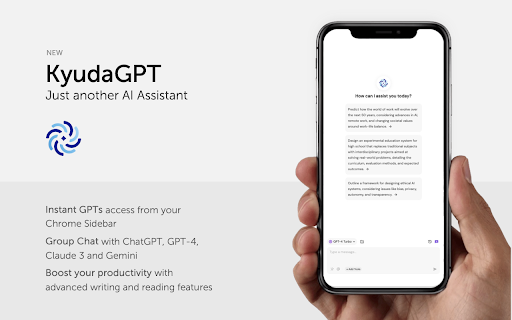
KyudaGPT - Chrome Extension Website screenshot

What is KyudaGPT ai chrome extension?

KyudaGPT is a next-generation AI companion built natively for Chrome—designed to elevate how you read, write, translate, and create while browsing. It brings cutting-edge language and multimodal models directly into your workflow—without switching tabs or copying text.

How to use KyudaGPT ai chrome extension?

Add KyudaGPT from the Chrome Web Store, click the extension icon on any webpage, and launch its intelligent sidebar. From there, highlight text, ask questions, generate visuals, or summarize pages—instantly and intuitively.

🟢

KyudaGPT - Chrome Extension - Key Features

Key Features From KyudaGPT ai chrome extension

One-click page summarization

Context-aware translation (with dialect support)

Conversational AI assistant—trained for web-native tasks

Text-to-image generation powered by diffusion models

KyudaGPT ai chrome extension's Use Cases

Accelerating research & learning

Drafting emails, reports, and social posts

Brainstorming designs, stories, and marketing concepts

🟢

KyudaGPT - Chrome Extension - Frequently Asked Questions

FAQ from KyudaGPT - Chrome Extension

What is KyudaGPT?

An intelligent, privacy-conscious Chrome extension that embeds generative AI seamlessly into your daily browsing—helping you understand, communicate, and create smarter.

How to use KyudaGPT?

After installation, activate it with a single click on any site. Its lightweight sidebar responds instantly to your selections, queries, or prompts—no setup required.

How does KyudaGPT work?

It processes content in-browser with optional secure cloud inference—balancing speed, accuracy, and user control. All core functions run with minimal latency and zero forced logins.