Kome: AI Summary and Bookmark Extension

Kome: AI Summary and Bookmark Extension: AI Tool

Kome: AI Summary and Bookmark Extension: A powerful ai tool that instantly summarizes articles, news, YouTube videos & bookmarks/organizes web content.

🟢

Kome: AI Summary and Bookmark Extension - Introduction

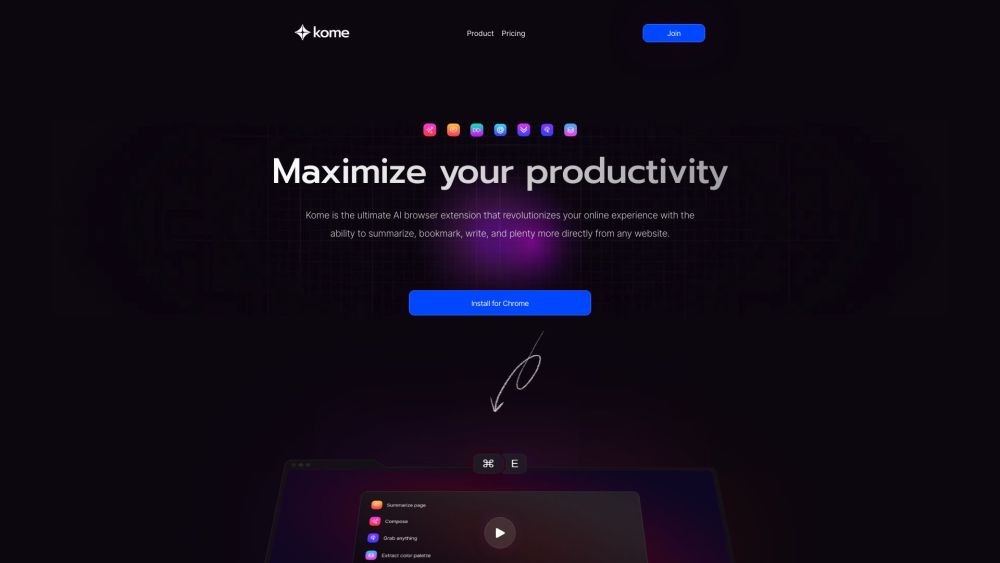
Kome: AI Summary and Bookmark Extension Website screenshot

What is Kome: AI Summary and Bookmark Extension?

Kome is a next-generation AI browser companion engineered to transform how you consume, capture, and create content online. More than just a summarizer or bookmarking tool, Kome integrates generative AI directly into your browsing flow—delivering concise insights from long-form articles, real-time YouTube video summaries, intelligent content curation, and contextual writing assistance—all with one click.

How to use Kome: AI Summary and Bookmark Extension?

Getting started with Kome takes seconds—and unlocks hours of saved time:
1. Install the extension from the Chrome Web Store, Firefox Add-ons, or other supported marketplaces.
2. Click the Kome icon (a sleek, minimalist “K”) in your browser's toolbar.
3. On any webpage or YouTube video page, activate AI Summarize to extract key takeaways in under 10 seconds.
4. Highlight text or click Bookmark to save content instantly—with smart tagging, folders, and full-text search.
5. Use Smart Compose to turn saved bookmarks or selected passages into polished drafts for emails, social posts, or blog outlines.
6. Leverage power tools like transcript generation, email harvesting, palette extraction, auto-scroll, and inline URL lookup—no tab-switching required.

🟢

Kome: AI Summary and Bookmark Extension - Key Features

Key Features From Kome: AI Summary and Bookmark Extension

One-Click AI Summarization: Distill articles, news reports, research papers, and YouTube videos into clear, accurate, skimmable summaries—cutting reading time by up to 70%.

Intelligent Bookmarking: Go beyond saving links—capture rich snippets, annotations, screenshots, and metadata, then retrieve them instantly via keyword, tag, or visual preview.

Smart Compose Engine: Turn your curated knowledge into actionable output—generate tone-aware emails, tweet threads, newsletter blurbs, or blog intros using AI trained on your own bookmarks.

YouTube Transcript & Insight Tool: Auto-generate, summarize, and highlight key moments from YouTube videos—even without captions enabled.

Email Extractor: Identify and copy all valid email addresses from any webpage, PDF, or document view—ideal for outreach and research.

Color Palette Generator: Instantly sample and export harmonious color schemes from live websites or uploaded images—perfect for designers and marketers.

Auto-Scroll & Focus Mode: Scroll through long pages hands-free, pause at headings, or trigger deep-dive summaries at section level.

Inline URL Search: Search across domains, subdomains, or specific sites—without leaving your current tab or opening new windows.

Kome: AI Summary and Bookmark Extension's Use Cases

Researchers & students: Capture, categorize, and synthesize academic sources, lecture videos, and news updates in seconds—not hours.

Content creators: Repurpose trending articles or YouTube clips into original social posts, newsletters, or script outlines using AI-powered composition.

Sales & marketing professionals: Extract contact info, analyze competitor site aesthetics, and draft personalized outreach from saved web assets.

Remote teams & knowledge managers: Build shared, searchable repositories of insights—turning scattered tabs into structured, collaborative knowledge bases.

Lifelong learners: Turn passive scrolling into active learning—summarize, annotate, connect ideas, and generate reflection prompts on any content.

  • Kome: AI Summary and Bookmark Extension Support Email & Customer Service Contact & Refund Policy

    For help, feedback, or refund inquiries, reach the Kome support team at: [email protected]

  • Kome: AI Summary and Bookmark Extension Company

    Developer & operator: Kome Labs — an AI-first product studio focused on human-centered web intelligence.

  • Kome: AI Summary and Bookmark Extension Sign Up

    Start your free trial today: https://kome.ai/auth/signup

  • Kome: AI Summary and Bookmark Extension Pricing

    Flexible plans for individuals, teams, and educators: https://kome.ai/#pricing

  • Kome: AI Summary and Bookmark Extension YouTube

    Watch the full walkthrough: https://youtu.be/n_1sq7wA3Sc

  • Kome: AI Summary and Bookmark Extension Twitter

    Follow for tips, updates & AI browsing insights: https://twitter.com/KomeApp

🟢

Kome: AI Summary and Bookmark Extension - Frequently Asked Questions

FAQ from Kome: AI Summary and Bookmark Extension

What is Kome: AI Summary and Bookmark Extension?

Kome is a unified AI productivity layer for the modern web—blending summarization, curation, and generative writing into a single, lightweight browser extension that works where you already spend your time: online.

How to use Kome: AI Summary and Bookmark Extension?

No setup or accounts needed to begin. After installing, click the Kome icon on any page → choose “Summarize”, “Bookmark”, or “Compose” → get results instantly. All data stays private and local unless you opt into cloud sync.

What makes Kome different from other AI summarizers or bookmark tools?

Kome unifies traditionally siloed functions—summarizing *and* saving *and* composing—within one interface and AI model. It understands context across formats (text, video, code), learns from your habits, and surfaces insights *before* you ask—making it less of a tool, more of a thinking partner.

Is my data safe with Kome?

Yes. Kome processes most summaries and compositions locally in-browser. Cloud features (like cross-device sync) are encrypted and optional—and never used for training or advertising. Full transparency and control are built-in.

Which browsers support Kome?

Kome is fully compatible with Chrome, Edge, Firefox, Brave, Opera, and Arc—with consistent UI, performance, and feature parity across all platforms.

Can I use Kome offline?

Core summarization and bookmarking work offline after initial installation. Advanced features like Smart Compose and YouTube transcript generation require a brief connection to activate secure AI inference—but no personal data is retained server-side.

How do I upgrade or manage my subscription?

Visit your Kome Dashboard to switch plans, download usage reports, invite teammates, or adjust privacy settings—all in one place.