Intelligent CRM Plugin - Chrome Extension

Intelligent CRM Plugin: AI Tool for Seamless UX

Intelligent CRM Plugin - Chrome Extension: AI tool boosting Intelligent CRM user experience—seamless, smart, and intuitive.

🟢

Intelligent CRM Plugin - Chrome Extension - Introduction

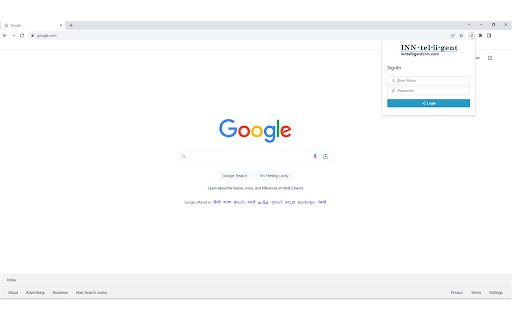
Intelligent CRM Plugin - Chrome Extension Website screenshot

What is Intelligent CRM Plugin ai chrome extension?

The Intelligent CRM Plugin is a purpose-built Chrome extension that brings AI-powered efficiency directly into your Intelligent CRM workflow—transforming how you log, organize, and act on customer communications with zero manual copy-paste or context switching.

How to use Intelligent CRM Plugin ai chrome extension?

After installing the extension, sign in once using your Intelligent CRM account. From Gmail or any supported web interface, click the plugin icon to instantly generate CRM activities—auto-populating fields with intelligent summaries, timestamps, and email content—keeping your CRM up to date in seconds.

🟢

Intelligent CRM Plugin - Chrome Extension - Key Features

Key Features From Intelligent CRM Plugin ai chrome extension

One-Click Activity Generation

Smart Email Context Extraction

Real-Time CRM Sync & Auto-Enrichment

Intelligent CRM Plugin ai chrome extension's Use Cases

Automate follow-up logging after client emails

Streamline sales team activity reporting

Maintain accurate, AI-augmented interaction history

🟢

Intelligent CRM Plugin - Chrome Extension - Frequently Asked Questions

FAQ from Intelligent CRM Plugin - Chrome Extension

What is Intelligent CRM Plugin?

An AI-enhanced Chrome extension built exclusively for Intelligent CRM users—designed to eliminate repetitive data entry by intelligently converting email conversations and browser interactions into structured, searchable CRM activities.

How to use Intelligent CRM Plugin?

Install the extension, authenticate with your Intelligent CRM account, then trigger it directly from Gmail, Outlook Web, or custom web apps. The plugin auto-detects relevant content and suggests optimized activity entries—ready to save or edit with one click.

How do I access the plugin?

Once installed and authenticated, the Intelligent CRM Plugin appears as a clickable icon in your Chrome toolbar. It's always accessible—no need to navigate away from your current tab or application.