IMI Prompt Builder

IMI Prompt Builder: AI Tool for Midjourney v5

IMI Prompt Builder: A powerful AI tool for crafting unique Midjourney v5 prompts—thousands of options, cross-platform (web, iOS, Android).

🟢

IMI Prompt Builder - Introduction

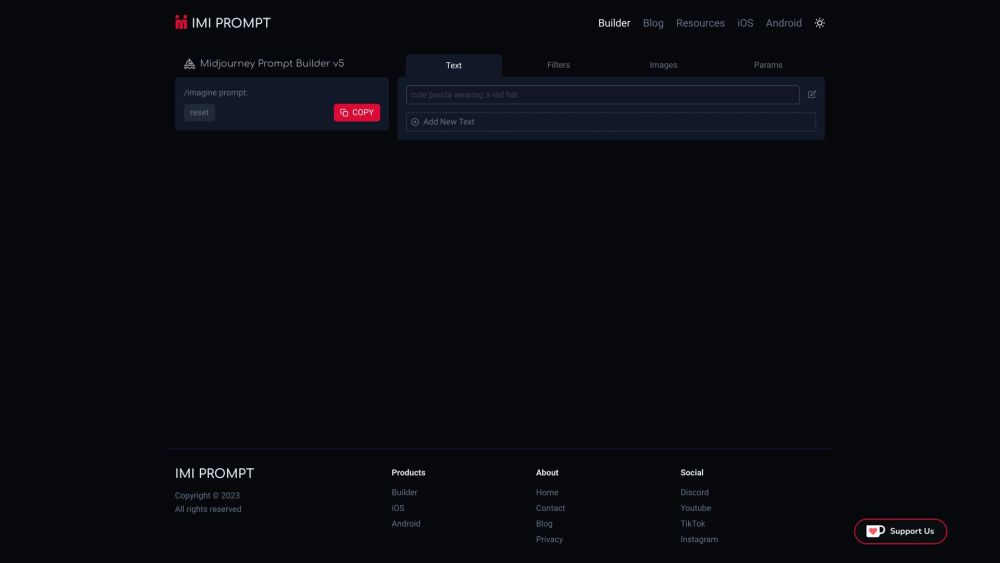
IMI Prompt Builder Website screenshot

What is IMI Prompt Builder?

IMI Prompt Builder is a purpose-built AI assistant designed exclusively for Midjourney v5 — empowering creators to engineer rich, expressive, and highly effective prompts with precision. Unlike generic prompt generators, it's engineered around Midjourney’s latest syntax, style parameters, and v5-specific enhancements (like improved coherence, photorealism control, and stylization depth). Whether you're generating concept art, brand visuals, or experimental digital pieces, IMI Prompt Builder transforms abstract ideas into production-ready prompts — fast, intuitive, and platform-agnostic.

How to use IMI Prompt Builder?

Getting started takes seconds: visit imi-prompt.com on any modern browser, or install the official app from the Apple App Store or Google Play. Once launched, select your creative intent — e.g., “cinematic portrait,” “architectural visualization,” or “anime illustration” — then refine using intelligent sliders and contextual tags (lighting, texture, composition, artist influences, and v5-specific flags like --style raw or --s 750). The tool dynamically previews prompt structure and suggests optimal parameter combinations — no memorizing syntax, no trial-and-error. Export, copy, or send directly to Midjourney in one tap.

🟢

IMI Prompt Builder - Key Features

Key Features From IMI Prompt Builder

1. Midjourney v5–Optimized Intelligence
Every option — from aspect ratios and chaos levels to subtle stylistic modifiers — is curated and validated against Midjourney v5’s behavior, ensuring higher fidelity and fewer failed generations.

2. True Cross-Platform Sync
Start building a prompt on your iPad during a brainstorm session, fine-tune it on desktop at your studio, and finalize it on Android while commuting — all with real-time sync and unified history.

3. Adaptive Prompt Crafting Engine
Goes beyond dropdown menus: the AI interprets natural-language inputs (“make it look like a 1970s film still with soft grain and warm vignette”) and translates them into syntactically perfect, v5-compliant prompts — complete with recommended weights and parameter balancing.

IMI Prompt Builder's Use Cases

1. Professional Design Teams:
Streamline client briefs into consistent, on-brand Midjourney outputs — generate variant prompts for A/B testing, mood boards, or rapid prototyping without manual iteration.

2. Educators & Students:
Demystify AI image generation through guided prompt deconstruction — learn how each parameter affects output, compare v5 behaviors side-by-side, and build foundational prompt literacy.

🟢

IMI Prompt Builder - Frequently Asked Questions

FAQ from IMI Prompt Builder

What is IMI Prompt Builder?

IMI Prompt Builder is an AI-powered, Midjourney v5–native prompt engineering tool — built to maximize output quality, reduce guesswork, and accelerate creative iteration across web, iOS, and Android.

How do I get started with IMI Prompt Builder?

No sign-up required. Visit imi-prompt.com or download the free app. Choose a base style, adjust sliders or enter descriptive intent, and instantly generate a ready-to-use v5 prompt — optimized, explained, and exportable.

Is IMI Prompt Builder free?

Yes — full functionality is completely free. Premium tiers (coming soon) will offer advanced features like team libraries, custom parameter presets, and API integration — but core prompt building remains 100% free forever.

Does it work offline?

The web version requires internet connectivity for AI processing and real-time suggestions. Mobile apps cache recent prompts and support limited offline editing, with full sync upon reconnection.

Can I import my own prompt templates?

Absolutely. Save, tag, and organize custom templates — including frequently used artists, lighting setups, or brand-specific modifiers — for one-click reuse across devices.

How often is IMI Prompt Builder updated for Midjourney changes?

We monitor Midjourney’s official releases and patch notes daily. New v5 features (e.g., --tile, --no enhancements, or new quality modes) are integrated into the builder within 48 hours of public availability.

Do I need Midjourney access to use IMI Prompt Builder?

No — IMI Prompt Builder is a standalone prompt crafting tool. You only need Midjourney access when you’re ready to generate images. Think of it as your v5 prompt co-pilot — not a generator itself.