ICLight Studio

ICLight Studio: AI Tool for Photo Relighting

ICLight Studio: An AI tool for AI-powered relighting of photos—transform lighting instantly with this cutting-edge ai tool, ICLight Studio.

🟢

ICLight Studio - Introduction

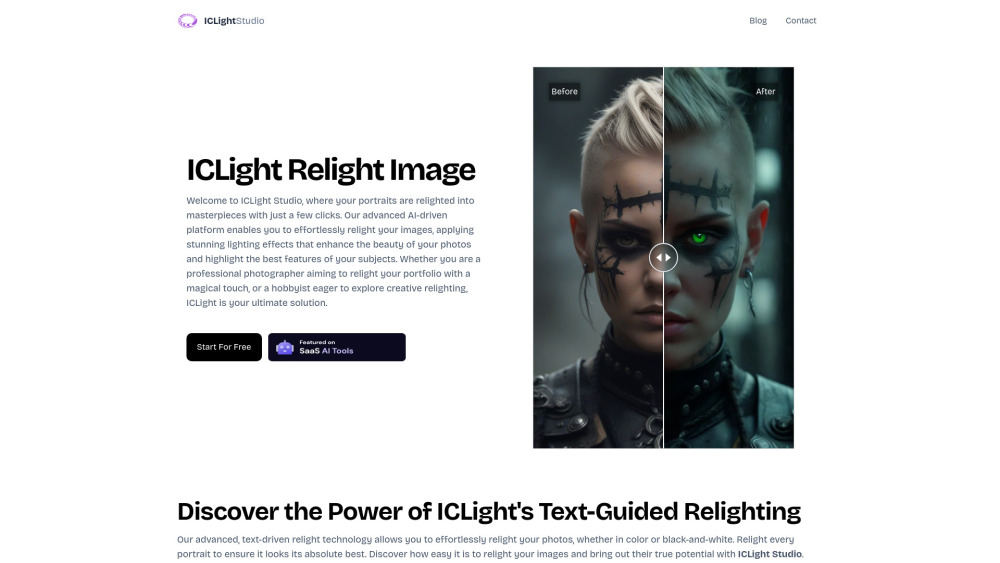
ICLight Studio Website screenshot

What is ICLight Studio?

ICLight Studio is a next-generation AI relighting platform that reimagines how light shapes visual storytelling. Leveraging state-of-the-art diffusion models and semantic lighting understanding, it enables precise, intuitive, and photorealistic lighting transformations—guided entirely by natural language prompts.

How to use ICLight Studio?

Using ICLight Studio takes seconds: upload any photo, type a descriptive lighting instruction (e.g., “golden hour backlight with soft fill,” or “dramatic studio rim light”), and let the AI intelligently reconstruct illumination—preserving texture, depth, and realism without artifacts or overprocessing.

🟢

ICLight Studio - Key Features

Key Features From ICLight Studio

Intelligent Text-to-Light Interpretation

Real-time Lighting Simulation & Preview

Non-destructive, Layer-Based Relighting Workflow

ICLight Studio's Use Cases

Commercial photographers refining product and portrait shots

Content creators optimizing social media visuals with cinematic lighting

  • ICLight Studio Support Email & Customer Service Contact & Refund Policy

    Reach our support team at [email protected]. For full assistance—including billing inquiries, refunds, and technical troubleshooting—visit the official contact page: https://www.iclight.online/contact.

  • ICLight Studio Company

    Developed by Astroship—a creative AI studio focused on democratizing professional-grade image enhancement tools.

🟢

ICLight Studio - Frequently Asked Questions

FAQ from ICLight Studio

What is ICLight Studio?

ICLight Studio is an advanced AI tool designed specifically for intelligent, text-driven photo relighting—turning simple lighting descriptions into physically plausible, high-fidelity illumination changes in seconds.

How to use ICLight Studio?

Just drag-and-drop your image, enter a clear lighting prompt, and generate a relit version instantly. No sliders, no guesswork—just expressive, human-centered control over light.

Is ICLight Studio free to use?

Yes—ICLight Studio offers robust free-tier access with no watermarks, allowing unlimited relighting experiments and export-ready results.

How does text-guided relighting work?

The platform combines multimodal AI architecture (vision-language alignment + lighting-aware diffusion) to decode lighting intent from text and reconstruct global illumination while respecting scene geometry and material properties.

What types of images can I use with ICLight Studio?

From smartphone portraits to DSLR RAW exports—even low-resolution or JPEG-compressed images—ICLight Studio adapts intelligently across formats, resolutions, and color profiles.