Hurd AI

Hurd AI: Product Name ai tool smart lecture notes

Hurd AI: Product Name is an ai tool that transcribes, tags, and summarizes all lecture, meeting, and conversation data!

🟒

Hurd AI - Introduction

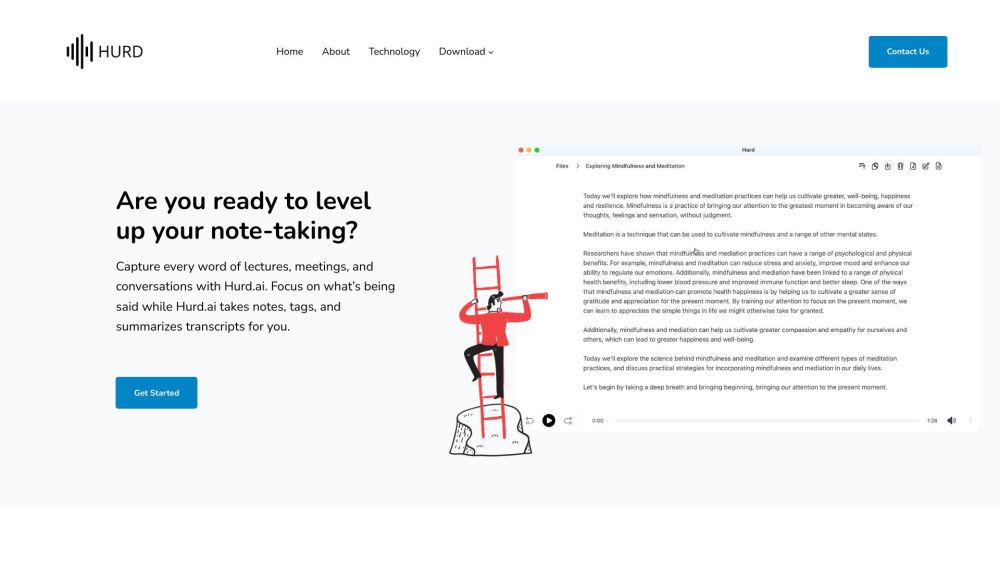
Hurd AI Website screenshot

What is Hurd AI?

Hurd AI is an AI-powered note-taking tool designed to turn lectures, meetings, and everyday conversations into organized, searchable notes. It can transcribe spoken content, identify useful tags, and create summaries that make it easier to review important information later.

How to use Hurd AI?

To get started with Hurd AI, install the application on a Mac or Windows computer. You can upload an existing audio or video recording in a supported format, or capture a live discussion directly through the app. After processing the recording, Hurd AI produces a searchable transcript that can be reviewed alongside the original audio. Users can adjust the text, find specific sections, and export their notes for use in other applications. The tool also supports multiple languages and can be used across devices.

🟒

Hurd AI - Key Features

Key Features From Hurd AI

AI transcription for lectures, meetings, and conversations

Audio and video uploads in multiple file formats

Searchable transcripts for quick information retrieval

Playback controls connected to transcript sections

Support for several languages

Editable transcript text for correcting and refining notes

Local storage that keeps recordings and transcripts on your computer

Options for copying, exporting, and integrating notes

Hurd AI's Use Cases

Creating notes during university or classroom lectures

Documenting team meetings and interviews

Recording personal or professional conversations

Generating concise summaries from long discussions

Finding specific comments in recorded material

Turning spoken audio into readable, searchable text

🟒

Hurd AI - Frequently Asked Questions

FAQ from Hurd AI

What is Hurd AI?

Hurd AI is a smart AI note-taking application that records and transcribes lectures, meetings, and conversations. It can organize transcripts with tags and generate summaries to simplify later review.

How to use Hurd AI?

Download Hurd AI for Mac or Windows, then import an audio or video file or record a conversation within the application. Once the content has been transcribed, you can search through the text, listen to the corresponding recording, make edits, and export the finished notes.

What file formats does Hurd AI support for import?

Hurd AI supports common audio and video formats, including MP3, MP4, WAV, AVI, and M4A files.

Can I edit the transcribed text?

Yes. The transcript can be edited directly in the application, allowing you to correct wording, add details, and improve the accuracy of your notes.

Are there any usage limits?

Hurd AI allows users to create unlimited recordings without stated restrictions on the number of recordings.

How can I export my transcript?

You can copy the finished transcript, send it to Apple Notes, or download it in CSV format for further use.

Where are my audio files and transcripts stored?

Your recordings and transcript files remain on your local computer. This local storage approach helps keep your lecture notes, meeting records, and conversation data private.