Hama

Product Name: Hama ai tool eraser photos

Product Name: Hama - ai tool removes unwanted people and objects from photos, delivering clean, natural-looking results.

🟒

Hama - Introduction

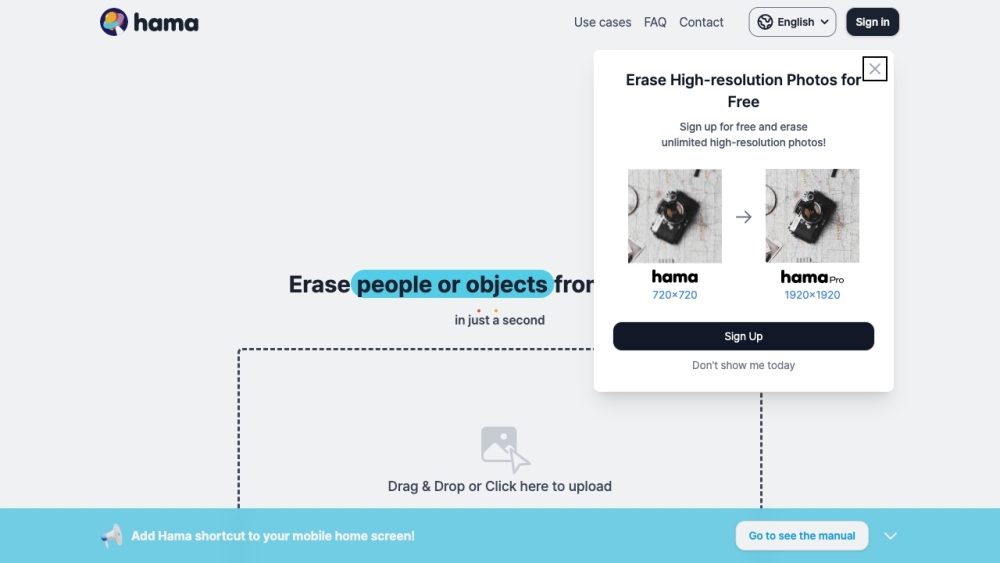
Hama AI photo eraser website screenshot

What is Hama?

Hama is an AI photo editing tool designed to erase unwanted people, objects, and other distractions from images. By analyzing the surrounding details, it helps fill the selected area with a natural-looking background, making photo cleanup quick and accessible.

How to use Hama?

1. Upload the photo you want to enhance.
2. Mark the person, object, or distraction that should be removed.
3. Let Hama process the selected area with its AI eraser.
4. Review the result and download or save the edited image.

🟒

Hama - Key Features

Key Features From Hama

AI-assisted object removal

Simple image upload workflow

Removal of unwanted people and objects

Accurate brush-based area selection

Natural background reconstruction

Preview and image-saving functionality

Hama's Use Cases

Cleaning tourists and photobombers from vacation pictures

Removing signs, clutter, and unwanted items from scenery

Improving portraits by clearing background distractions

Retouching product and social media photos

  • Hama Support Email & Customer service contact & Refund contact etc.

    For questions about Hama customer service, account issues, or refunds, use the support email listed by the service: [email protected]. You can also learn more through the contact us page(mailto:[email protected]).

  • Hama Company

    Hama is operated by Sandoll Metalab Inc.

  • Hama Sign up

    Hama sign-up and account information can be found here:

🟒

Hama - Frequently Asked Questions

FAQ /faq-info1" rel="nofollow" target="_blank">https://www.hama.app/faq/faq-info1

  • Hama Instagram

    Follow Hama on Instagram for updates and examples of AI photo editing: https://www.instagram.com/hama_ai_image_eraser/

  • FAQ from Hama

    What is Hama?

    Hama is an AI-powered image eraser that removes unwanted people, objects, and visual distractions from photos while attempting to preserve a realistic background.

    How to use Hama?

    Upload an image, highlight the area that needs editing, run the AI eraser, and check the generated result before saving the photo.

    How does Hama remove objects from photos?

    Hama uses AI image processing to examine the selected region and generate replacement details based on the surrounding background.

    What can I remove with Hama?

    You can use Hama to clear photobombers, unwanted objects, background clutter, and other distractions from travel photos, portraits, landscapes, and everyday images.

    What are the key features of Hama?

    Its main features include AI object removal, image uploading, flexible selection, background reconstruction, result preview, and options for saving the edited image.

    Is Hama suitable for beginners?

    Yes. Hama provides a straightforward editing process that allows users to upload a picture, select an unwanted element, and apply the eraser without advanced photo editing skills.

    Is there a pricing plan for Hama?

    Hama provides premium plans that reportedly start at $9.99 per month, and the service may also offer a free trial period. Check the official Hama website for current pricing and plan details.