GPT-Prompter

GPT-Prompter: AI Tool for Seamless GPT Access

GPT-Prompter: A powerful AI tool—Chrome extension for seamless GPT-3, GPT-4 & ChatGPT API access, customizable prompts, and playground interface.

🟢

GPT-Prompter - Introduction

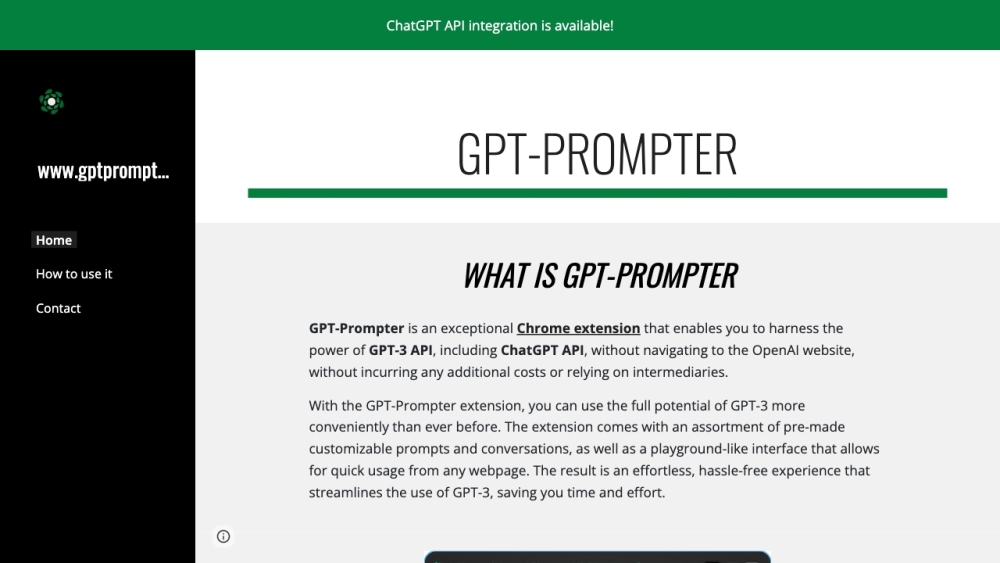
GPT-Prompter Website screenshot

What is GPT-Prompter?

GPT-Prompter is a lightweight, high-performance Chrome extension engineered to bring enterprise-grade AI—GPT-3, GPT-4, and the official ChatGPT API—directly into your browser workflow. No logins, no tab-switching, no third-party gateways: just one-click access to state-of-the-art language models from any webpage. With intelligent prompt scaffolding, real-time conversation history, and an intuitive in-browser playground, it transforms how developers, writers, educators, and researchers interact with generative AI—privately, efficiently, and on their own terms.

How to use GPT-Prompter?

Getting started takes under 30 seconds: install GPT-Prompter from the Chrome Web Store, sign in once with your OpenAI API key (or use built-in free-tier fallbacks), and click the extension icon—or simply right-click any text to summon instant AI-powered insights. Whether you're summarizing dense documentation, debugging code snippets, rewriting marketing copy, or exploring creative ideas, GPT-Prompter delivers contextual, low-latency responses without leaving your current page. Its clean UI adapts seamlessly across websites, making advanced AI feel native—not supplemental.

🟢

GPT-Prompter - Key Features

Key Features From GPT-Prompter

Native Chrome integration for GPT-3, GPT-4 & ChatGPT API access

Library of editable, role-specific prompts—engineer, writer, teacher, analyst—and one-click customization

Interactive playground mode: test prompts, compare outputs, save sessions, and iterate in real time

Zero-friction, privacy-forward design—your prompts and API keys never leave your browser

GPT-Prompter's Use Cases

Instant context-aware explanations of highlighted text, code, or research excerpts

Rapid prototyping of AI-assisted workflows—without building custom frontends or managing endpoints

🟢

GPT-Prompter - Frequently Asked Questions

FAQ from GPT-Prompter

What is GPT-Prompter?

A purpose-built Chrome extension that bridges your browser directly to OpenAI's most powerful models—GPT-3.5, GPT-4, and ChatGPT API—with zero intermediaries, minimal setup, and maximum flexibility. It’s not a wrapper—it’s your AI co-pilot, embedded where you work.

How to use GPT-Prompter?

Install → authenticate your API key (optional for limited free usage) → activate via toolbar icon or right-click menu. Instantly generate, refine, and save prompts—all within your active tab. No subscriptions, no hidden layers—just pure, responsive AI.

Is GPT-Prompter available for other browsers?

Currently optimized exclusively for Google Chrome to ensure full compatibility with OpenAI’s API authentication flow and real-time rendering performance. Firefox and Edge support are under active evaluation.

Does using GPT-Prompter incur any additional costs?

GPT-Prompter itself is free to download and use. API usage costs are billed directly by OpenAI based on your account’s plan—GPT-Prompter adds no markup or service fees. You retain full control over usage limits and billing.

Can I customize prompts and conversations with GPT-Prompter?

Absolutely. Every preloaded prompt is fully editable—and you can create, tag, organize, and reuse custom prompt templates across projects. Conversation threads persist locally, enabling iterative refinement without losing context.

Can GPT-Prompter be used on any webpage?

Yes—across all public websites, internal dashboards (where CORS permits), documentation portals, and even local HTML files. The extension respects site security policies while maximizing utility wherever text selection is supported.