Filo Mail

Filo Mail: Product Name ai tool for mail

Filo Mail: Your ai tool for a calm inbox and focused tasks. Product Name: Filo Mail, made to turn mail into easy action.

🟢

Filo Mail - Introduction

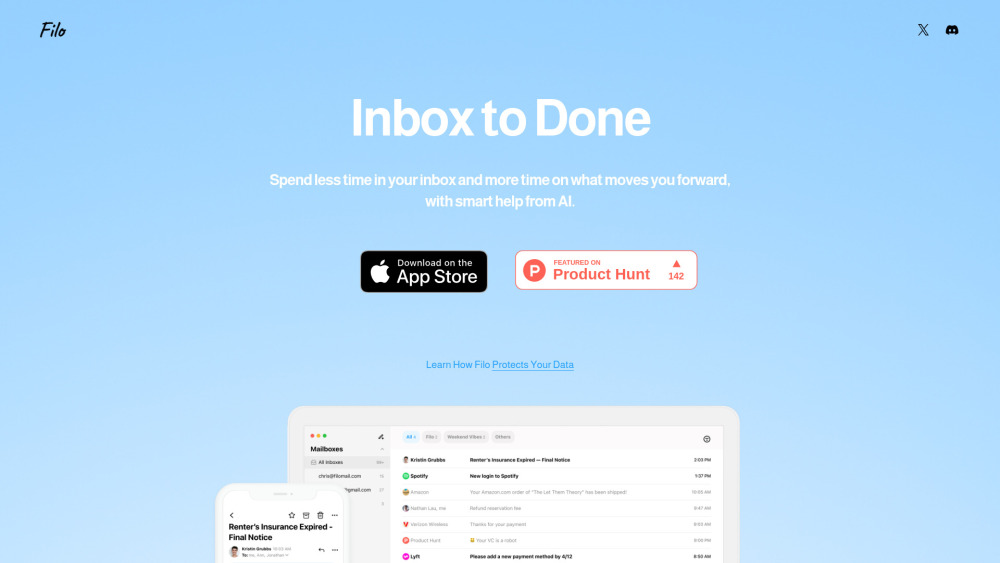
Filo Mail AI email management app website screenshot

What is Filo Mail?

Filo Mail is an AI tool for mail that helps turn a busy inbox into a clearer set of tasks. Built for people who spend too much time sorting messages, it brings important actions into view, summarizes email information, and lets users manage their inbox with everyday language.

The idea behind Filo Mail is simple: email should help you move work forward. Its minimalist interface and built-in AI assistant make it easier to see what needs attention and reduce the effort involved in routine inbox maintenance. Whether you want to clear promotional messages or organize incoming mail, Filo Mail aims to create a calmer workspace with fewer distractions.

How to use Filo Mail?

Start by connecting a supported Gmail account, then describe the email task you want Filo Mail to handle. For example, you could ask, “Move the marketing emails in my inbox to the trash.” The assistant interprets your request and carries out the relevant action without requiring code or complicated setup steps.

You can also use natural-language requests to organize messages, get summaries, or manage tasks. Giving a clear instruction helps communicate what you want to accomplish. Support for multiple Gmail accounts makes Filo Mail an option for users managing more than one inbox.

🟢

Filo Mail - Key Features

Key Features From Filo Mail

AI-assisted inbox management

Use an AI assistant to handle everyday email organization and reduce the manual effort of managing incoming messages.

An inbox organized around tasks

Bring actionable items into focus so your email becomes a useful starting point for deciding what to do next.

Important actions brought to your attention

Surface tasks within your messages, helping you identify work that needs attention without reviewing every email in detail.

Email information summaries

Get a shorter overview of email content to understand the main points with less reading.

Natural-language controls

Tell Filo Mail what you need in plain language, from clearing unwanted messages to organizing your inbox.

A minimalist workspace

A simple interface keeps attention on messages and tasks, supporting a more focused email routine.

Filo Mail's Use Cases

Move unwanted promotional emails to the trash

Clear clutter from a crowded inbox

Sort messages with conversational instructions

Identify action items and schedule tasks

🟢

Filo Mail - Frequently Asked Questions

FAQ from Filo Mail

How does Filo Mail handle email requests?

Filo Mail uses AI to interpret instructions written in everyday language. Describe an action, such as clearing marketing emails, and the assistant handles the corresponding email task.

What tasks can I ask Filo Mail to complete?

Supported uses described in the supplied product information include removing unwanted messages, sorting email, summarizing information, and scheduling tasks. These capabilities help connect inbox activity with the work you need to complete.

How does Filo Mail handle my data?

The supplied product description states that Filo Mail does not store user data and relies on Google for email service information. Review Filo Mail's current privacy policy and requested account permissions for details about data access and handling.

Which email accounts can I connect?

According to the provided information, Filo Mail supports Gmail and allows connections to multiple Gmail accounts. Other email providers are described as planned additions.

Where can I send feedback or ask for help?

Filo Mail directs users to its Discord community. Share suggestions and report bugs in the #📩|feedback channel, or visit #🛠|support for assistance.