Face Crop Jet

Face Crop Jet: AI Tool for ID/Passport Photos

Face Crop Jet: AI tool that auto-detects & crops faces for ID/passport photos—supports any format, size, bulk processing.

🟢

Face Crop Jet - Introduction

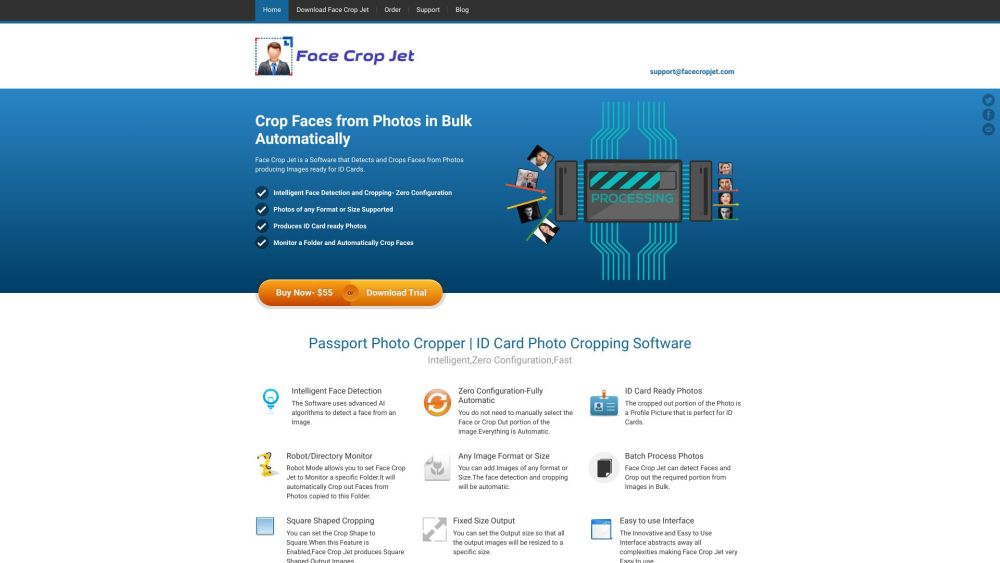
Face Crop Jet Website screenshot

What is Face Crop Jet?

Face Crop Jet is a precision AI-powered desktop application engineered specifically for identity documentation—transforming everyday photos into compliant, professional ID and passport portraits in seconds. Unlike generic cropping tools, it leverages deep learning models trained on global biometric standards to locate faces with pixel-level accuracy, adjust for tilt and expression, and auto-generate background-cleared, proportionally correct headshots. Whether your source image is a smartphone snapshot or a high-res studio file—and regardless of lighting, angle, or resolution—Face Crop Jet delivers government-ready outputs without manual intervention.

How to use Face Crop Jet?

Getting started takes under a minute: download the installer for Windows or macOS, complete the quick setup, and launch the app. From the intuitive dashboard, choose your photo source—whether a local folder, external drive, or connected camera—and click “Process.” Face Crop Jet instantly scans all images, detects each face using adaptive neural detection, applies intelligent framing (centering the eyes, adjusting chin-to-crown ratio), and exports standardized portraits in your chosen dimensions (e.g., 35×45 mm for EU passports or 2×2 inches for U.S. visas). Optional presets let you toggle between ID card, visa, driver's license, or custom sizing—all with one-click consistency.

🟢

Face Crop Jet - Key Features

Key Features From Face Crop Jet

Biometric-grade AI face detection

No setup required—launch and process immediately

Universal format compatibility: JPG, PNG, WEBP, TIFF, HEIC, BMP & more

True batch capability—process thousands of images silently and securely offline

Flexible output control: preset templates + custom DPI, aspect ratio, and background handling (white, gray, or transparent)

Face Crop Jet's Use Cases

One-click compliance for national ID, passport, and visa applications

HR departments automating employee badge photo processing

Photographers delivering instant, regulation-ready portraits to clients

“Robot Mode”: continuous folder monitoring that crops and saves new arrivals in real time

  • Face Crop Jet Company

    Face Crop Jet is developed by Vyshak Vijayan — an independent software engineer focused on practical AI tools for document automation and digital identity workflows.

  • Face Crop Jet Pricing

    Single-user perpetual license with lifetime updates: https://www.facecropjet.com/order

  • Face Crop Jet Facebook

    Join our community for tips, updates, and official support: https://www.facebook.com/facecropjet/

  • Face Crop Jet Twitter

    Follow for release notes and biometric best practices: https://twitter.com/facecropjet

🟢

Face Crop Jet - Frequently Asked Questions

FAQ from Face Crop Jet

What is Face Crop Jet?

A dedicated AI desktop tool that transforms raw photos into officially accepted ID and passport portraits—using intelligent face localization, anatomical scaling, and regulatory-aware cropping—without cloud uploads or subscription fees.

How to use Face Crop Jet?

Install → Select folder → Choose template (or define custom size) → Click “Crop All.” Your processed, print-ready portraits appear in seconds—fully offline, with zero reliance on internet connectivity or third-party servers.

What image formats does Face Crop Jet support?

Full native support for JPG, JPEG, PNG, BMP, TIFF, WEBP, HEIC, GIF, and RAW variants (CR2, NEF, ARW) — no conversion needed before processing.

Can I process photos in bulk?

Absolutely. Face Crop Jet handles unlimited batches—from 10 to 10,000+ images—in a single operation, maintaining consistent quality and compliance across every output.

Is Face Crop Jet compatible with Mac?

Yes. A fully optimized native macOS version (Apple Silicon & Intel) is included—no emulation or performance trade-offs.

How does the automatic monitoring feature work?

In Robot Mode, Face Crop Jet watches a designated folder 24/7. As soon as a new photo lands there—via email attachment extraction, phone sync, or drag-and-drop—the app auto-processes it and saves the cropped portrait to your specified output directory.

Can I customize the output size of the cropped images?

Yes. Beyond 50+ built-in international templates (ICAO, ICAO Annex 9, ISO/IEC 19794-5), you can define exact pixel dimensions, DPI, margin ratios, and background color—saved as reusable profiles for repeat use.