EtsyCheck

EtsyCheck: Product Name ai tool for Etsy

EtsyCheck: Smart ai tool for Etsy SEO, smarter listings, and profitable niches. Product Name for ambitious Etsy sellers.

🟒

EtsyCheck - Introduction

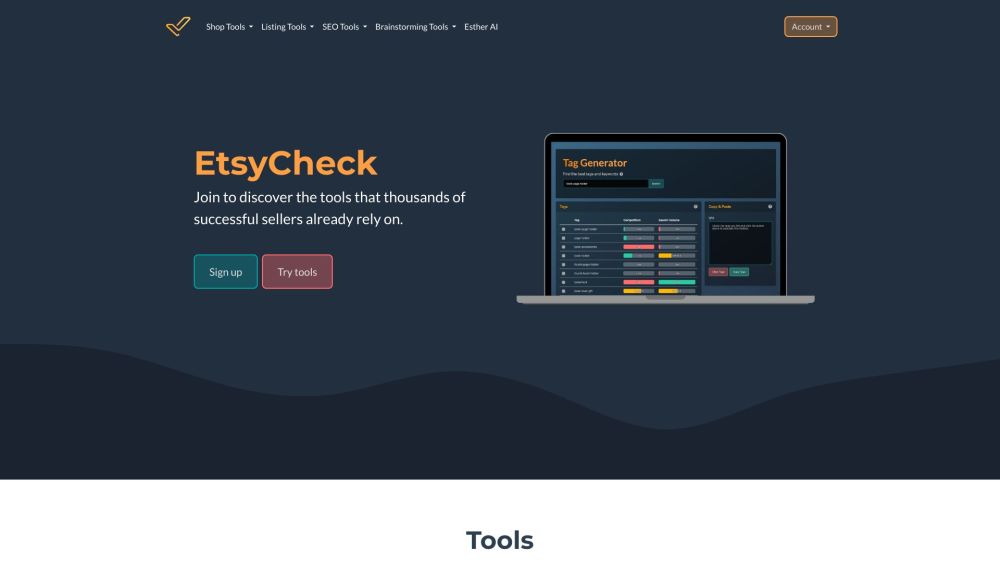
EtsyCheck Website screenshot

What is EtsyCheck?

EtsyCheck is an AI tool for Etsy sellers that brings product research, listing optimization, and shop insights into one toolkit. It helps sellers explore promising niches, research keywords, and create clearer product titles, descriptions, and tags. With tools for competitor comparisons, ranking checks, and profit calculations, EtsyCheck supports more informed decisions throughout the selling process.

The platform combines dedicated shop, listing, SEO, and brainstorming tools with Esther AI, an assistant focused on Etsy tasks. Whether you are preparing your first product listing or refining an established catalog, EtsyCheck can help turn research into practical improvements.

How to use EtsyCheck?

Start by creating an EtsyCheck account, then choose the tools that match your current goal. For a shop overview, explore My Shop and review the available listing and SEO metrics. BuyerCheck offers additional context through available buyer review activity.

When researching a product, use Keyword Trend to examine related listings, pricing, and engagement. Compare Listings lets you review your products alongside competing listings, while the Profit & Fee Calculator helps estimate how pricing and Etsy fees affect potential earnings.

Next, use the Title Generator, Description Generator, and Tag Generator to develop listing content around relevant search terms. Esther AI can also help draft copy and brainstorm product ideas. Review generated suggestions for accuracy and product relevance before publishing, then use Rank Check to assess keyword visibility. Niche Finder and Etsy Trends can support ongoing research into new product opportunities.

🟒

EtsyCheck - Key Features

Key Features From EtsyCheck

Shop Tools

My Shop brings listing information and SEO performance metrics together for easier review. BuyerCheck adds access to available customer review activity, giving sellers another source of context when assessing buyer interactions.

Listing Tools

Keyword Trend provides research on listings associated with a search term, including pricing and engagement indicators. Compare Listings highlights differences between products, while the Profit & Fee Calculator supports pricing decisions with estimated fee and profit calculations.

SEO Tools

EtsyCheck includes generators for product titles, descriptions, and tags. Sellers can use these suggestions to develop relevant listing content, evaluate keyword competition, and check where their products appear for selected searches.

Brainstorming Tools

Niche Finder and Etsy Trends help sellers investigate potential product directions. These tools support research into buyer interest, competing products, and emerging themes that may suit a shop's audience.

Esther AI

Esther AI is an Etsy-focused assistant for writing and ideation. It can suggest product names, draft search-focused titles and descriptions, recommend tags, and help sellers explore ideas for expanding their catalogs.

EtsyCheck's Use Cases

Refreshing existing Etsy listings

Review product content, identify relevant keywords, and revise titles, descriptions, and tags to better communicate what each item offers.

Tracking keyword visibility

Use ranking information to assess how listings appear for selected search terms and identify opportunities for further optimization.

Researching potentially profitable niches

Explore keyword demand and competition to find product categories worth investigating before committing time and materials.

Drafting product names, titles, and descriptions

Use AI suggestions as a starting point for listing copy, then add accurate details about materials, sizing, personalization, and intended use.

Comparing competing listings

Examine differences in tags, categories, views, and favorites to understand how similar products are positioned on Etsy.

Reviewing buyer feedback activity

Consult available reviews associated with a buyer to gain context about their previous purchasing experiences.

Estimating fees and product profits

Evaluate how Etsy fees affect estimated earnings and use the results to inform product pricing.

  • EtsyCheck Support and Customer Service

    For account assistance, billing questions, or refund inquiries, consult the support options on the EtsyCheck website. A usable support email address was not included in the supplied information.

  • EtsyCheck Login

    Access your account through the EtsyCheck login page.

  • EtsyCheck Sign up

    Create an account on the EtsyCheck sign-up page to explore its seller tools.

  • EtsyCheck Pricing

    Visit the EtsyCheck pricing page for current plans, costs, and included features.

  • EtsyCheck Facebook

    Find the brand on Facebook.

  • EtsyCheck TikTok

    Explore the EtsyCheck TikTok account.

  • EtsyCheck LinkedIn

    Visit the EtsyCheck LinkedIn page.

  • EtsyCheck Instagram

    Connect with EtsyCheck on Instagram.

🟒

EtsyCheck - Frequently Asked Questions

FAQ from EtsyCheck

What is EtsyCheck?

EtsyCheck is a collection of research, SEO, and AI writing tools for Etsy sellers. It supports tasks such as improving listing content, evaluating competing products, exploring niches, and estimating profits.

How do I start using EtsyCheck?

Register for an account and select a tool based on your immediate needs. You might begin with keyword research for a new product, review an existing listing, or ask Esther AI for content suggestions.

What does BuyerCheck show?

BuyerCheck helps sellers review available feedback left by buyers on previous purchases. This information can provide context about past customer experiences, although it does not predict how a future transaction will unfold.

What can I do with My Shop?

My Shop provides a central place to browse active listings and examine available SEO metrics. Sellers can use this overview to identify products that may benefit from closer review.

How does the Tag Generator help?

The Tag Generator suggests keywords and tags relevant to a product. Competition scores provide additional context when choosing terms that accurately describe the item and match likely buyer searches.

What information does Keyword Trend provide?

Keyword Trend summarizes data from the top 100 listings associated with a keyword. Its research includes average prices, views, favorites, and commonly used tags, materials, and categories.

What is Compare Listings used for?

Compare Listings places your listing alongside a competing product so you can examine differences in categories, tags, and engagement metrics. These comparisons can guide further research and listing revisions.

How does Rank Check support Etsy SEO?

Rank Check reports listing positions for selected keywords. It offers a reference point for monitoring visibility, though individual shoppers may see different results because Etsy personalizes search.

What can Esther AI create?

Esther AI can draft product titles and descriptions, suggest tags, and generate product ideas. Sellers should edit its output to reflect their products accurately and maintain a consistent shop voice.

How does Niche Finder identify opportunities?

Niche Finder highlights keywords and product areas with indicators of buyer interest and comparatively lower seller competition. These suggestions provide starting points for assessing demand, costs, and suitability for your shop.

What does the Profit Calculator do?

The Profit Calculator estimates how Etsy fees affect earnings at a given selling price. Use those estimates alongside your production, packaging, shipping, and other business costs when deciding whether a product meets your profit goals.