DreamStudio

DreamStudio: AI Tool for Image Generation

DreamStudio: A cutting-edge AI tool for image generation—powered by Stability.ai's advanced open-source generative AI technology.

🟢

DreamStudio - Introduction

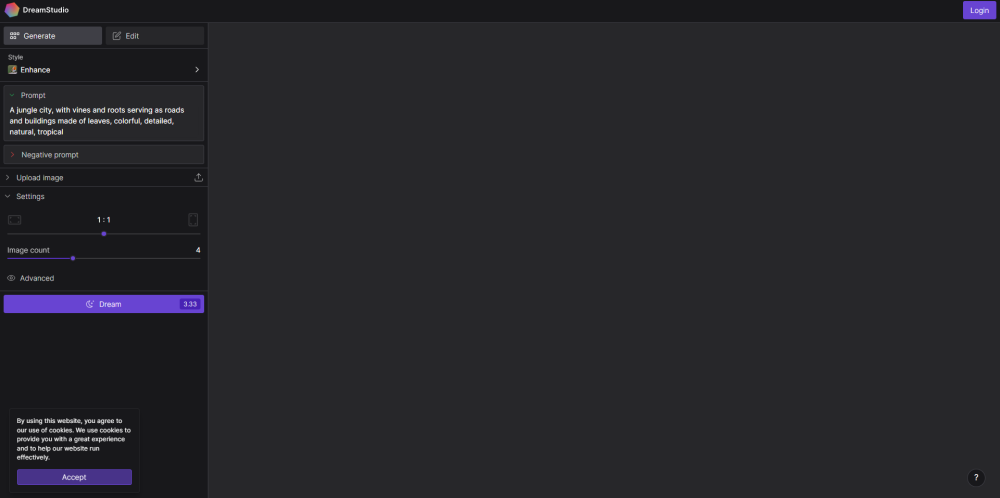
DreamStudio Website screenshot

What is DreamStudio?

DreamStudio is a powerful, browser-based AI image generation platform built on Stability.ai's state-of-the-art open-source diffusion models. Designed for creators, designers, marketers, and hobbyists alike, it transforms text prompts—or existing images—into stunning, high-fidelity visuals with unprecedented speed and precision. As the official web interface for Stability AI’s generative technology, DreamStudio bridges cutting-edge research with intuitive creative workflows.

How to use DreamStudio?

Getting started with DreamStudio is simple and fast: visit dreamstudio.ai, create a free account, and begin generating in seconds. You can either type descriptive prompts (e.g., “cyberpunk cityscape at sunset, cinematic lighting”) or upload reference images for inpainting, outpainting, or style transfer. Adjust parameters like image dimensions, step count, CFG scale, and seed values to fine-tune results—then download your creations in high-resolution PNG or JPEG format, ready for professional use.

🟢

DreamStudio - Key Features

Key Features From DreamStudio

Stability AI–Powered Generation Engine

Prompt-to-Image & Image-to-Image Capabilities

Real-Time Preview and Iterative Refinement

Built-in Safety Filters and Ethical AI Controls

Seamless Export Options and API Integration Pathways

DreamStudio's Use Cases

Accelerating visual ideation for branding, social media, and ad campaigns

Prototyping concepts for game assets, book covers, and NFT collections

Supporting educators and students in visual storytelling and digital literacy

Enabling artists to experiment with hybrid human-AI co-creation workflows

🟢

DreamStudio - Frequently Asked Questions

FAQ from DreamStudio

What is DreamStudio?

DreamStudio is the flagship web application for Stability AI’s open-source generative models—delivering enterprise-grade image synthesis through an accessible, no-code interface that empowers both beginners and professionals.

How to use DreamStudio?

After signing up, users enter descriptive prompts or upload source images, select model versions (e.g., SDXL, Stable Diffusion 3), configure generation settings, and instantly preview outputs—refining iteratively before final export.

Can I use DreamStudio for commercial purposes?

Yes. All images generated via DreamStudio are licensed for unrestricted personal and commercial use under Stability AI’s permissive terms—no royalties or attribution required.

Is DreamStudio compatible with all image formats?

DreamStudio accepts JPG, PNG, GIF, and BMP for input; outputs are delivered as high-quality PNG or JPEG files optimized for print and digital distribution.

Can I customize the generated images?

Absolutely. Beyond prompt engineering, users can adjust sampling methods, denoising strength, aspect ratios, negative prompts, and more—giving precise control over composition, mood, and fidelity.

Can I use DreamStudio without creating an account?

No. Account creation is required to manage generations, track usage credits, enable cloud storage of projects, and ensure responsible AI access aligned with Stability AI’s governance framework.

Is DreamStudio a free tool?

DreamStudio offers a generous free tier with starter credits, plus scalable subscription plans for higher-volume and advanced feature access—including priority rendering and enhanced model options. Pricing details are available at dreamstudio.ai/pricing.