Double Check - Chrome Extension

Double Check - Chrome Extension: AI Tool

Double Check - Chrome Extension: AI homework solver for accurate answers—powerful ai tool delivering instant, reliable solutions.

🟢

Double Check - Chrome Extension - Introduction

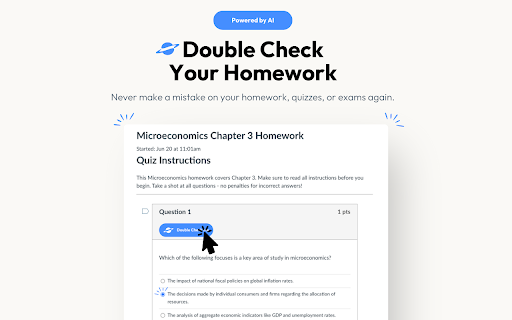
Double Check - Chrome Extension Website screenshot

What is Double Check ai chrome extension?

Double Check is an intelligent, browser-native AI tool designed specifically for students and lifelong learners. It acts as a real-time academic co-pilot—scanning questions across web-based assignments, automatically cross-checking responses, and delivering not just correct answers, but contextual reasoning, step-by-step breakdowns, and confidence indicators to reinforce understanding and reduce guesswork.

How to use Double Check ai chrome extension?

Getting started takes seconds: add the extension from the Chrome Web Store, click the Double Check icon (or use the shortcut), then highlight or right-click any question on your screen—whether it's a multiple-choice prompt, math problem, or short-answer task. Within moments, you’ll see verified solutions, alternative approaches, and pedagogically grounded explanations—all without leaving your current tab.

🟢

Double Check - Chrome Extension - Key Features

Key Features From Double Check ai chrome extension

AI-Powered Answer Validation

Seamless LMS Integration

One-Click Screenshot Analysis

Concept-Centric Explanations

Real-Time Accuracy Scoring

Adaptive Learning Support

Minimalist, Distraction-Free UI

Double Check ai chrome extension's Use Cases

Validate solutions before submitting assignments

Cross-reference answers across Canvas, Moodle, Pearson, and more

Turn mistakes into learning opportunities with guided insights

🟢

Double Check - Chrome Extension - Frequently Asked Questions

FAQ from Double Check - Chrome Extension

What is Double Check?

Double Check is an AI-powered Chrome extension built to elevate academic integrity and mastery—not by giving shortcuts, but by empowering learners with instant verification, transparent reasoning, and actionable feedback tailored to each question type.

How to use Double Check?

Install the extension, activate it on any supported page (no login required), select a question with your cursor or via screenshot, and instantly receive a trusted answer alongside clear, curriculum-aligned explanations—designed to deepen comprehension, not replace effort.

How does Double Check verify answers?

Leveraging multimodal AI models fine-tuned on academic content, Double Check analyzes question structure, domain context, and solution logic—comparing outputs against authoritative sources and pedagogical best practices to deliver high-fidelity, explainable verification in under two seconds.

Can Double Check be used on any educational platform?

Yes—it works natively on major learning environments including Canvas, Blackboard, Moodle, McGraw Hill Connect, Pearson MyLab, and Google Classroom. No plugins, no logins, no setup: just accurate, ethical AI assistance—right where you study.