Coverposts

Coverposts: ai tool for blog social post

Coverposts: Coverposts is an ai tool that turns blog articles into rich social posts with custom images in mere seconds!

🟒

Coverposts - Introduction

Coverposts: AI Tool for Blog Social Posts
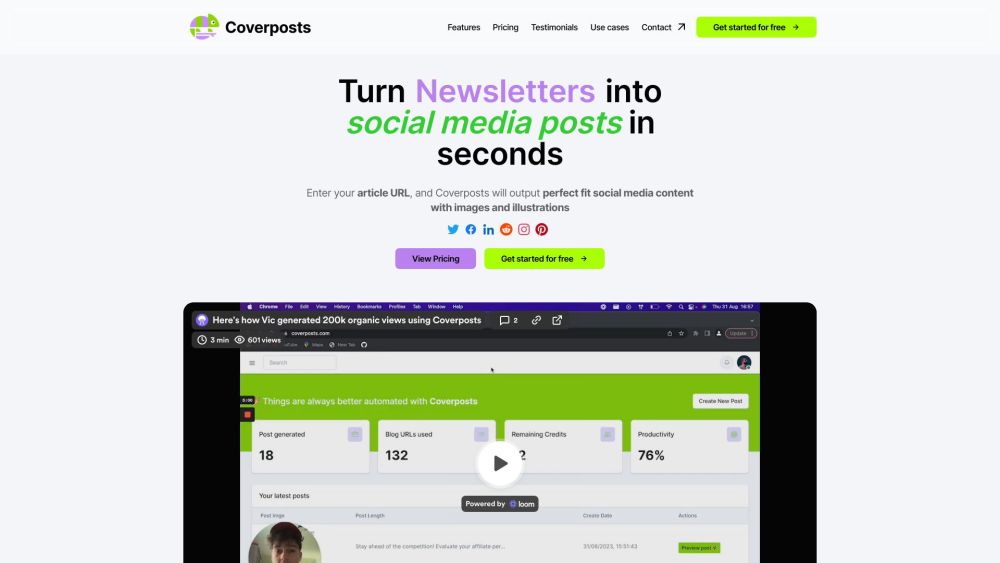
Coverposts Website screenshot

What is Coverposts?

Coverposts is an AI-powered content repurposing tool that transforms blog articles into ready-to-publish social media posts. By submitting an article URL, users can quickly create engaging captions, relevant visuals, and illustrations that reflect the main ideas of their original content.

The platform helps turn one long-form article into multiple social media assets, making it easier for businesses, creators, and marketing teams to maintain an active online presence without creating every post manually.

How to use Coverposts?

Coverposts is designed to make social content creation quick and straightforward. Follow these steps:

  1. Add your article URL: Copy and paste the link to the blog post you want to repurpose.
  2. Adjust your content preferences: Personalize the tone, captions, and messaging so the results fit your brand or audience.
  3. Create and publish your post: Let the AI generate social content with custom images and illustrations, then review the result before sharing it.

After generating a post, you can preview the final design, make adjustments when needed, and use the finished content across your preferred social channels.

🟒

Coverposts - Key Features

Key Features From Coverposts

Convert articles into social content

Coverposts analyzes the content of a blog article and produces social media copy based on its key points, helping users extend the reach of existing content.

Create customized captions

Users can refine the generated captions to match their company voice, campaign goals, and preferred communication style.

Generate custom visuals

The AI creates image-based content and illustrations designed to complement the subject of the article and make each post more eye-catching.

Preview content before sharing

Coverposts lets users review their generated posts before publishing, giving them the opportunity to check the text, visuals, and overall presentation.

Share across social platforms

Once a post is ready, it can be shared with audiences on popular social media platforms, including Twitter, Facebook, LinkedIn, Reddit, and other supported networks.

Keep a history of generated posts

A saved post history makes it easier to revisit previously created content and reuse ideas for future social media campaigns.

Coverposts's Use Cases

Business Owners

Small business owners can promote articles, announcements, and educational content without spending hours writing individual social posts.

Content Creators

Bloggers and independent creators can repurpose their long-form work into additional content for growing their social audiences.

Marketing Agencies

Agencies can use Coverposts to speed up content production for multiple clients and campaigns.

Freelancers

Freelance writers, consultants, and designers can turn their published articles into professional promotional content.

News Outlets

Publishers can create social updates from news stories and articles while maintaining a steady publishing schedule.

E-commerce Retailers

Online stores can repurpose product guides, buying advice, and blog content into posts that attract potential customers.

Non-profit Organizations

Non-profit teams can share educational resources, campaign updates, and organizational news with less manual effort.

🟒

Coverposts - Frequently Asked Questions

FAQ from Coverposts

What is Coverposts?

Coverposts is an AI tool that turns blog articles into social media posts. It can create captions, images, and illustrations from an article URL, helping users repurpose long-form content for social channels.

How does Coverposts create social posts?

Coverposts reviews the information in a submitted blog article and generates social content based on the article's topic, key points, and overall message. It also creates visual elements to support the post.

How do I make a post with Coverposts?

Paste the URL of your blog article into Coverposts, choose or customize your preferred style, and start the generation process. You can then preview the result and prepare it for sharing.

Can I edit the captions generated by Coverposts?

Yes. Coverposts allows users to adjust the generated captions so they better match their brand voice, campaign requirements, and target audience.

Which platforms support Coverposts content?

Generated posts can be used on major social networks such as Twitter, Facebook, LinkedIn, Reddit, and other supported platforms.

Does Coverposts generate images?

Yes. The tool creates images and illustrations that are intended to match the subject and message of the source article.

Do Coverposts posts include a watermark?

Coverposts-generated posts are described as watermark-free, allowing users to present clean and professional-looking content.

Can I access posts I created earlier?

Yes. Coverposts includes a saved posts history feature, which allows users to find previously generated content and refer to it later.

Who can benefit from Coverposts?

Businesses, bloggers, creators, agencies, freelancers, publishers, online retailers, and non-profit organizations can use Coverposts to turn existing articles into social media content.

Does Coverposts offer different plans?

Yes. Coverposts provides Starter, Premium, and Enterprise packages intended for users with different content creation needs and usage levels.

Can I try Coverposts before subscribing?

Coverposts offers a free trial option, allowing new users to explore its article-to-social-post workflow before selecting a paid plan.