ColorMagic

ColorMagic: AI Tool for Stunning Color Palettes

ColorMagic: An AI tool that generates stunning color palettes from keywords or images—fast, intuitive, and powered by cutting-edge AI.

🟢

ColorMagic - Introduction

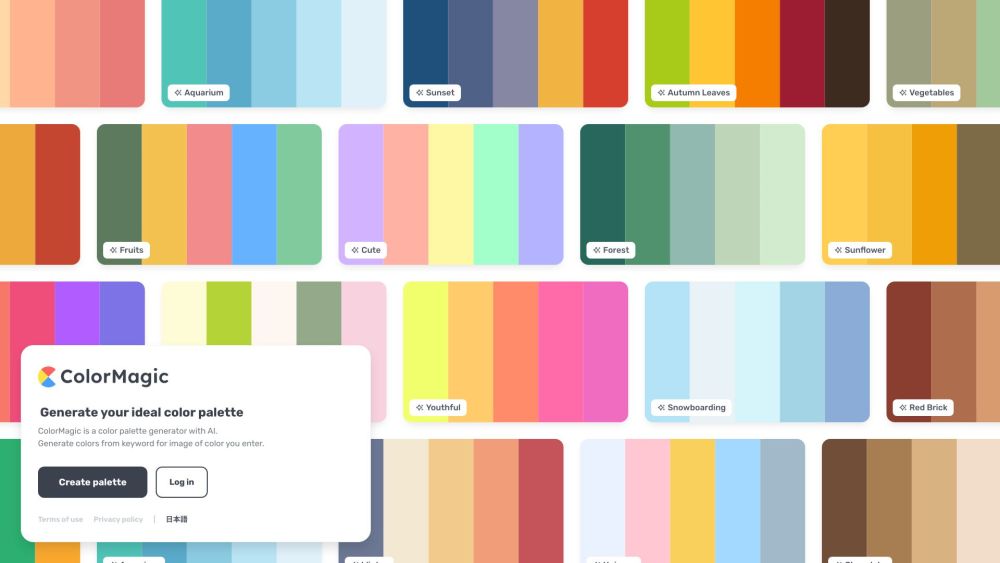
ColorMagic Website screenshot

What is ColorMagic?

ColorMagic is a next-generation AI design assistant that transforms ideas—and even visual references—into harmonious, on-brand color palettes in seconds. Whether you're sketching a logo, planning a website refresh, or selecting paint for a living room, ColorMagic interprets your intent with precision and delivers palettes rooted in color theory, accessibility standards, and aesthetic trends.

How to use ColorMagic?

Getting started with ColorMagic is effortless: type a descriptive keyword (like “desert sunset” or “cyberpunk noir”), or drag and drop any image—whether a photo, mood board snippet, or product mockup. Our intelligent model extracts dominant hues, evaluates contrast ratios, and generates multiple refined palette variations. Refine further with real-time adjustments, lock favorite swatches, or regenerate with subtle shifts in tone, saturation, or mood.

🟢

ColorMagic - Key Features

Key Features From ColorMagic

1. Intelligent semantic + visual palette generation
2. Real-time palette customization with adjustable harmony rules (monochromatic, analogous, triadic, etc.)
3. One-click export in HEX, RGB, HSL, and CSS-ready formats
4. Cloud-synced palette library with tagging and organization
5. Accessibility-aware previews showing contrast compliance (WCAG AA/AAA)

ColorMagic's Use Cases

From UX/UI designers building inclusive interfaces to marketers crafting cohesive brand assets—and from indie creators sourcing Instagram theme colors to architects visualizing material palettes—ColorMagic bridges inspiration and execution. It's equally powerful for digital design, print collateral, packaging, fashion forecasting, and spatial design workflows.

🟢

ColorMagic - Frequently Asked Questions

FAQ from ColorMagic

What is ColorMagic?

A revolutionary AI tool engineered to convert language and imagery into thoughtfully curated, production-ready color systems—blending computational color science with creative intuition.

How to use ColorMagic?

Enter a word, phrase, or emotion—or upload an image. Watch as ColorMagic analyzes context, lighting, and composition to propose palettes optimized for both aesthetics and function. Iterate freely, compare variants side-by-side, and finalize with confidence.

Can I generate color palettes based on images?

Yes—ColorMagic’s vision model goes beyond dominant-color extraction. It identifies color relationships, detects ambient light conditions, and preserves perceptual balance—so palettes feel intentional, not algorithmic.

What if I don't have a specific keyword or image in mind?

Explore our curated collections: trending palettes, seasonal themes, industry-specific sets (e.g., “SaaS UI”, “Eco-Wellness”, “Retro Gaming”), or let the AI suggest mood-based palettes using generative prompts.

Can I save and download the color palettes?

Every palette is automatically saved to your personal workspace. Export individual swatches or full palettes as PNG, SVG, JSON, or copy-paste-friendly code snippets—including Tailwind config and Figma plugin sync support.

Is ColorMagic suitable for professional designers?

Absolutely. Built with input from award-winning designers and color scientists, ColorMagic supports advanced workflows: batch palette generation, brand guideline integration, CMS-style version history, and API access for studio-wide deployment.

Can I customize the generated color palettes?

Yes—each palette is fully editable. Tweak individual hues with a color wheel or numeric inputs, adjust saturation/lightness sliders, lock key accents, or apply global filters (e.g., “muted”, “vibrant”, “accessible-only”). The AI adapts in real time while preserving harmony.