Cohost - Chrome Extension

Cohost - Chrome Extension: AI Tool for Real-Time Interview Feedback

Cohost - Chrome Extension: Real-time interview feedback AI tool for recruiters—Cohost delivers instant, actionable insights during live interviews.

🟢

Cohost - Chrome Extension - Introduction

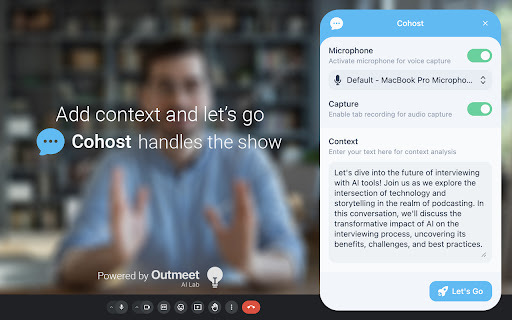
Cohost - Chrome Extension Website screenshot

What is Cohost ai chrome extension?

Cohost is an intelligent Chrome extension that transforms live interviews with AI-powered, context-aware feedback—delivered the moment it matters most.

How to use Cohost ai chrome extension?

Add Cohost to Chrome, configure candidate details and interview goals, launch your video call, and watch as AI analyzes speech, tone, and content—surfacing insights in real time.

🟢

Cohost - Chrome Extension - Key Features

Key Features From Cohost ai chrome extension

Live sentiment & clarity scoring

Smart follow-up question prompts

Bias-aware evaluation cues

Cohost ai chrome extension's Use Cases

Optimizing technical hiring workflows

Coaching candidates during mock interviews

🟢

Cohost - Chrome Extension - Frequently Asked Questions

FAQ from Cohost - Chrome Extension

What is Cohost?

An AI-augmented Chrome extension built specifically for recruiters and interviewers who need objective, instant feedback—without interrupting the flow of conversation.

How to use Cohost?

Install → Set up role-specific parameters (e.g., “senior frontend engineer”) → Start your Zoom/Teams/Google Meet session → receive live guidance and post-interview summary.

How to install the extension?

Visit the Chrome Web Store, search “Cohost”, click ‘Add to Chrome', then grant microphone access when prompted for real-time analysis.

Is the feedback provided accurate?

Cohost leverages fine-tuned LLM models trained on thousands of interview transcripts and validated by HR professionals—ensuring relevance, fairness, and actionable depth.